In
STEP
mode
there
are
6
fumtion
me
[Fig.
2
par
4.1
1.
COPY
Key:
Pressing this key on the display shows
"SELECT
DESllNAlON
SCENE,"
select through
the
'I
+l
2
keys the destination of the copy.
For
the successive
chases use
PAGE
key
Note:
After have pressed
COW
key, the same becomes
GRAB
key.
GRAB
Key:
Press th~s key to store the step, you can then paste
it
in an empty step of the same
chase or in a diferent chase. The key becomes
Pm.
PASTE
Key:
Pressing this key the step previously stored could be pasted
to
an any empty step of any
chase.
ERASE
Key:
Pressing this key the active step will be erased, select through the
1+12
keys [for the
successive
chases use
PAGE
key]
the step that must be erased, then press the
EPASE
key.
The
step will erased in a permanent way, it is not possible recover it.
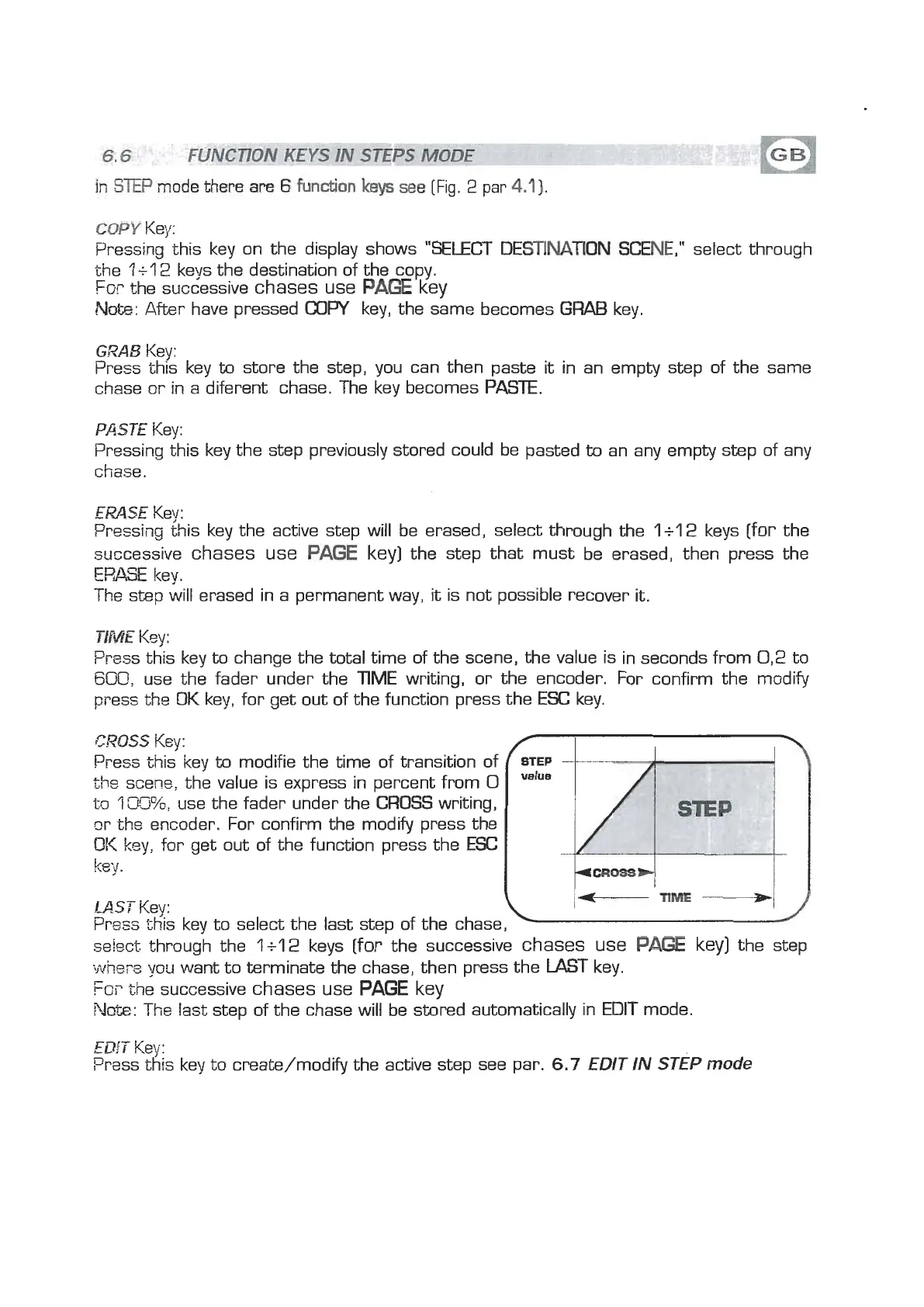
TIME
Key:
Press this key
to
change the total time of the scene, the value is in seconds from
0,2
to
600,
use the fader under the
TIME
writing, or the encoder. For confirm the modify
press the
OK
key, for get out of the function press the
ESC
key.
CROSS
Key:
Press this key to modifie the time of transition of
the
scene, the value is express in percent from
0
to
'i
W?,
use the fader under the
(=ROSS
writing,
or the encoder. For confirm the modlfy press the
OK
key, for get out of the function press the
ESC
key.
LAST
Key:
TIME
Press this key to select the last step of the chase,
se!ect through the
li12
keys [for the successive
chases use
Pm
key)
the step
where
you want to terminate the chase, then press the
LAST
key.
Fm
the successive
chases use
PAGE
key
Note:
The
last step of the chase will be stored automatically in EDIT mode.
EDf
T
Key:
Prass this key to create/modify the active step see par.
6.7
EDIT IN STEP
mode


 To Next Page
 Loading...