THIS
FUNCTjON
ALLOWS
TO
SEE
ONE
OF
THE
48
SCENES
OF
THE
ACTIVE
PROGRAM,
CHANGE
THE
PARAMETERS
AND
EDITING,
Press
SCENE
key
to
activate
SCENE
function [Fig.
1
]
T~P,
SCENE
key led
will
light up
to
indicate the activation of this
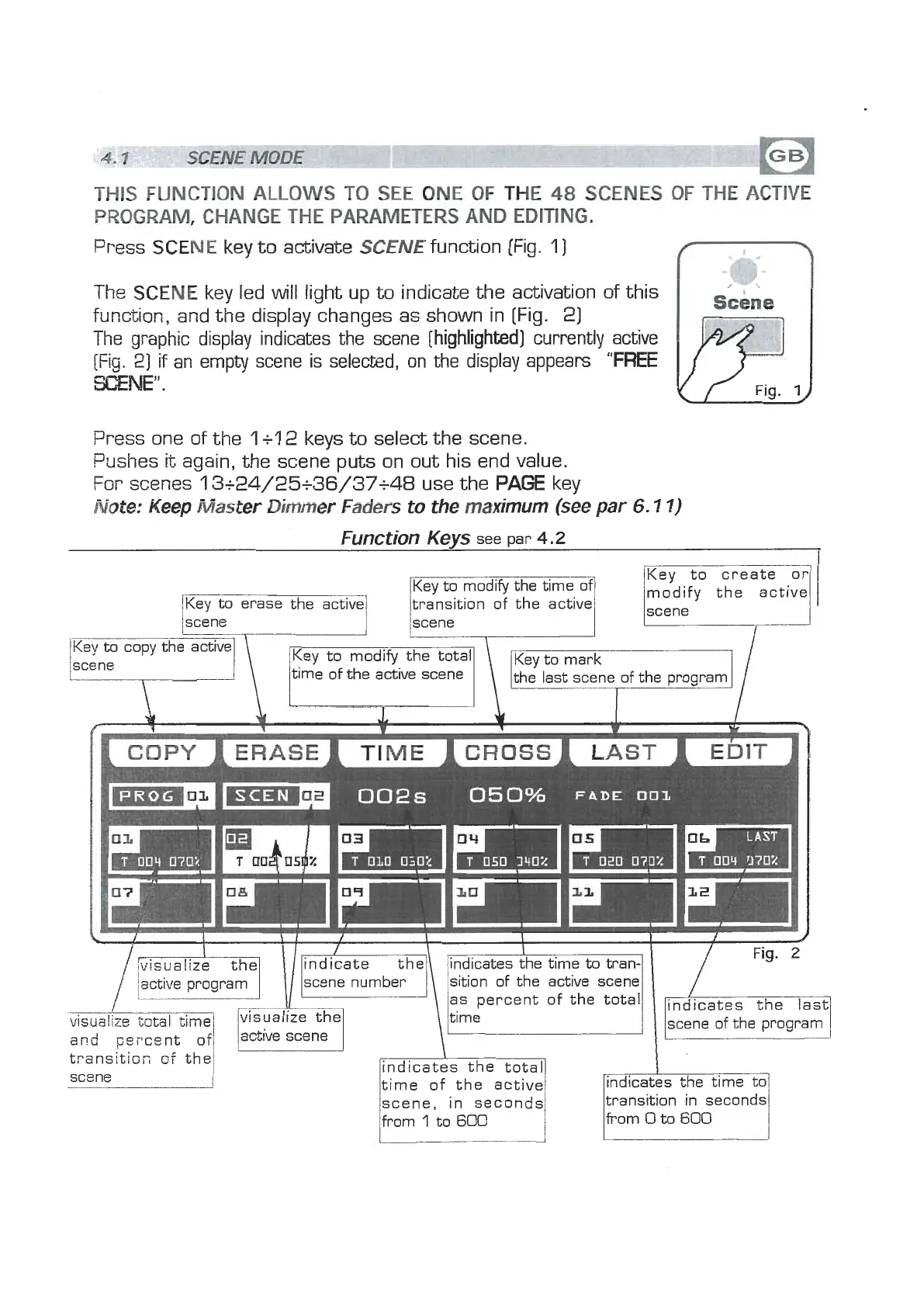
function, and the display changes as shown in [Fig. 2)
The graphic display indicates the scene [highlighted] currently active
[Fig.
2)
if
an empty scene is selected, on the display appears
"FREE
SCENE".
Press one of the
1
+l
2
keys
to
select the scene.
Pushes
it
again, the scene puts on out his end value.
For scenes
13+24/25+36/37+48
use the
PAGE
key
Note:
Keep
Master
Dimmer
Faders
to the maximum
(see
par
6.1
1)
Function
Kevs
see Dar
4.2
Key to modify the time of
Key to erase the active
transition of the active
kn
the active
\
time Key to of the modify active the scene total Key
to
mark
\
the last scene of the program
I
4
&
.L
4
I
I
f
W
k
h
COPY
I
ERASE
I
T
E
ICROSSI
LAST
1
E~IT
scene number
sition of the active scene
-
scene of the program
and
pePco,nt
transltior;
of
the
indicates the total
time of the active
[indicates the time to1
scene, in seconds
from
1
to
600
transition in seconds
from
0
to
600


 To Next Page
 Loading...