EasyManua.ls Logo

Dual DV735MB - User Manual

Dual DV735MB
30 pages
Print Icon
To Next Page IconTo Next Page
Loading...
INSTALLATION/OWNER’S MANUAL
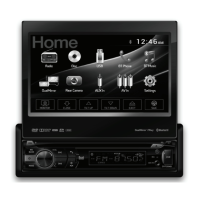
featuring a 7" Touch Screen Display
DV735MB
The DVD video display of the in-dash unit will not operate while the vehicle is moving. This is a safety feature
to prevent driver distraction. In-dash DVD video functions will only operate when vehicle is in Park and the
parking brake is engaged. It is illegal in most states for the driver to view video while the vehicle is in motion.
Safety Notes:
DVD Multimedia Receiver with Bluetooth
®
2-Way DualMirror™
Question and Answer IconNeed help?

Do you have a question about the Dual DV735MB and is the answer not in the manual?

Summary

Warning Statements and Safety Precautions

Driver Distraction Prevention

Safety notices regarding video display operation while driving.

Installation Visibility Restrictions

Legal requirements for screen placement to avoid driver distraction.

Parking Brake Lock-out Feature

Proper installation and use of the parking brake lock-out system.

Volume Level Guidelines

Maintaining audible awareness of external sounds while operating the unit.

Safety Information and Compliance

Installation and Usage Precautions

Guidelines to prevent unit damage or personal injury during installation and use.

FCC Compliance and Interference

Regulatory information regarding radio frequency emissions and interference.

Cleaning and Maintenance

Instructions for cleaning the monitor and handling potential liquid crystal issues.

Installation Preparation and Mounting

Before Installation

Pre-installation steps including battery disconnection and environmental considerations.

Installation Steps

Procedures for mounting the unit using the provided hardware and sleeve.

Mounting Method Overview

Diagram illustrating the typical front-load DIN mounting process.

Wiring Diagram and Notes

Input;Output Wiring Connections

Detailed diagram showing all unit inputs and outputs for connectivity.

Wiring Specific Notes

Important considerations for fuse replacement and specific wiring functions.

Control Locations

Receiver Front Panel Controls

Identification and function of buttons and ports on the main unit.

Remote Control Layout

Overview of buttons and their functions on the included remote control.

Remote Control Preparation

Battery Installation and Handling

Instructions for inserting, replacing, and storing the remote control battery.

Battery Notes

Important information regarding battery type, removal, and storage precautions.

General Operation

Initial Setup and Basic Functions

Steps for installing the faceplate and using core features like power, volume, and mute.

Input Mode Selection

How to navigate and select different audio/video input sources.

Screen and Menu Navigation

Adjusting screen angle and accessing the main menu screen.

Setup Menu Options

General Setup Parameters

Configuring animation, key beeps, disc, radio, wallpaper, and Bluetooth settings.

Display and Dimmer Settings

Adjusting screen dimmer levels and demo mode.

Advanced Setup and Reset

Time, Video, and Language Settings

Customizing clock format, video parameters, and unit language.

Illumination and Calibration

Adjusting screen illumination color and calibrating the touch screen.

System Reset Procedure

How to reset the unit to default settings using the reset button.

AM;FM;RDS Tuner Operation

Radio Interface and Basic Controls

Navigating the radio screen and using basic functions like tuning and mute.

Accessing Phone and Camera Features

How to access phone features and camera when enabled via Bluetooth or input.

Preset Station Management

Storing and recalling radio preset stations for quick access.

Radio Audio Settings

Audio Equalizer and Balance

Adjusting EQ presets, fader, and balance for optimal sound.

Subwoofer and Loudness Control

Managing subwoofer volume and loudness settings for enhanced audio.

Advanced Audio Settings (ASP)

Fine-tuning bass, middle, and treble frequencies and Q values.

Preset Scan and Band Selection

Scanning preset stations and switching between AM and FM bands.

Radio Tuning Options

Local;Distance Tuning Mode

Selecting between local and distant radio reception modes.

Screen Angle Adjustment

Adjusting the display screen angle up or down.

Traffic and Frequency Features

Managing Program Type, Traffic Announcements, and Alternative Frequencies.

CD;USB;SD Card Operation

Media Playback Basics

Inserting discs, USB devices, or SD cards for automatic playback.

Navigating Media Files

Accessing and browsing folders and files on connected media.

Playback Control Modes

Using repeat, random, and phone access functions during media playback.

Media Playback Controls

Media File Navigation and Control

Managing playback with previous/next track, pause, and fast forward/reverse.

Media Specific Options

Accessing audio settings, screen angle, and traffic announcements for media.

USB;SD Card Media Compatibility

File System and Extension Support

Compatibility details for FAT, WMA, MP3, and MPEG file formats.

Bitrate and File Information

Supported bitrates, directory depth, file name length, and tag information.

Media Playback Notes

Important notes regarding JPG viewing and potential media incompatibility.

CD;DVD Media Compatibility

ISO9660 and File System Standards

Compatibility with ISO9660, Joliet, Romeo, and Apple ISO file systems.

MPEG, Bitrate, and File Information

Supported MPEG formats, bitrates, and directory structure for CD/DVD media.

Media Playback Notes

Notes on JPG viewing restrictions and media compatibility with CD/DVDs.

Overall Media Compatibility

Compatible Discs and File Types

List of supported discs (CD-DA, DVD) and file formats (AVI, Mpeg2, Mpeg4).

Incompatible Discs and File Types

List of unsupported file types like DRM-protected WMA and MP3 PRO.

Playback Order and Formatting

How playback sequences and requirements for folder/file names and characters.

Recommended Ripping Settings

Recommended bitrates and sampling frequencies for MP3 and WMA files.

DVD Operation

Inserting and Ejecting DVDs

Procedures for inserting a DVD disc and ejecting it from the unit.

DVD Touchscreen Controls

Overview of on-screen controls for DVD playback.

DVD Playback Features

Accessing subtitles, language, angles, and time display.

DVD Navigation and Control

Using chapter access, mute, and play/pause functions for DVD playback.

DVD Playback Controls

DVD Chapter and Speed Controls

Navigating chapters and controlling playback speed (reverse/forward).

DVD Repeat and Random Modes

Setting repeat options for chapters/titles and using random playback mode.

DVD Screen and Phone Access

Adjusting screen angle and accessing phone features during DVD playback.

2-Way DualMirror Operation

Mirror Link Setup and Requirements

Instructions for setting up screen mirroring and required cables.

DualMirror App Installation

Downloading and installing the DualMirror 2-Way-B app for Android.

Bluetooth Pairing for Mirroring

Connecting the device via Bluetooth to enable 2-way control.

DualMirror Usage Notes

Tips for landscape mode and troubleshooting connection issues.

Connecting Devices for DualMirror

Connecting Android Devices

Diagram and instructions for connecting Android phones via HDMI and USB.

Connecting iOS Devices

Diagram and instructions for connecting iPhone, iPod, or iPad via HDMI and USB.

Bluetooth Operation and Pairing

Bluetooth Device Preparation

Ensuring Bluetooth is active on the device before pairing.

Pairing New and Paired Devices

Steps for pairing a new device and auto-connecting previously paired devices.

Accessing Bluetooth Phone Functions

How to access the phone menu and use keypad, redial, and call functions.

Bluetooth Music and Call Logs

Bluetooth Music Playback

Selecting and playing music from a connected Bluetooth device.

Call Log and Contact Management

Accessing dialed, received, missed calls, and contacts.

Bluetooth Connection Management

Viewing and managing active Bluetooth connections.

Auxiliary Input and Camera Operation

Front 3.5 mm Aux Input

Connecting and selecting an audio source via the front 3.5mm input.

Rear RCA A;V Input

Connecting and selecting an audio/video source via rear RCA connectors.

Rear Camera Operation

Connecting, selecting, and auto-switching for rear camera view.

Limited One Year Warranty

Warranty Service Procedures

Steps to follow for obtaining warranty service, including packing and shipping.

Warranty Coverage and Exclusions

Details on who is covered, what is covered, and limitations of liability.

Product Specifications

Disc and Tuner Specifications

Technical details for disc playback, FM, and AM tuner performance.

USB, SD, and Monitor Specifications

Specifications for USB/SD card compatibility and monitor display characteristics.

General Unit Specifications

Details on speaker impedance, output voltage, dimensions, and amplifier power.

Troubleshooting Guide

Power and Sound Issues

Solutions for units not turning on or having no sound.

Fuse and Video Display Problems

Troubleshooting blown fuses, no video, or incorrect video display.

Playback and Remote Control Issues

Solutions for DVD playback errors, skipping, and remote control malfunctions.

Record Keeping for Service

Reminder to keep purchase receipts for warranty service.

Overview

The Dual DV735MB is a DVD Multimedia Receiver featuring a 7" Touch Screen Display, designed for in-vehicle entertainment and connectivity. This unit offers a wide range of functions including radio, disc playback (DVD, CD, MP3/WMA), USB and SD card media playback, Bluetooth phone and music streaming, DualMirror™ technology, auxiliary inputs, and rear camera support.

Function Description:

The core function of the DV735MB is to provide a comprehensive multimedia experience in a vehicle. It integrates various audio and video sources, allowing users to enjoy their preferred content on the go.

  • Radio: The unit includes an AM/FM/RDS tuner, enabling users to listen to their favorite radio stations. RDS (Radio Data System) functionality provides additional information like station name, program type, and traffic announcements where available.
  • Disc Playback: It supports DVD video playback, allowing passengers to watch movies. It also plays audio CDs and MP3/WMA files stored on discs.
  • USB/SD Card Playback: Users can connect USB devices or insert SD cards to play MP3/WMA audio files, view AVI/MP4 video files, or display JPG photos. This provides flexibility for media consumption from various digital sources.
  • Bluetooth Connectivity: The DV735MB features Bluetooth for hands-free phone calls and wireless audio streaming. This allows users to make and receive calls safely and play music from their Bluetooth-enabled devices without cables.
  • DualMirror™ Technology: A standout feature, DualMirror™ allows users to mirror the screen of select Android smartphones, iPhones, iPods, and iPads onto the receiver's display. This enables viewing navigation, music apps, and other content directly on the larger screen. It also charges the mobile device through the rear USB port. Two-way control is supported for Android devices, enhancing interaction.
  • Auxiliary Inputs: The unit includes both front 3.5mm auxiliary input and rear RCA A/V inputs, allowing connection of external audio/video devices.
  • Rear Camera Support: For enhanced safety, the DV735MB can connect to an optional rear view camera, displaying the camera feed on the screen when the vehicle is in reverse.
  • Steering Wheel Control (SWC) Compatibility: The unit is designed to integrate with existing steering wheel controls, allowing users to manage basic functions without taking their hands off the wheel (requires an interface, sold separately).

Usage Features:

The DV735MB is designed for intuitive operation, primarily through its 7" touch screen display and a combination of physical buttons and a remote control.

  • Touch Screen Interface: The large touch screen provides easy access to all functions. The Main Menu, accessible via a house icon, centralizes access to Radio, Disc, USB, BT Phone, BT Music, DualMirror, Rear Camera, AUX In, AV In, and Settings.
  • Motorized LCD Screen: The screen is motorized, allowing it to open and close, and its angle can be adjusted for optimal viewing. This feature also reveals the SD card slot and the RESET button.
  • Volume Control: A prominent volume knob on the front panel allows for quick and easy adjustment of audio levels.
  • Mode Selection: The MODE button cycles through available input sources, making it simple to switch between radio, disc, USB, Bluetooth, and auxiliary inputs.
  • Mute Function: A dedicated MUTE button on the front panel and remote allows for instant silencing of audio, which can be restored by pressing MUTE again or adjusting the volume.
  • Setup Menu: A comprehensive setup menu, accessed from the Main Menu, allows customization of various settings including animation length, key beep, disc format, radio region, wallpaper, Bluetooth options (auto answer, auto connect, auto download), dimmer levels, demo mode, and unit information. Video settings like color, brightness, contrast, and tint can also be adjusted.
  • Audio Customization: Users can fine-tune their audio experience with EQ presets (JAZZ, CLASSIC, POP, ROCK, BEAT, FLAT, or USER for manual adjustment of Bass, Middle, and Treble), Fader/Balance control, and Subwoofer/Loudness settings. Advanced ASP (Audio Signal Processing) options allow for detailed control over bass, middle, and treble center frequencies and Q values.
  • Radio Presets: Up to 18 FM and 12 AM stations can be stored as presets for quick access. The unit also features an "Automatically Store / Preset Scan" function to find and save the strongest stations.
  • Media File Management: For USB/SD card playback, the unit provides direct file access, allowing users to browse folders and files. It supports displaying music, photo, or video files.
  • DVD Playback Controls: During DVD playback, users have access to controls for selecting titles and chapters, adjusting subtitles and language, and changing viewing angles. Fast forward, fast reverse, repeat, and random playback options are also available.
  • Bluetooth Phone Management: The Bluetooth interface includes a keypad for dialing, call logs (dialed, received, missed), and contacts access. It supports pairing multiple devices and features auto-connect for convenience.
  • Screen Calibration: The touch screen can be calibrated for optimal responsiveness.
  • Safety Features: The unit incorporates a parking brake lock-out feature that prevents video display while the vehicle is in motion, ensuring driver safety and compliance with legal regulations. It is crucial to connect the parking brake detect wire correctly during installation.

Maintenance Features:

  • Reset Button: In case of abnormal operation or unresponsiveness, a RESET button (located behind the faceplate) can be pressed with a pen tip to reset the main processor to default settings.
  • Fuse Replacement: The unit uses a 15 amp ATM mini style fuse. Instructions emphasize using the correct type and amperage for fuse replacement to prevent damage.
  • Cleaning: The monitor should be cleaned with a dry silicone or soft cloth, avoiding stiff cloths or volatile solvents like paint thinner and alcohol, which can scratch the surface or remove printing.
  • Battery for Remote Control: The remote control uses a 3-volt Lithium CR2025 battery. Instructions are provided for replacement and proper disposal, along with advice to remove the battery if the remote will not be used for extended periods.
  • Troubleshooting Guide: The manual includes a comprehensive troubleshooting section to help users diagnose and resolve common issues such as power problems, no sound, fuse blowing, no video, DVD playback issues, remote control malfunction, and excessive skipping. This guide provides potential causes and recommended actions.

Dual DV735MB Specifications

General IconGeneral
BrandDual
ModelDV735MB
CategoryDVD receiver
Tuner BandsAM/FM
Built-in DisplayYes
Display TypeLCD
BluetoothYes
USB PortYes
Aux InputYes
Remote ControlYes
Media TypeCD, DVD, USB
Media FormatsDVD-R, DVD-RW, CD, CD-R, CD-RW
Output Power / Total200 Watt
Output Power50 Watt
Response Bandwidth20 - 20000 Hz
Crossover Frequency80 Hz, 120 Hz
THD1 %