EasyManua.ls Logo

Dual TBX10A - User Manual

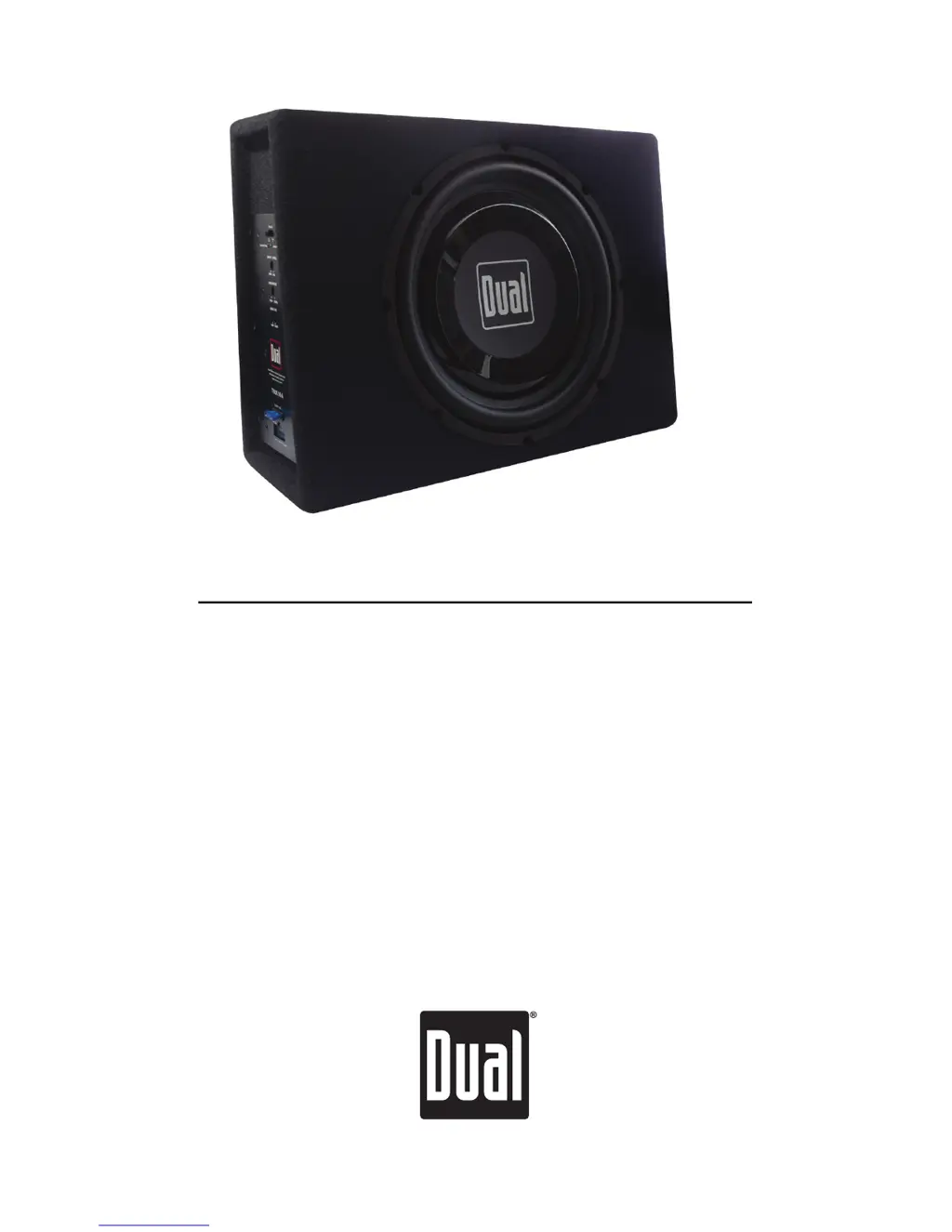
Dual TBX10A
12 pages
Print Icon
To Next Page IconTo Next Page
Loading...
INSTALLATION/OWNER'S MANUAL
10" Sealed Enclosure with Built-in Amplifier
TBX10A

Questions and Answers

  • D
    davidgarciaJul 26, 2025
    What to do if my Dual Enclosure keeps blowing fuses?
    • Q
      qwalkerJul 27, 2025
      If your Dual Enclosure unit blows a fuse, it could be due to several reasons. First, ensure that you are using fuse(s) with the correct rating. Next, check the BAT+ wire to make sure it is not touching the chassis ground, looking for any pinched wires. Finally, a defective or damaged speaker can also cause this issue, so check and replace the speaker if necessary.
  • K
    Kimberly ByrdJul 31, 2025
    How to troubleshoot a Dual Enclosure that will not turn on?
    • R
      Ryan ParrishJul 31, 2025
      If your Dual Enclosure unit isn't turning on and the power LED isn't lit, the issue might be with the wiring. First, check the BAT+ and REM wires to ensure they are properly connected and receiving the correct voltage (11~16VDC). Also, verify that the GND wire is securely connected to ground. Lastly, inspect the fuse(s) and replace them if they are blown.
  • D
    Denise WiseAug 4, 2025
    Why does my Dual Enclosure have power but no sound?
    • E
      Eric BrownAug 4, 2025
      If your Dual Enclosure has power (green LED) but no sound, start by increasing the volume level at the head unit. If that doesn't work, check the speaker for any defects or damage, and replace it if needed. Also, ensure that the input signal is properly connected, checking both high and low level inputs.
  • P
    Pamela WaltersAug 8, 2025
    How to eliminate engine noise from my Dual TBX10A Enclosure?
    • M
      mnelsonAug 8, 2025
      If you are experiencing engine noise with your Dual Enclosure, ensure that the amplifier is grounded to a clean, bare metal surface. Also, try re-routing the RCA cables away from existing high current wiring to avoid signal ground loops or radio frequency interference.
  • T
    Tiffany HuangAug 12, 2025
    What causes distorted audio output in my Dual TBX10A?
    • A
      Alexander CoxAug 13, 2025
      If you are experiencing distorted audio output from your Dual Enclosure, the input signal type might be incorrect, or the input level might be too high. Check the connections and reduce or adjust the input level accordingly.
  • V
    Victor MorrisAug 17, 2025
    Why is the audio output so low on my Dual TBX10A?
    • J
      Joshua WalkerAug 17, 2025
      If you're getting low audio output from your Dual Enclosure, the input signal type might be incorrect, or the input level might be too low. Check the connections and increase or adjust the input level.
  • P
    ppenaAug 21, 2025
    How to fix weak bass on Dual TBX10A?
    • L
      Luis GilesAug 21, 2025
      If you notice weak bass from your Dual Enclosure, it could be that the low frequency output is out of phase. Try adjusting the phase control as needed.

Summary

Preparation

Getting Started

Provides initial setup guidance before installation.

Installation: Safety First

Safety First

Essential safety precautions and guidelines for installation.

Installation: Connection Descriptions

Connection Descriptions

Details on power, ground, remote, and input signal connections.

Installation: Connections and Controls

Connections and Controls

Overview of the unit's physical connections and control panel features.

Installation: Typical Wire Routing

Typical Wire Routing

Illustrates recommended methods for routing wires during installation.

Installation: Mounting

Mounting

Step-by-step instructions for securely mounting the enclosure.

Installation: Control Setup and Adjustment

Control Setup and Adjustment

Guidance on adjusting phase, crossover, and input level controls.

Warranty

Limited One-Year Warranty

Outlines the terms and conditions of the product's warranty.

Installation: Troubleshooting

Troubleshooting

Common problems, their causes, and recommended solutions.

Installation: Specifications

Specifications

Technical details including power, frequency response, and dimensions.

Dual TBX10A Specifications

General IconGeneral
BrandDual
ModelTBX10A
CategoryEnclosure
LanguageEnglish

Related product manuals