8
Connecting to a headset or an amp
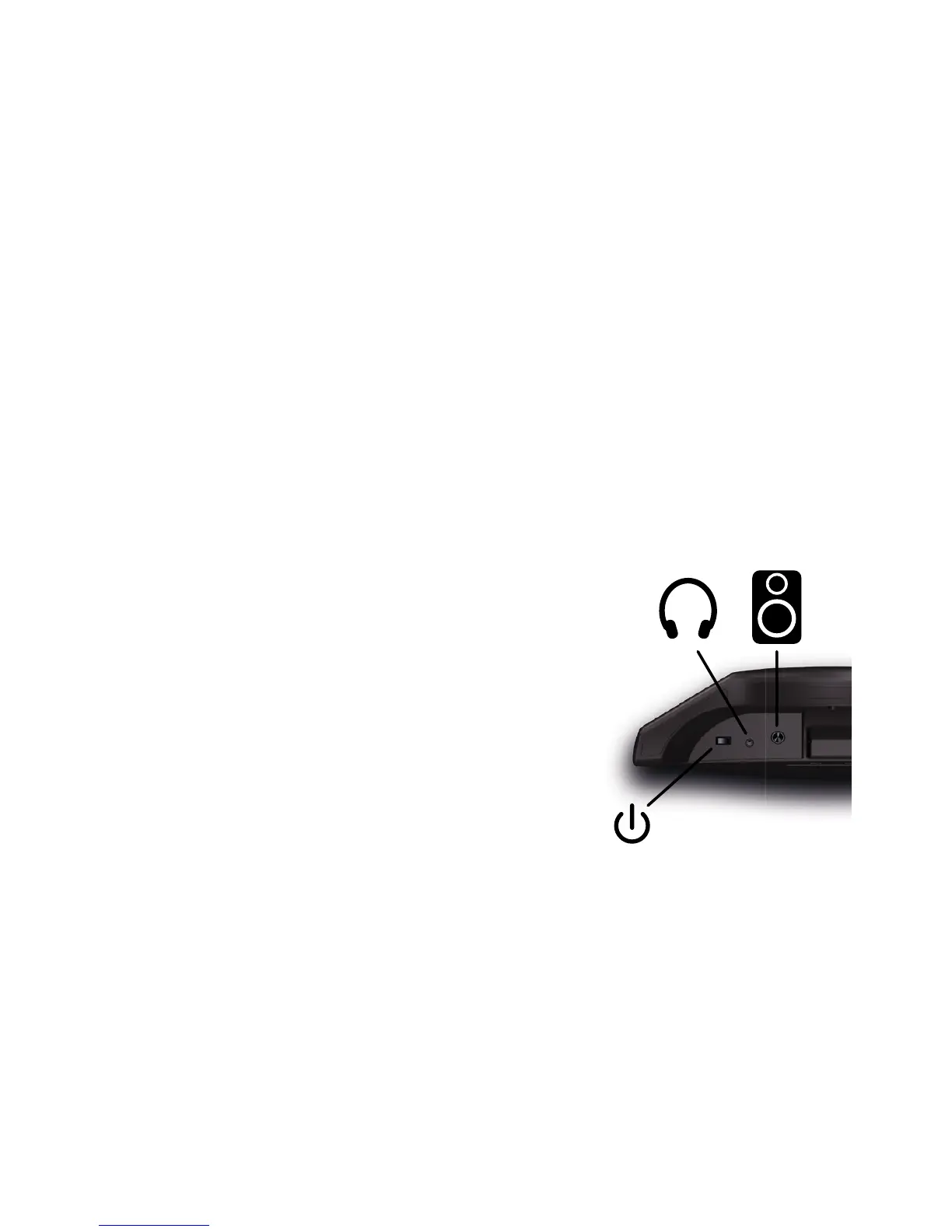
Plug in your headset or headphones to the headset mini-jack socket.
If you are using an amp, plug your jack into the audio line-out. Make your
connections before turning the equipment on. The du-touch produces bass
sounds, so you're advised to use a bass or keyboard amp, or even better a
sound system, rather than a guitar amp.
The du-touch is stereo but works very well in mono. Take care however not
to use a stereo jack on a balanced mono input. If in doubt, use a mono jack.
Turning the du-touch on or off
Briey press the standby button beneath the du-
touch to turn it on. The music button and screen
light up after several seconds, and the instrument
is ready to play.
Press the same standby button to turn the du-
touch off.


 To Next Page