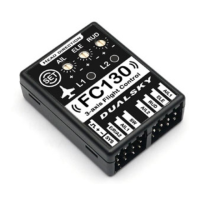
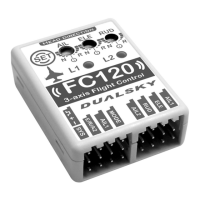
- 9 - - 10 -
Initial Calibration procedure as follow:
1. If transmitter has set dual rate(D/R), please switch to largest rate
2. Turn on transmitter, then connect the power to model
3. Wait LED1 for solid Green
4. Long press (2 sec) SET button on FC130 to enter the Setting
Mode
5. First item of Setting Mode is “initial calibration”, LED1 and LED2
are both solid Blue
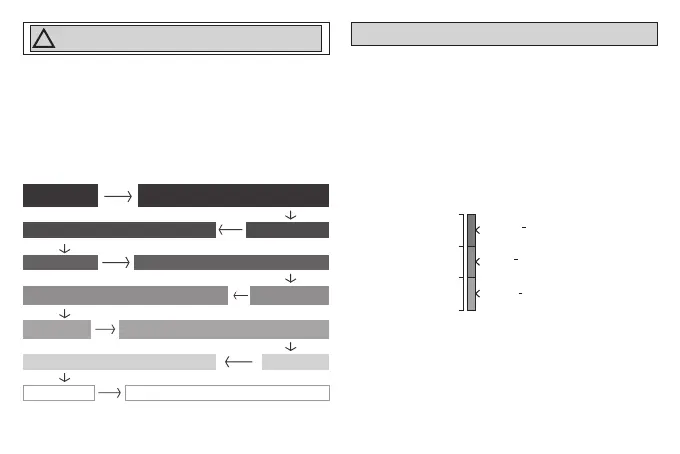
6. Double click SET button to start the calibration:
Aileron to left, Green blink, record left travel of aileron
LED 2,Solid Blue
Double click SET button,
Blue blink , record neutral point of each channel
LED 2, Solid Green
LED 2, Solid RED Aileron to right, Red blink, record right travel of aileron
LED 2, Solid Yellow
Pull Elevator, Yellow blink, record upper travel of elevator
LED 2, Solid Purple Push Elevator, Purple blink, record lower travel of elevator
LED 2, Solid CyanRudder to left, Cyan blink, record left travel of rudder
LED 2, Solid White Rudder to right, White blink, record right travel of rudder
7. After calibration finished, LED1 and LED2 return to soild Blue
8. Final step, long press (2 sec) SET button to save and exit Setting
Mode
3. Set SW mode switch
Please assign at 3-position switch to SW channel and make sure
this channel doesn’t have other function. Switch channel pulse width
range should be low 900~1300us, middle 1300~1700us, high
1700~2100us. Please refer to the below chart:
1700μs
900μs
2100μs
1300μs
H + 100% + 10%
Customizable stability (default: Normal)
M 0% + 10%
Normal stability
L -100% + 10%
Gyro disabled(OFF)
After correct setting, LED2 on FC130 will correspond to 3-position
switch as shown below. If it is not the same, please change the
direction of SW channel.
Caution:
When install FC130 to new model, “initial calibration”
must be done, otherwise the unit won’t work properly.
!
NOTE
:
Double click on SET button to skip unused channel


 To Next Page
 Loading...