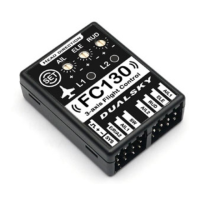
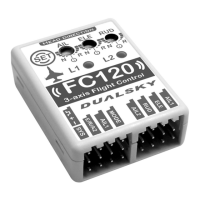
4. Ground Test
● After each “initial calibration”, please do a ground test
● Test if the SW mode switch is working properly. Do not turn on the
motor/engine, toggle the SW mode switch on the transmitter to
middle or high position (Low is gyro off), LED2 will turn Green for 0.5
sec, now FC130 is under Normal Stability.
- 12 -
FC130 Setting
● How to enter Setting Mode: Turn on radio controller, move the
throttle to lowest position; turn on power to the model, wait until the L1
LED finishes flashing Green and then changes to RED (Now the flight
control is in Lock Mode); press the “SET” button on the flight control to
enter Setting Mode. After you enter Setting Mode, L1 displays the
corresponding SETTING ITEM menu attributes (color), and L2
displays the corresponding SETTING VALUE menu attribute (color).
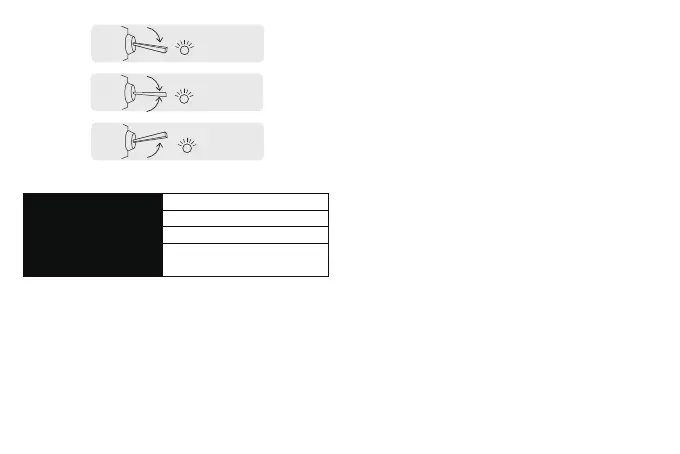
L2
Blue (0.5S)
Low
L2
Red (0.5S)
High
L2
Green (0.5S)
Middle
Switch position and corresponded working mode:
Switch posion Gyro Mode
Low Not working
Middle Normal Stability
High Default - Normal Stability
Mode can be changed in FC130 seing
If SW channel is not connected, FC130 will work under Normal
Stability mode by default. This mode can be set in FC130, but it
cannot be turned off. (Not recommended)
● Test gyro moving direction. Move the model on each axis,
corresponded control surface should have excursion the same as
moving direction. If moving direction is different, please run the
“initial calibration” again.
● Test transmitter moving direction. Toggle the stick (except the
throttle) to observe if each control surface moving at correct
direction.
● “SET” Button usage:
1) Long Press (more than 2 sec) under Lock Mode: enter Setting
Mode
2) Single Click under Setting Mode: switch between SETTING ITEM
3) Double Click (finish within 0.5 sec) under Setting Mode: change
SETTING VALUE
4) Long Press (more than 2 sec) under Setting Mode: Save and
Quit to Lock Mode
● Please check the below chart for all settings


 To Next Page
 Loading...