05
Bluetooth Connection
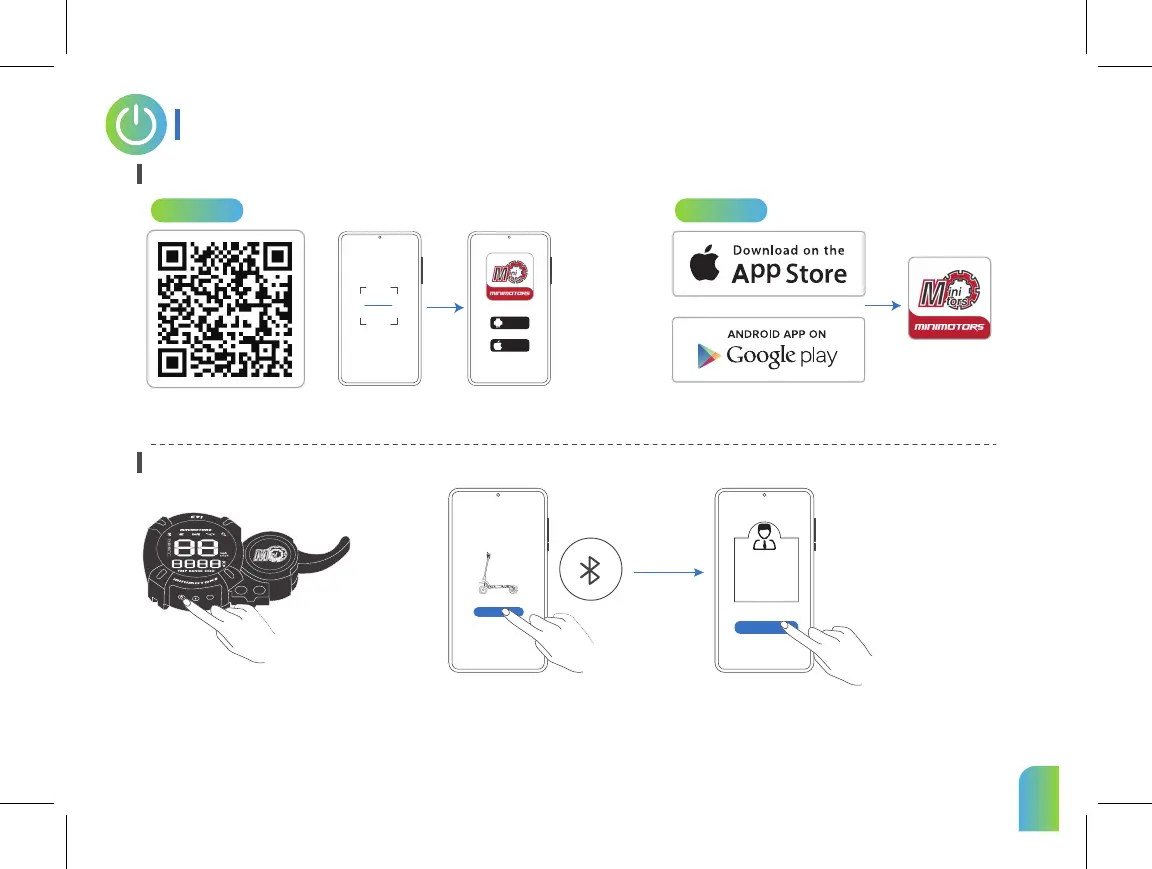
APP Download Guide
Pair the Bluetooth on the APP
1.Scan the QR code to download the APP.
Power on the scooter.
1.Search "DUALTRON" in the application and download it,
and register / log in.
2.Choose the mobile phone system that suits you to install,and register / log in.
Dualtron
sure
Android
iphone
Click “Search vehicle” and pair with
your scooter. * The scooter is
connected to the Dualtron app when
the Bluetooth symbol lights up.
Search vehicle
Select “bind as owner".
(No one else can connect, only people authorized by you are
allowed to connect. Authorizations are created on the app.)
Method 1 Method 2
M
4
5


 To Next Page