EasyManua.ls Logo

Dukane Projector - Using the Audio; Troubleshooting Audio; Using the Keypad Buttons

Dukane Projector
38 pages
Print Icon
To Next Page IconTo Next Page
To Previous Page IconTo Previous Page
Loading...
Downloaded from Projector.com
21
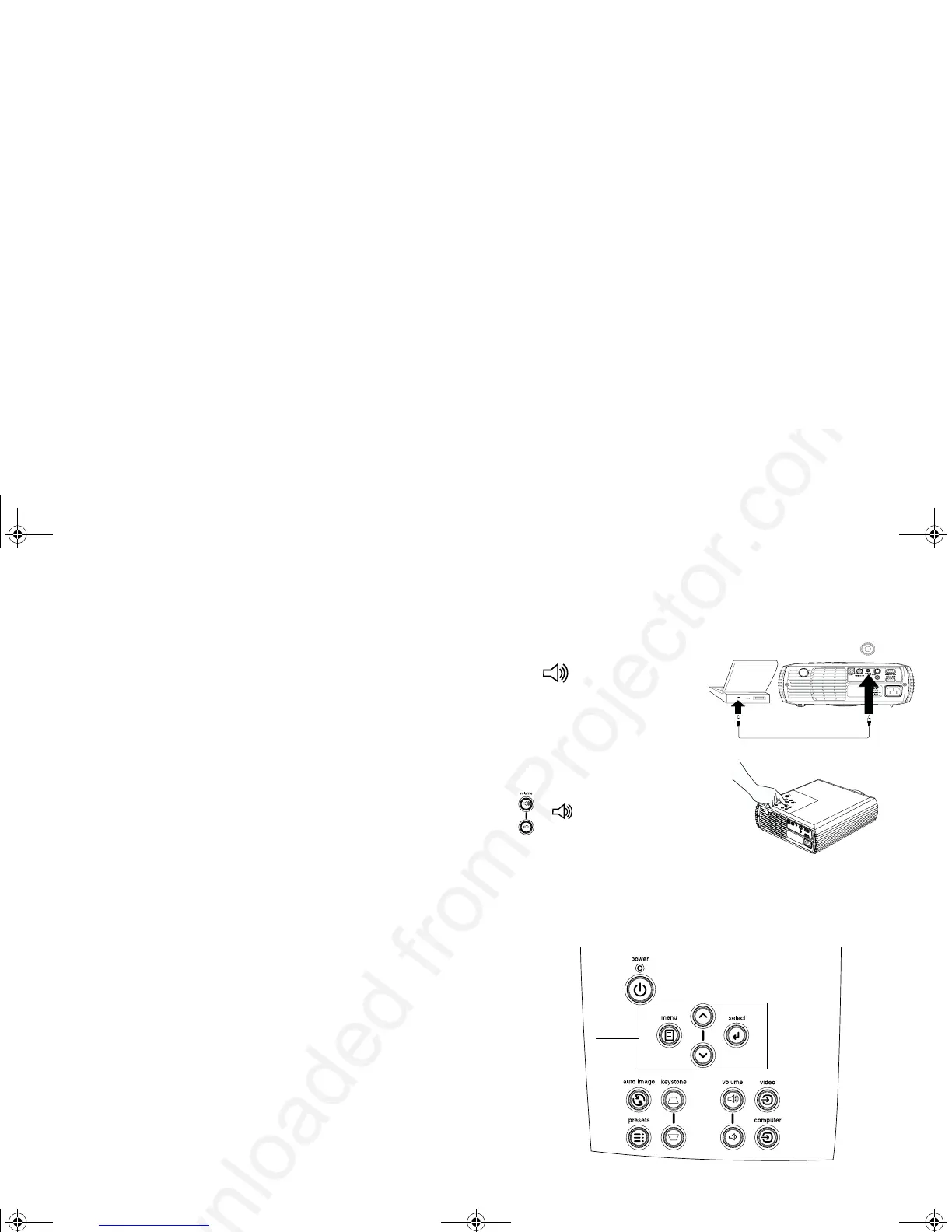
Using the audio
9D5Audio In%
9"
9Vol ume5"
Mute"
Troubleshooting Audio
L $D5
L /5"
L /5EMuteF"
L /5"4Volum e 
5"
L /5"
L 39"$55
"
Using the keypad buttons
/%

Power9E FE F"
Menu%E 6:F"
SelectE 6:F"
Up/Down arrows9E 6:F"
Auto Image9"
PresetsE 6=F"
Keystone9E >F"
Volu me 9E 6F"
VideoComputer"
connect audio cable
adjust volume
menu navigation
buttons
010-0393.fm Page 21 Monday, August 26, 2002 2:19 PM


Related product manuals