OPERATING INSTRUCTIONS (continued)
INSTRUCTION MANUAL: DHP7 PAGE 10
Dulytek Equipment
www.dulytek.com Email: help@dulytek.com
© 2018 Dulytek
All rights reserved
SETTING
CONTROL
PANEL
(continued)
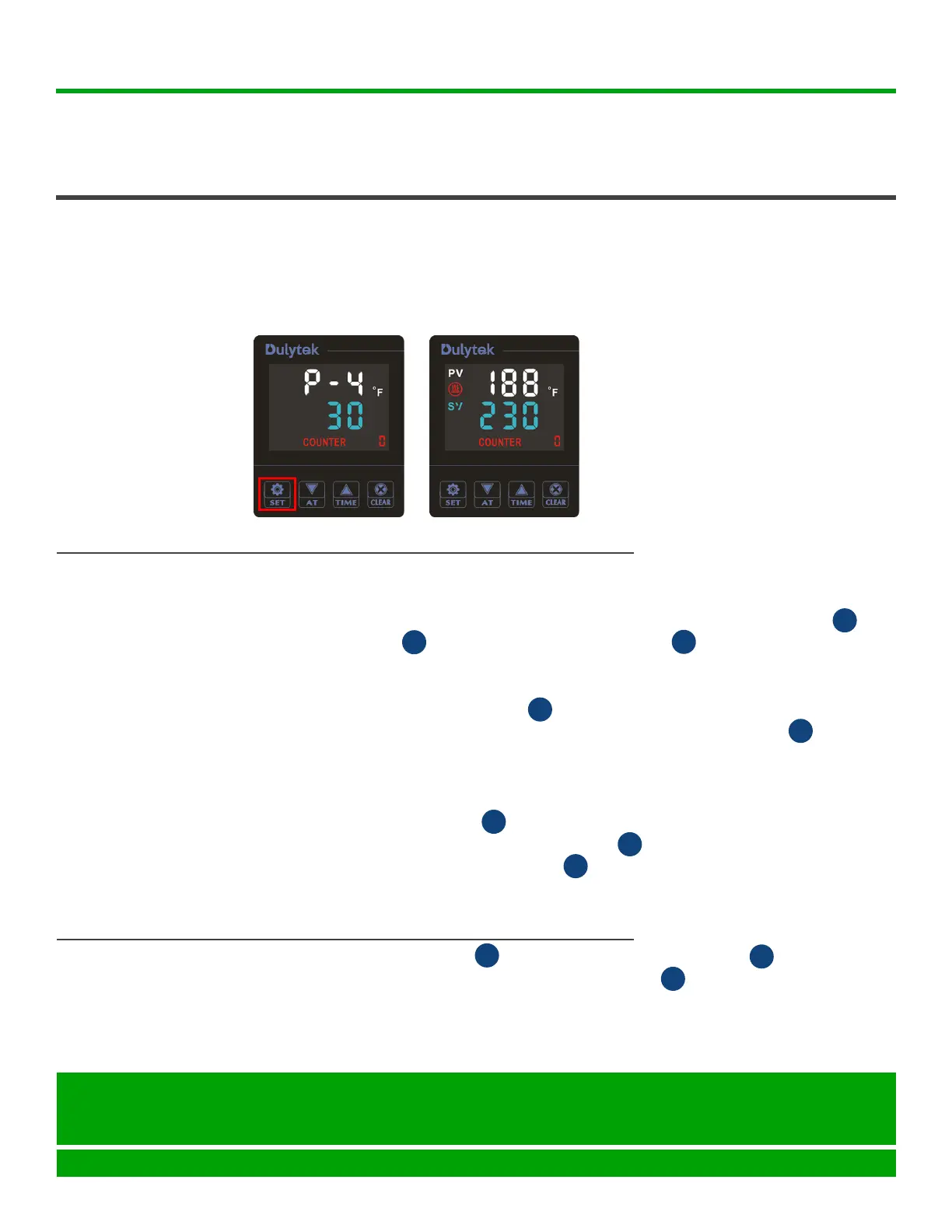
9. Now,pressSETbuttononcemoretorecordthesettings(Figure13).
The display screen shows the current temperature of the corresponding
platenonthe“PV”lineandyourdesiredtemperatureonthe“SV”line
(Figure14).
Figure 13 Figure 14
1. Wait until the platens heat up to the desired temperature. Tip: The
temperaturesshownonboth“PV”and“SV”linesshouldbethesame.
2. Place the material you wish to press in the center of the bottom platen ..
3. Pump the handle moving up the bottom platen and applying load
on your work material. Release the handle when the desired pressure is
reached.
4. Press the timer ON / OFF button . The countdown starts immediately;
theremainingtimeisshownonthe“SV”lineofthecontrolpanel.
5. Wait until the countdown ends and the display on the control panel
shows“0”onthe“SV”line.Tip: the press starts beeping as soon as the
time is up.
6. Press the ON/OFFbuttonagaintoturnothetimer.
7. Open the release valve by turning the knob counterclockwise. The
press lowers down the bottom platen .
8. Remove the pressed material using heat resistant gloves or tools and
exercising extreme caution.
PRESSING
F
C
E
C
C
D
D
H
1. Remove the pump handle from the pump handle socket .
2. TurnthemachineobyippingON/OFFswitchwhendonepressing.
3. Unplug and then disconnect the AC power cord from the press.
4. Wait until the press cools down completely to store it.
TURNING OFF
PRESS
I
F
G


 To Next Page