OPERATING INSTRUCTIONS (continued)
INSTRUCTION MANUAL: DM800 PAGE 10
3. Lower the press handle .
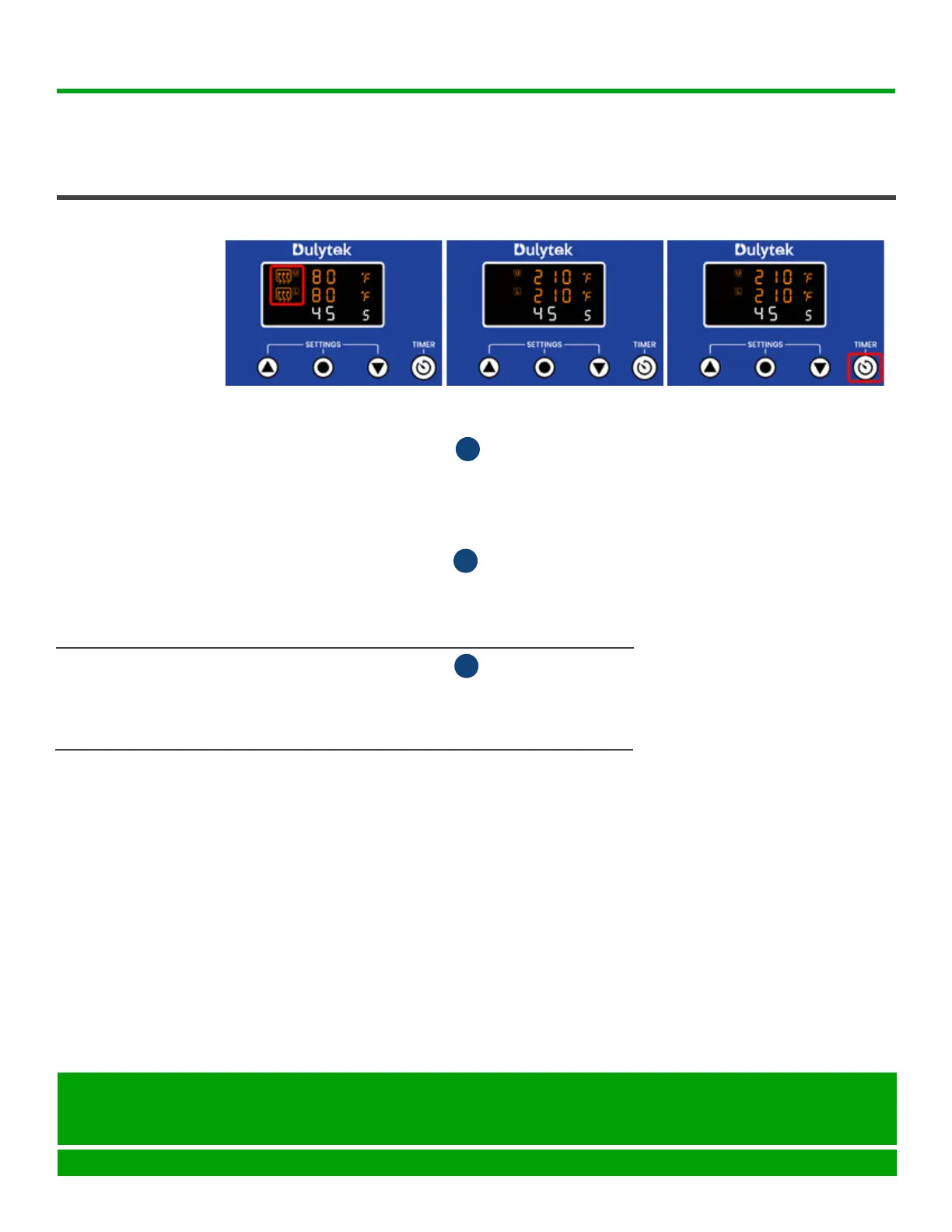
4. PressTIMERbuttononthecontrolpaneltostartthecountdown(Fig.12).
The countdown is now shown on the lower line of the display.
5. Wait until the countdown ends and the press starts beeping.
6. Press TIMER buttonagaintoturnothetimerandstopbeeping.
7. Lift up the press handle .
8. Remove the pressed material using heat resistant gloves or tools and
exercising extreme caution.
A
A
PRESSING
(continued)
1. FliptheON/OFFswitchtoturnthemachineowhendonepressing.
2. Unplug and then disconnect the AC power cord from the press.
3. Wait until the press cools down completely to clean and store it.
TURNING OFF
PRESS
F
1. Make sure the press plates are completely cooled down before cleaning.
2. Apply a small amount of alcohol to a clean cloth and wipe down the plates
until clean.
3. Wipe plates with a dry clean cloth.
4. Repeat these steps for cleaning all associated tools.
CLEANING
PRESS PLATES
Fig. 10
Fig. 11 Fig. 12
Seattle, WA 98105
United States
help@dulytek.com
www.dulytek.com
© Dulytek
All rights reserved



 To Next Page