GETTINGFAMILIAR(continued)
INSTRUCTION MANUAL: DM800 PAGE 7
© 2020 Dulytek
All rights reserved
DM800 PRESS
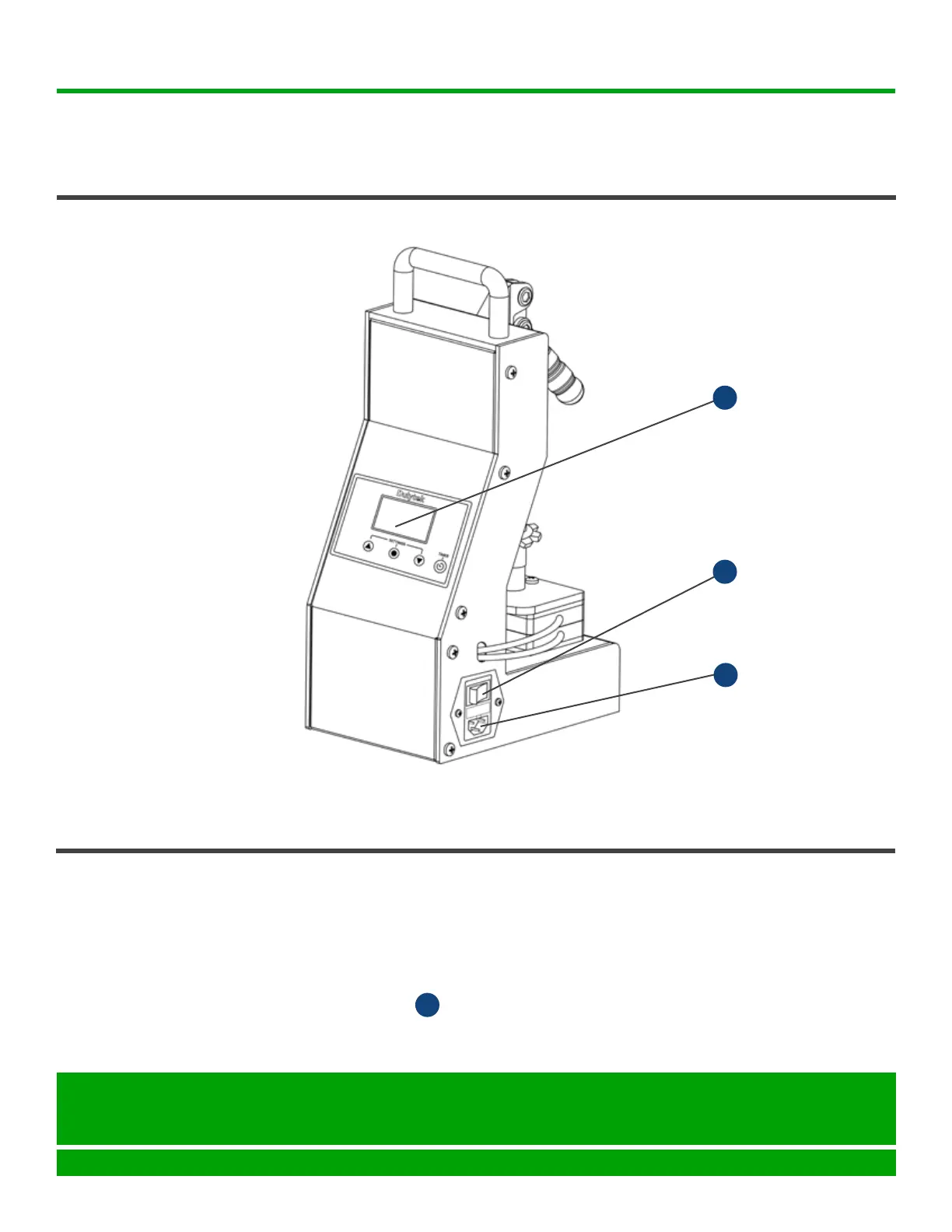
FEATURES AND
CONTROLS
(back)
OPERATING INSTRUCTIONS
PREPARING
PRESS
1. Prepare materials you wish to press. PleaseseePRESSINGTIPS(https://
bit.ly/2YuM8pR)formoreinformation.
2. Makesurethepressstandsonaatsturdycountertop.
3. Makesureallswitchesandcontrolsareturnedo.
4. Insert the AC power cord that came with the product into the press AC
power cord socket and then plug its other end into an electrical outlet
(110VforUSA/220VforEUR).
G
.
.
ON/OFFSwitch
F
Control Panel
E
.
AC Power Cord
Socket
G
Seattle, WA 98105
United States
help@dulytek.com
www.dulytek.com
© Dulytek
All rights reserved



 To Next Page