OPERATING INSTRUCTIONS (continued)
INSTRUCTION MANUAL: DM800 PAGE 8
Turn the pressure knob clockwise to increase pressure or counterwise to
reduce it. Use it to adjust the vertical position of the top platen. A larger amount
of starting material may require a larger distance between the platens to
successfully close the press. Experiment lifting and lowering the press handle
to make sure it locks at the right height for you.
ADJUSTING
PRESSURE
B
STARTING
PRESS
1. Lift the press handle to open the machine.
2. FliptheON/OFFswitchtoturnthepresson.Thecontrolpanel
lights up.
A
F
4. PressUporDownbuttonstoselectthedesiredtemperature(Fig.
4).Theselectedtemperatureisshownonthelowerlineofthedisplay.
E
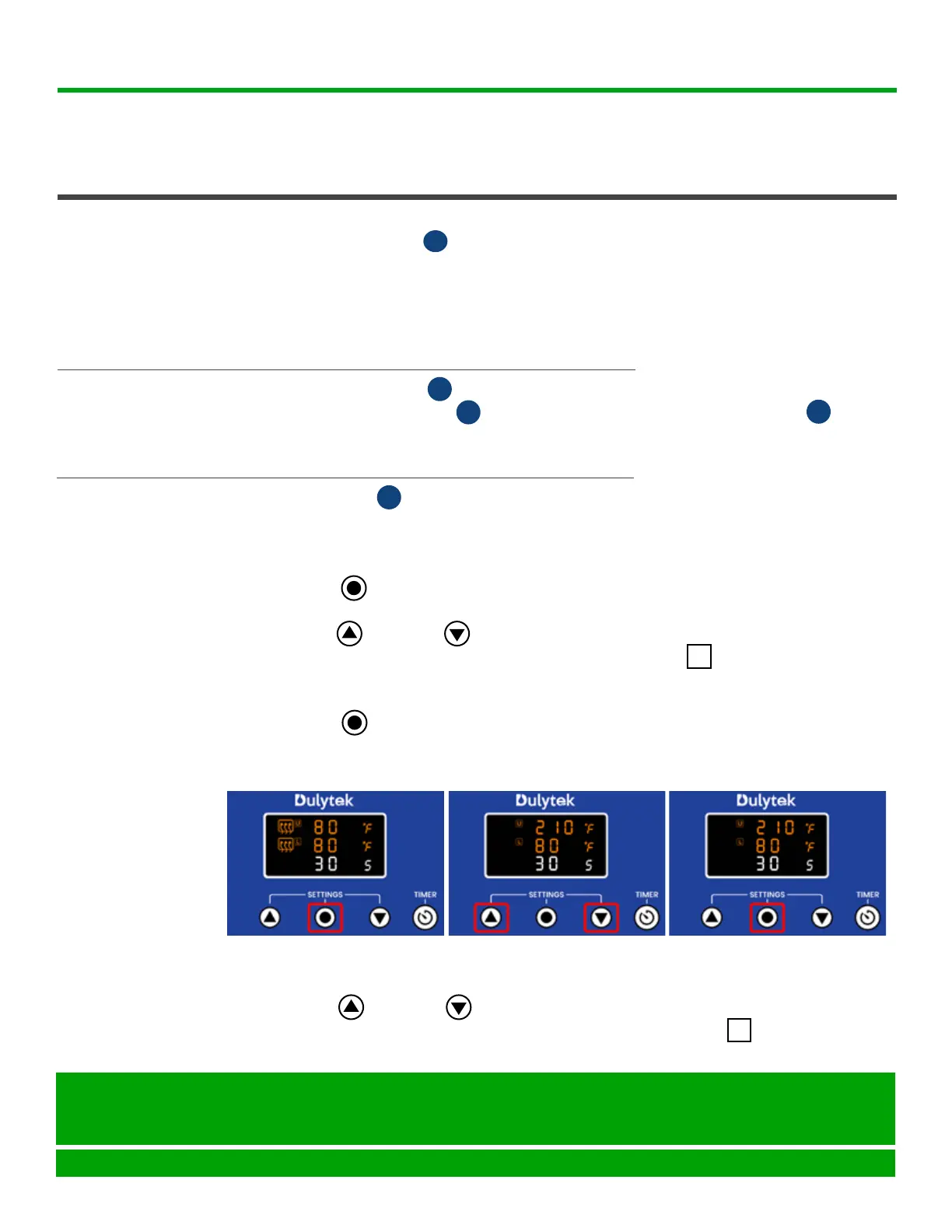
Fig. 1
Fig. 2 Fig. 3
The control panel is used to set temperature for both platens, timer, and
Fahrenheit or Celsius preferences. Please follow the steps below to record the
desired settings:
1. PressSetbuttononthecontrolpanel(Fig.1)togotothetemperature
setting mode for the top platen.
2. PressUporDownbuttonstoselectthedesiredtemperature(Fig.
2).Theselectedtemperatureisshownontheupperlineofthedisplay.
Tip: Enter the temperature either in °F or °C; you will be able to select the
temperature scale later.
3. PressSetbuttonagain(Fig.3)togotothetemperaturesettingmode
for the bottom platen.
SETTING
CONTROL
PANEL
E
U
L
Seattle, WA 98105
United States
help@dulytek.com
www.dulytek.com
© Dulytek
All rights reserved



 To Next Page