
 Need help?
Do you have a question about the Duncan SILVER LAKE and is the answer not in the manual?
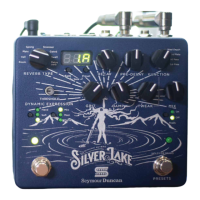
8-way switch to select reverb modes like Room, Hall, Plate, Spring, Shimmer, Gated, Swell, Delay/verb.
Sets reverb decay time, affecting room size and duration.
Controls pre-delay time and selects parameters (Mod Depth, Mod Rate, Hi Pass, Lo Pass) for the Tweak knob.
Threshold knob, Hard/Soft/Off toggle, and Expression Assign button for dynamic parameter control.
Adds soft clipping/grit to the wet signal and controls damping, reducing high frequencies.
Tweak controls selected parameter; Mix sets wet/dry signal balance.
Trails button controls natural decay when bypassed; Bypass footswitch turns effect on/off.
Navigates between presets and banks using tap and hold functions.
 General
| Brand | Duncan |
|---|---|
| Model | SILVER LAKE |
| Category | Recording Equipment |
| Language | English |

 To Next Page