Remote Control
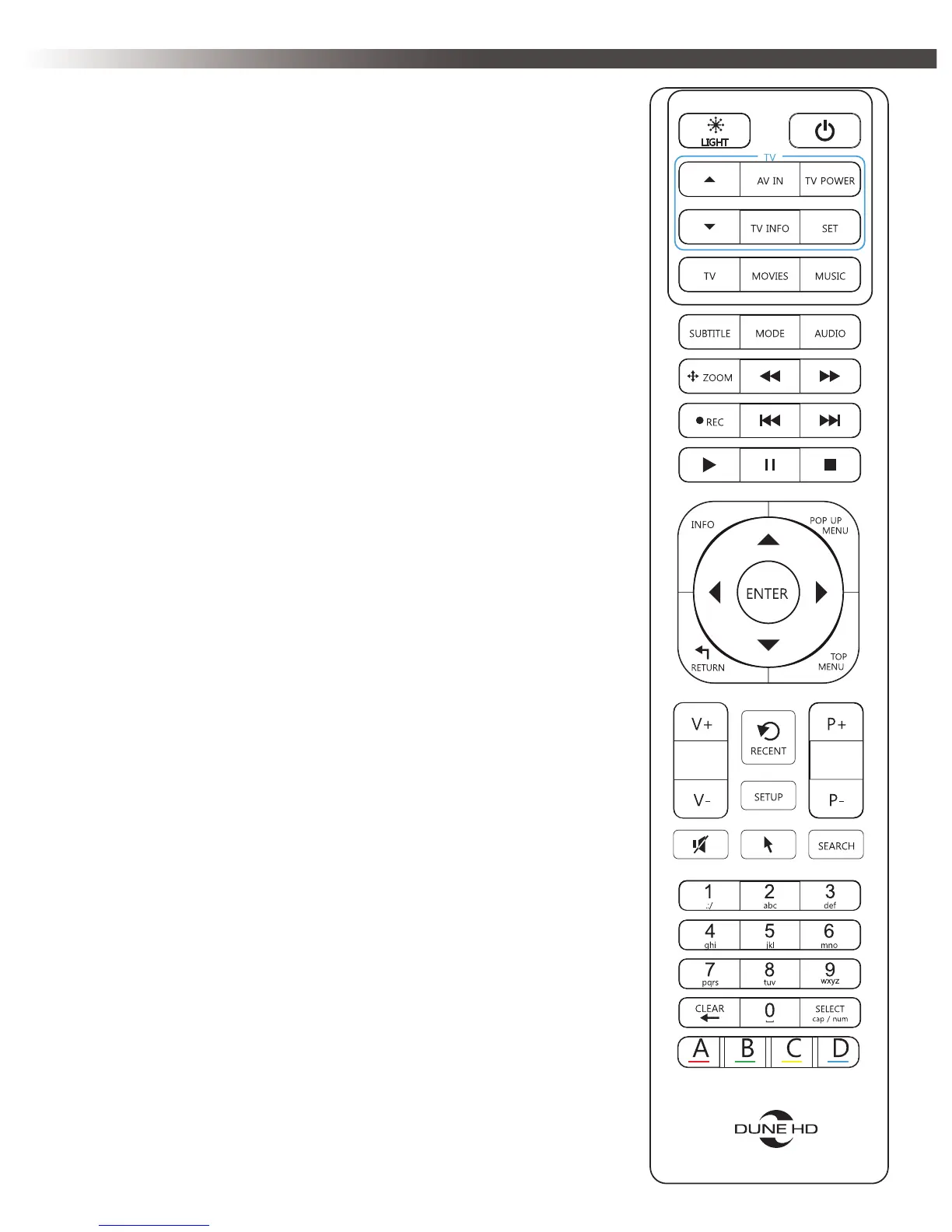
• LIGHT — turn the remote control backlight on/
off.
• POWER — turn the player on/off.
• TV section (UP, DOWN, AV IN, TV INFO, TV
POWER, SET) — learnable buttons to control TV or
other external equipment; use SET button to learn
the other 5 buttons (see “Learning Remote Control”
section for more information).
• TV, MOVIES, MUSIC — hot keys to quickly
access TV channels / Movies / Music functionality
(when available).
• ►(PLAY), || (PAUSE), STOP, >>| (NEXT),
|<< (PREV), >> (FWD), << (REW), REC, ZOOM,
SUBTITLE, AUDIO, MODE — control the playback
and some other player functions.
• Arrows ◄▲►▼, ENTER, RETURN, TOP
MENU, POP UP MENU, INFO — main buttons for
controlling the player (navigate across the items on
the screen, open/use the currently selected item, go
back to the previous screen, go to the main menu,
show/hide popup menu with actions for the currently
selected item or the current player state, show/hide
information about the currently selected item or
the current player state, control some other player
functions).
• V+/V- (volume up / volume down) — adjust the
volume.
• P+/P- (page up / page down) — scroll up and
down in various lists, switch to the next/previous TV
channel, control some other player functions.
• MUTE — turn the sound on/off.
• RECENT — switch to recently watched channels/
movies or other recent items.
• SETUP — enter/leave the setup menu; adjust
playback settings during playback.


 To Next Page