14
EXPERT UI: CONTROL TAB: SENSORS
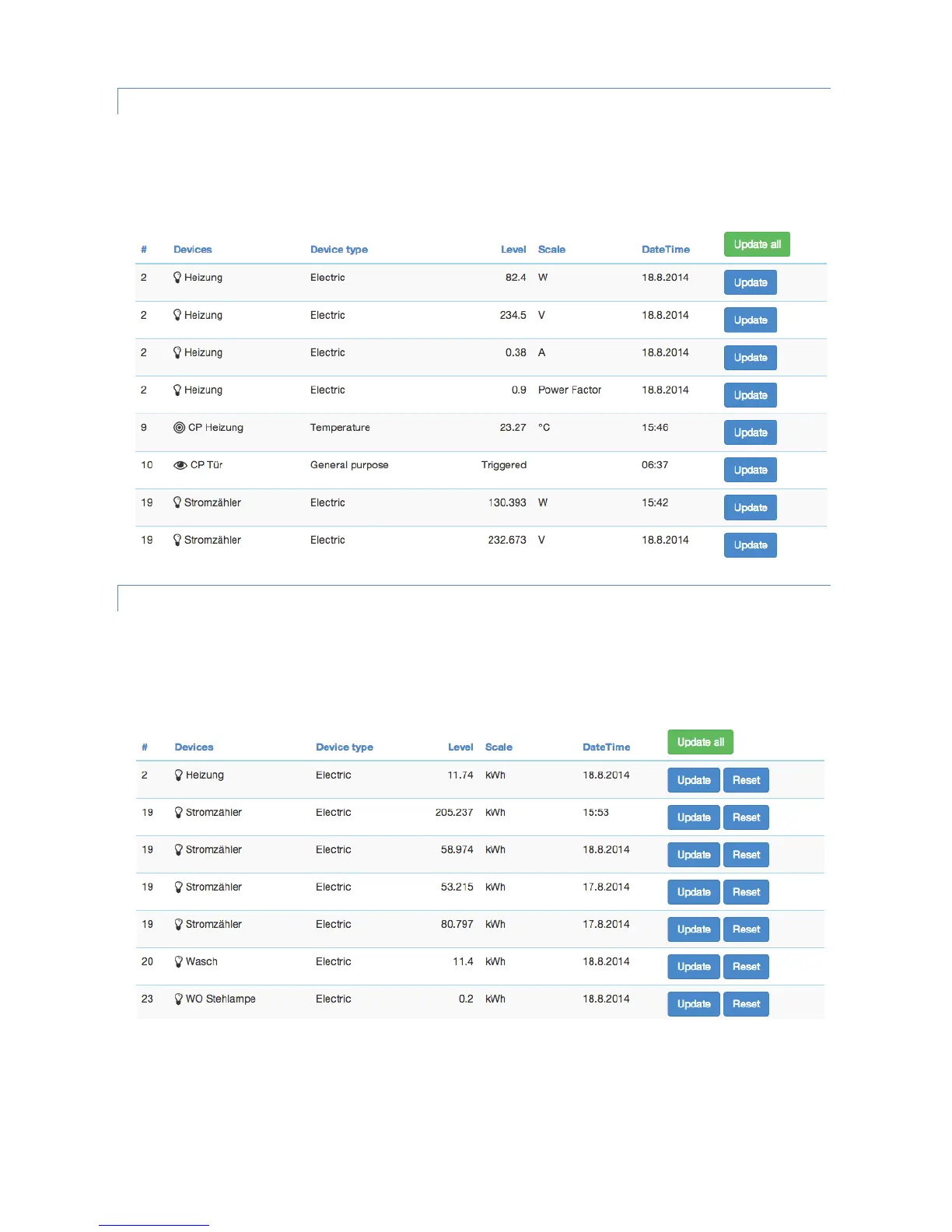
The Sensor screen lists all devices of the network providing sensor information. Device name and id, the type of the
sensor, the actual sensor value and the sensor scale is listed. The Date/time column indicates when the given sensor
value was received. Its possible to call for a sensor update but bear in mind that battery operated device will only
respond after the next wakeup.
EXPERT UI: CONTROL TAB: METERS
The Meter screens lists all devices of the network providing (accumulating) meter information. Device name and id,
the type of the meter, the actual meter value and the meter scale is listed. The Date/time column indicates when the
given sensor value was received. Its possible to call for a meter update but bear in mind that battery operated device
will only respond after the next wakeup. Clicking on the table heads reorders the table view of the data.


 To Next Page