17
EXPERT UI: DEVICE TAB: BATTERY
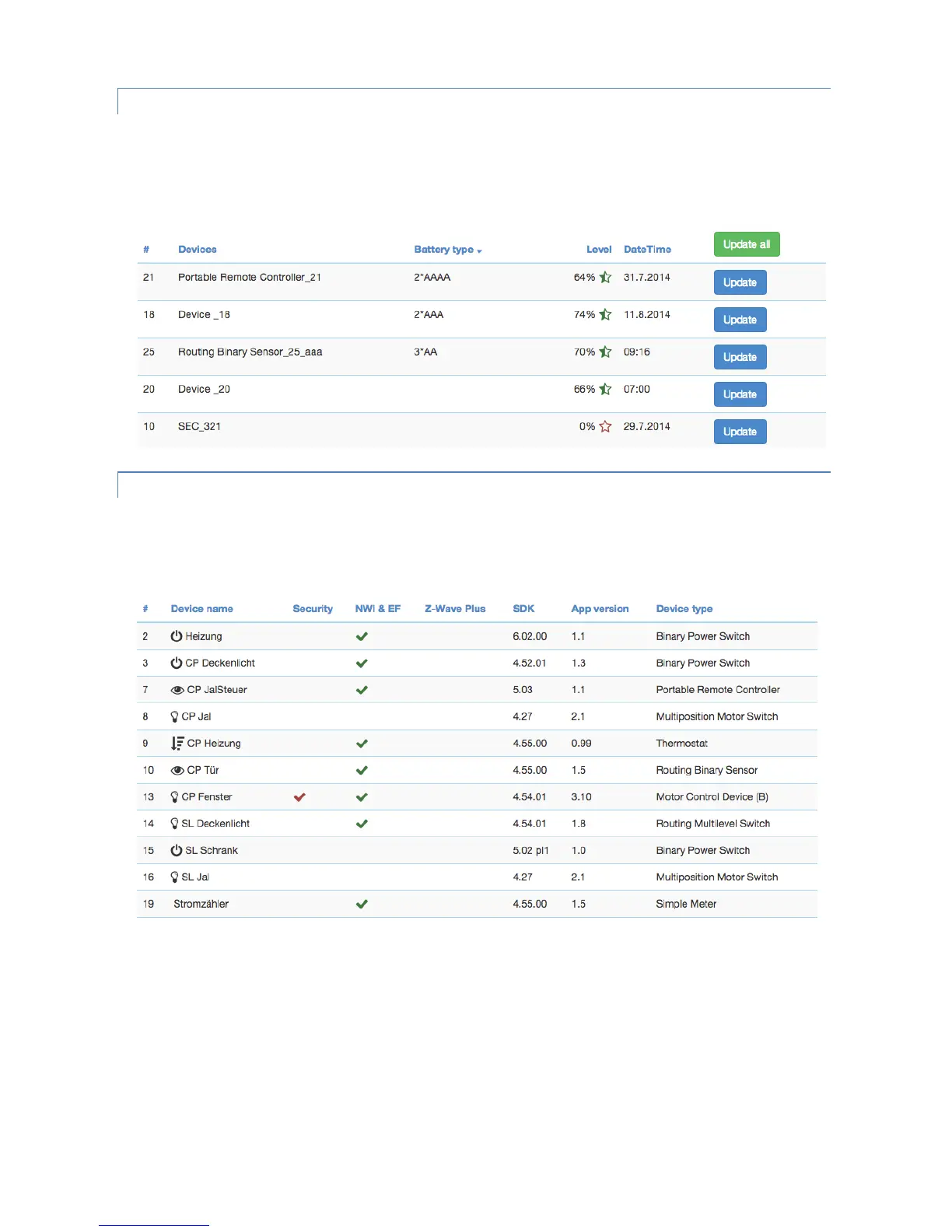
The Battery screen gives an overview of the battery status of the battery-operated devices in the network. Devices are
listed by name and id. The last reported battery level (0…100 %) including update time is shown as well as the number
and type of battery if known. The “Update” button will request a status update from the device. The new status will
be available after the next wakeup of the device. Clicking on the table heads reorders the table view of the data.
EXPERT UI: DEVICE TAB: TYPE INFO
The Type info screen lists all devices of the network and indicates if they support enhanced Z-Wave functions such as
Security and Z-Wave Plus. Their Z-Wave protocol version, their application version and their device type indicator is
shown for information purposes too. Clicking on the table heads reorders the table view of the data.


 To Next Page