19
EXPERT UI: CONFIGURATION TAB
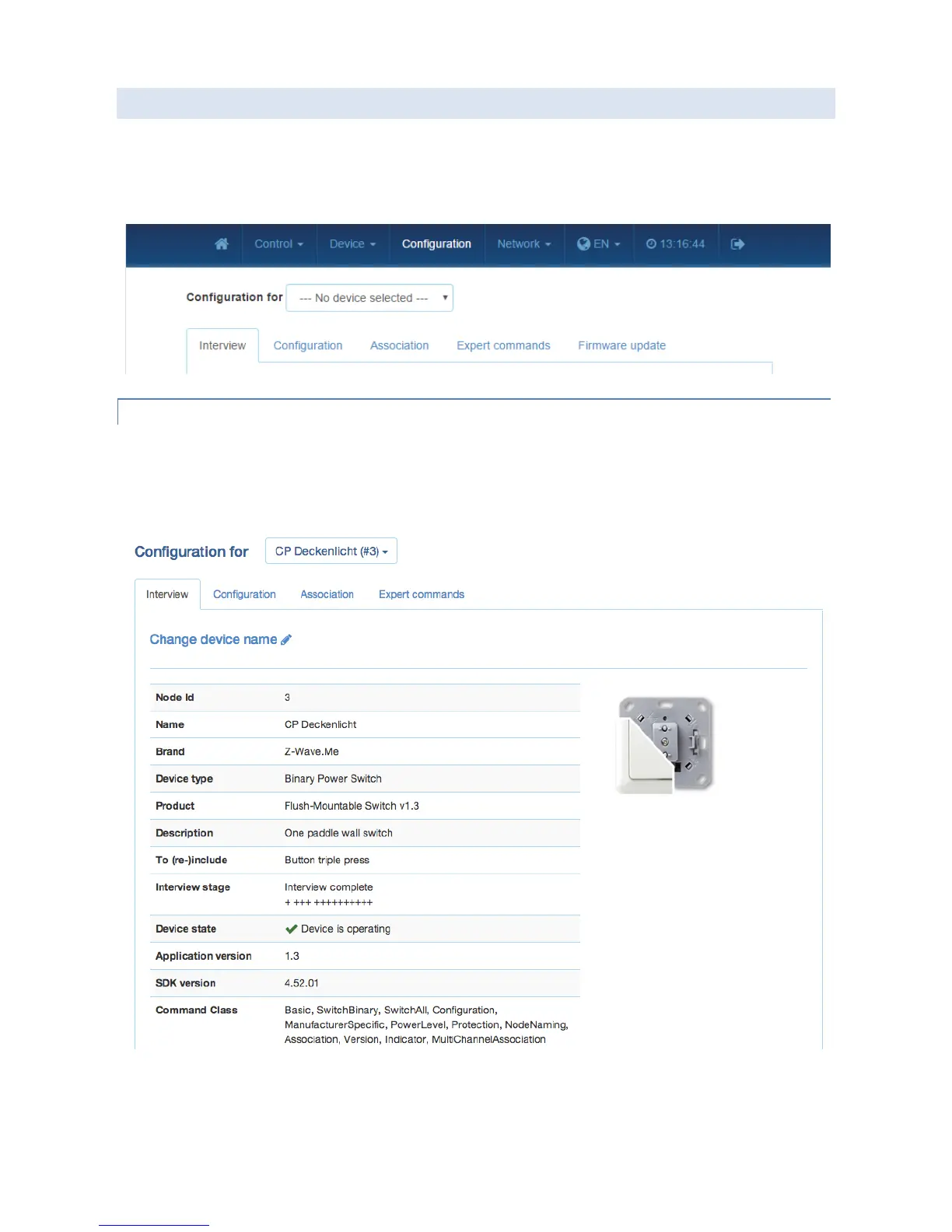
The Configuration Tab allows configuring the functions of the device.
Pick the device to be configured from the drop down menu, then navigate between configuration screens using the
additional tabs.
EXPERT UI: CONFIGURATION TAB: INTERVIEW
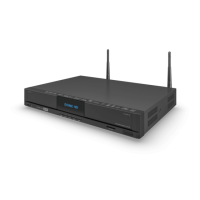
The Interview screen the result of the device interview. In this process the controller tries to get information about the
device. In case the controller find a device description record for the device it will display further information about
the device that can not be obtained from the device itself. If the software will not automatically recognize the device
and load the description record a button “Choose Device Description Record” allows to do this manually.
The only configuration option on this tab is to change the given name of the device. During inclusion the software
generated a generic name but it is highly recommended to change this name. The given name should be descriptive
bit not too long.


 To Next Page