20
The interview stage line gives information about the progress of the device interview by splitting it into the different
command classes supported by the device. ‘+’ indicate a successful interview, ‘0’ a permanent fail and a ‘.’ that this
command class is still in the waiting queue to be completed. There are a few reasons why an interview is not
complete: In most cases the devices went to deep sleep too early to has some problems. The button “Force Interview”
allows re-doing the whole interview. The button “Request NIF” requests a Node Information Frame from the device.
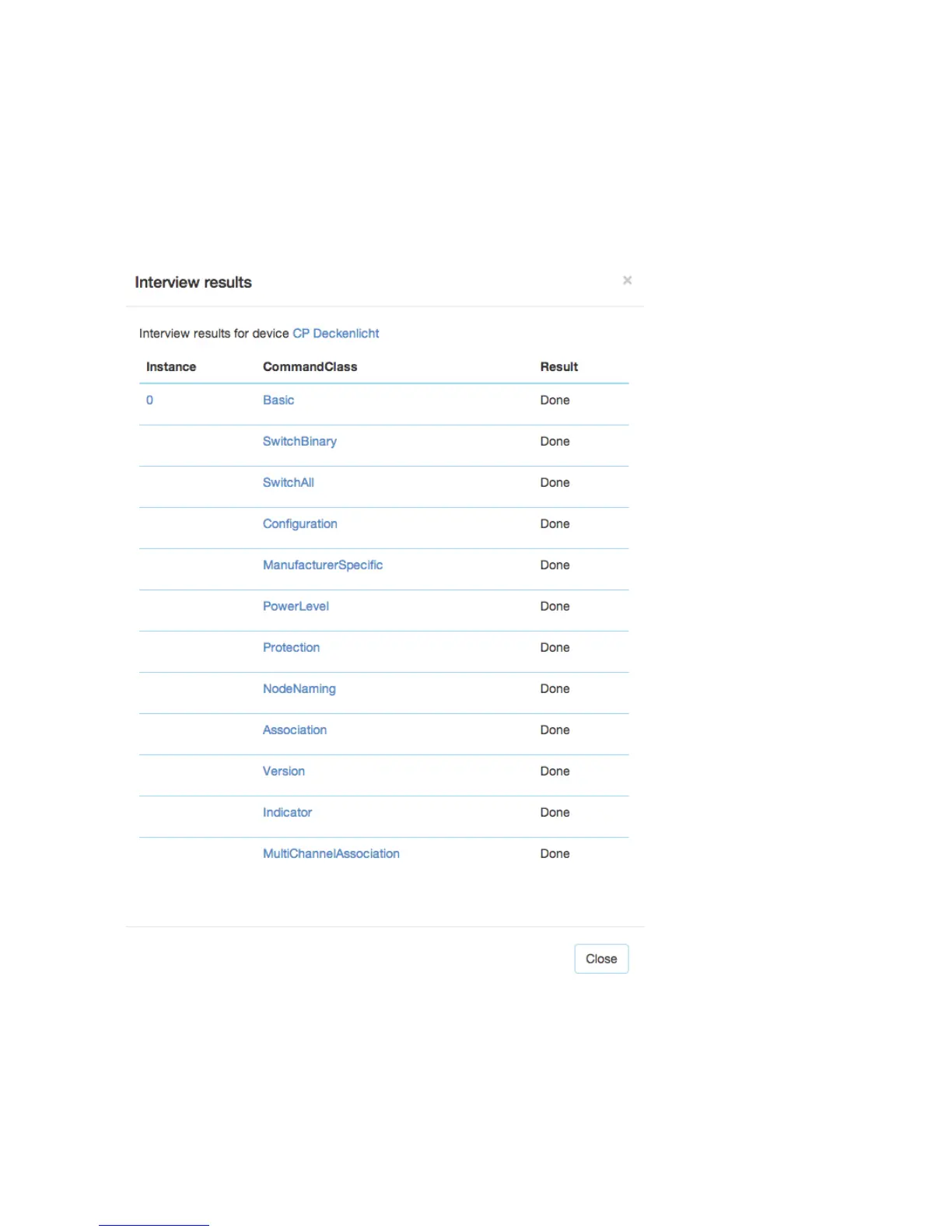
The Button “Show interview results” allows displaying the information about the different command classes found
during the interview. It is also possible to force the interview of a certain command class only.


 To Next Page