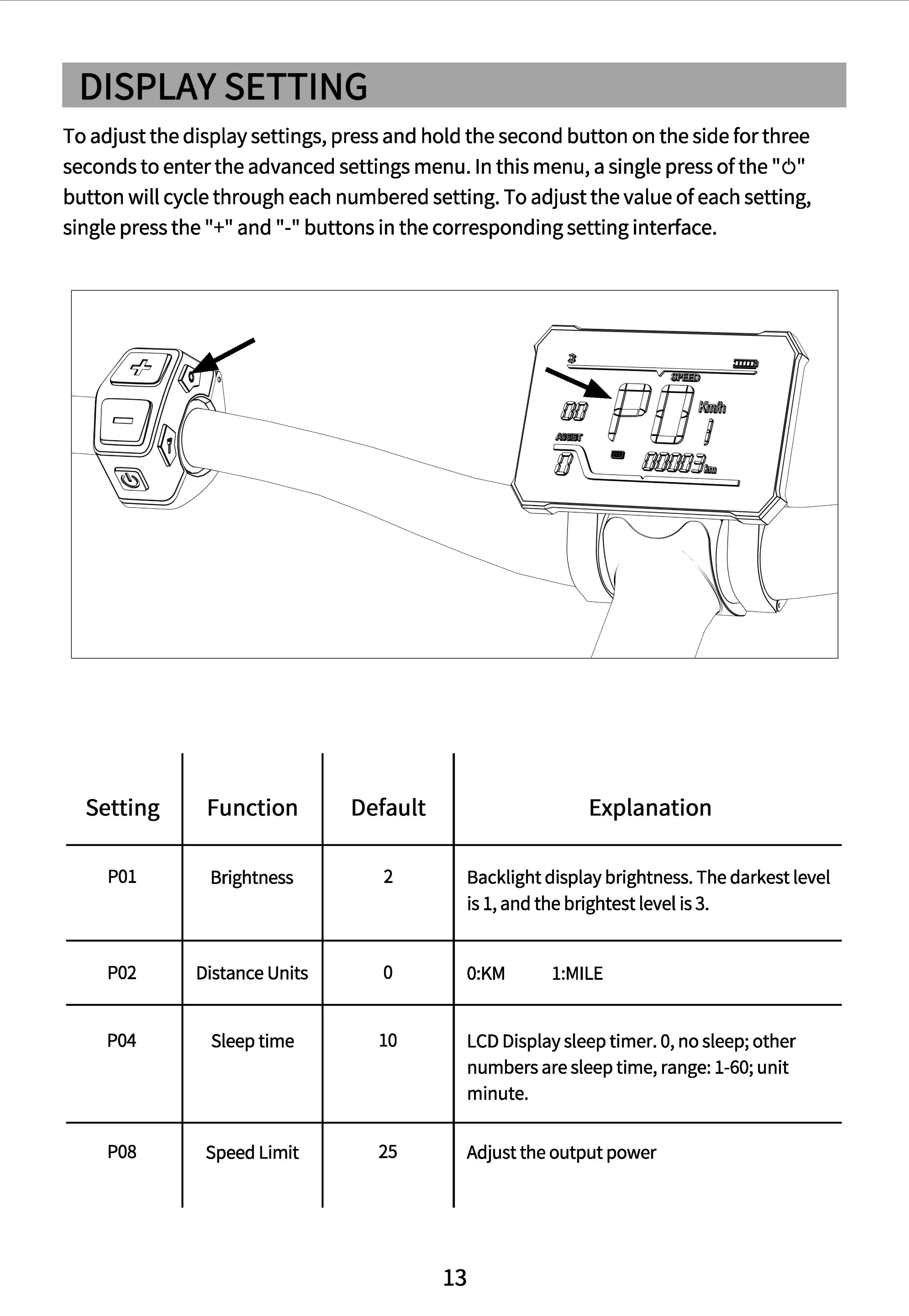
To
adjust the display settings, press and hold the second button on the side for three
seconds
to
enter the advanced settings menu.
In
this menu, a single press
of
the
"6"
button
will
cycle through
each
numbered setting.
To
adjust the value
of
each setting,
single press
the"+"
and "-" buttons in the corresponding setting interface.
$
V
V
裂—
已
尸
仁
叨一
,
.
Setting Function Default Explanation
POI
Brightness
2
Backlight
display
brightness.
The
darkest
level
is
1,
and
the
brightest
level
is
3.
P02
Distance
Units
。
O:KM
1:MILE
P04
Sleep
time
10
LCD
Display
sleep
timer. 0,
no
sleep;
other
numbers
are
sleep
time,
range:
1-60; unit
minute.
P08
Speed
Limit
25
Adjust
the
output
power
13


 To Next Page