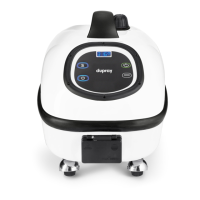
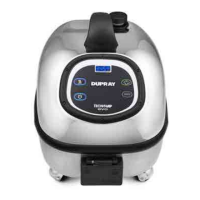
ADI™ DISPLAY (6)
TEMPERATURE AND PRESSURE DISPLAY
While the steam cleaner is ON (number 2A, 2 and 3), the temperature indicated on the display is in Farenheit.
To display the operating pressure in psi, press and hold the button (3). Aer 10 seconds,
the display will return to the operating internal temperature.
HOUR COUNTER
This device is equipped with two hour counter; C1 and C2. C1 is fixed and C2 is resettable by the user. To display them, turn o the unit
with the power button (2), then press the boiler activation button (3); every time you will press the button (3) the display will show
respectively the hour counter C1 and the hour counter C2.
RESETTING THE HOUR COUNTER C2
Turn the steam cleaner o by pressing the main power switch (2A) located in the rear side of the unit.
Press both buttons (2) and (3) and hold them; in the meantime turn the machine on by pressing the main power switch (2A).
MAINTENANCE REMINDER DESCALE BOILER
The steam cleaner is equipped with a maintenance reminder which indicates DESCALE BOILER on the display alternating with the
temperature. When the display indicates DESCALE BOILER, it is time to perform a boiler maintenance. Let the steam cleaner cool down
for at least 8 hours before proceeding. Please refer to the maintenance instructions on page 13 to complete the boiler maintenance.
USING THE ACCESSORIES
CONNECTING THE HOSE (10)
Insert the steam hose connector (15) into the steam hose connection outlet (7) all the way, making sure it cannot be pushed in further.
Ensure the hose locking pin (16) is in place.
WARNING:
This hose contains electrical connections, do not immerse in water for cleaning.
10


 To Next Page