R
DURASTAR.COM
41
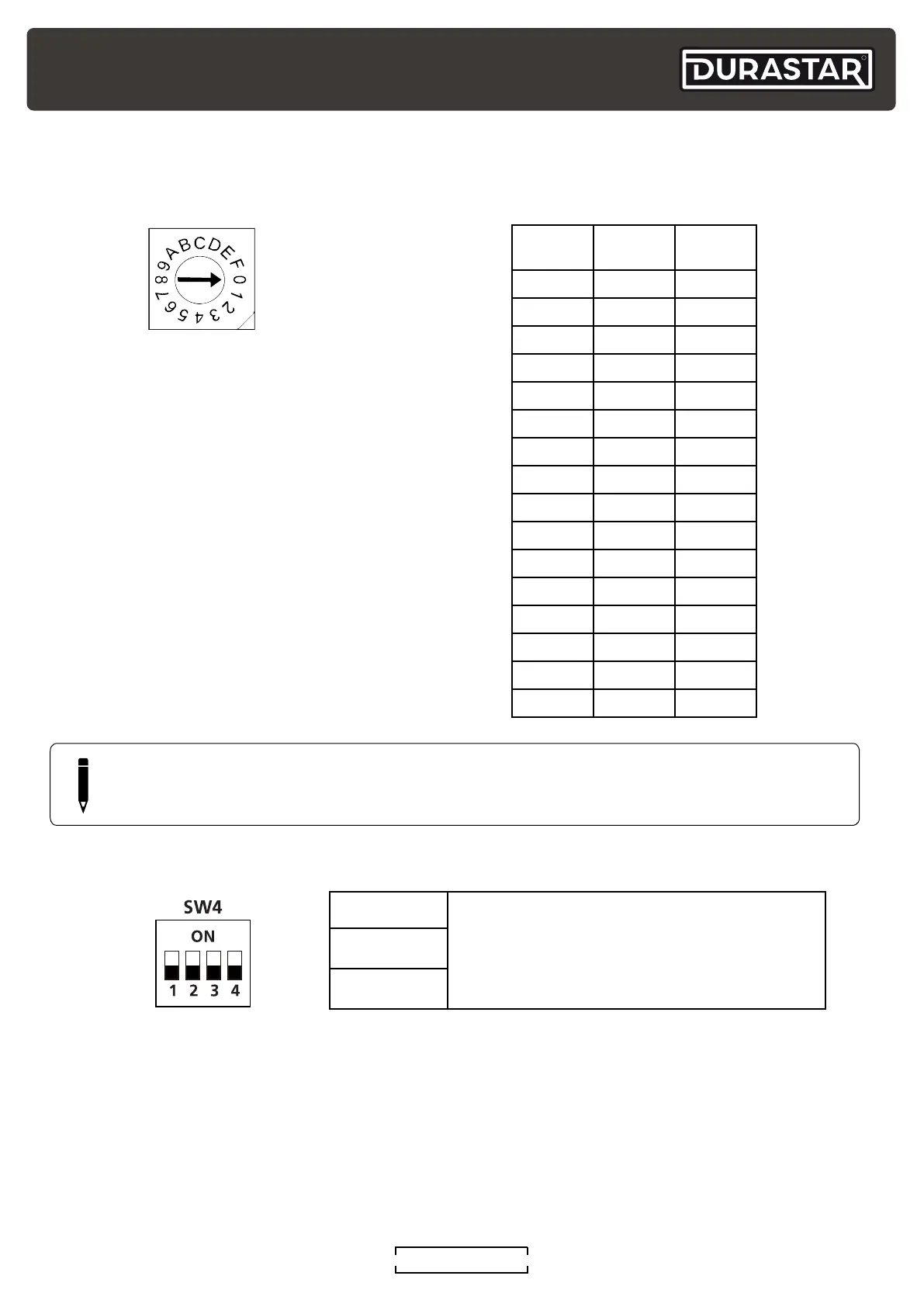
Function DIP Switch Settings
When using a 24V thermostat, use the SW4 dip switch to set the proper air flow and heater settings.
SW4-1
000 is the default
Can be set as
000/001/010/ 011/100/101/110/111,
for electric heating and PSC classification
depending on the unit.
SW4-2
SW4-3
NOTE
The SW4 DIP switch is only for certified service technicians to use.
S3 S3 (°F) S3 (°C)
0 OFF OFF
1 -4 -20
2 0 -18
3 3 -16
4 7 -14
5 10 -12
6 14 -10
7 18 -8
8 21 -6
9 25 -4
A 28 -2
B 32 0
C 36 2
D 39 4
E 43 6
F 46 8
Rotary Switch TableS3 Rotary Switch
The S3 rotary switch is used to set the
temperature protection between 0°F and
46°F. The switch defaults to OFF.



 To Next Page