14
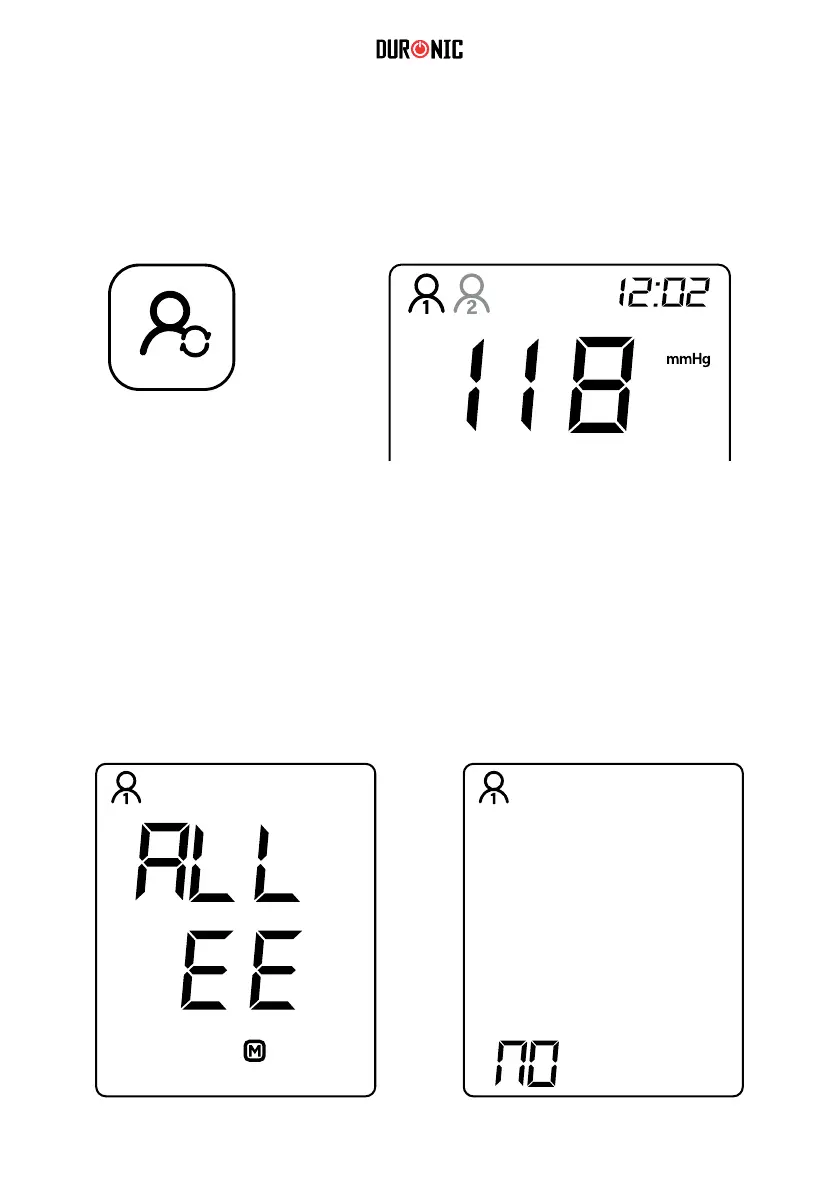
Selecting or Changing Users
Clearing the Memory
To clear the memory and delete all of the saved records, press and hold the
‘MEMORY’ button for 3 seconds. When it shows ‘M’ on the screen, continue to
hold the ‘MEMORY’ button and press the ‘USER/SET’ button at the same time.
The screen will show ‘ALL EE’. This means the records have all been deleted.
When there are no records stored, the screen will show ‘NO’.
When the monitor is off, press and hold down the ‘USER/SET’ button for 5
seconds. The ‘User 1’ icon will ash, then you can press the ‘MEMORY’ button to
change the setting to ‘User 2’.
USER/SET
BUTTON



 To Next Page