13
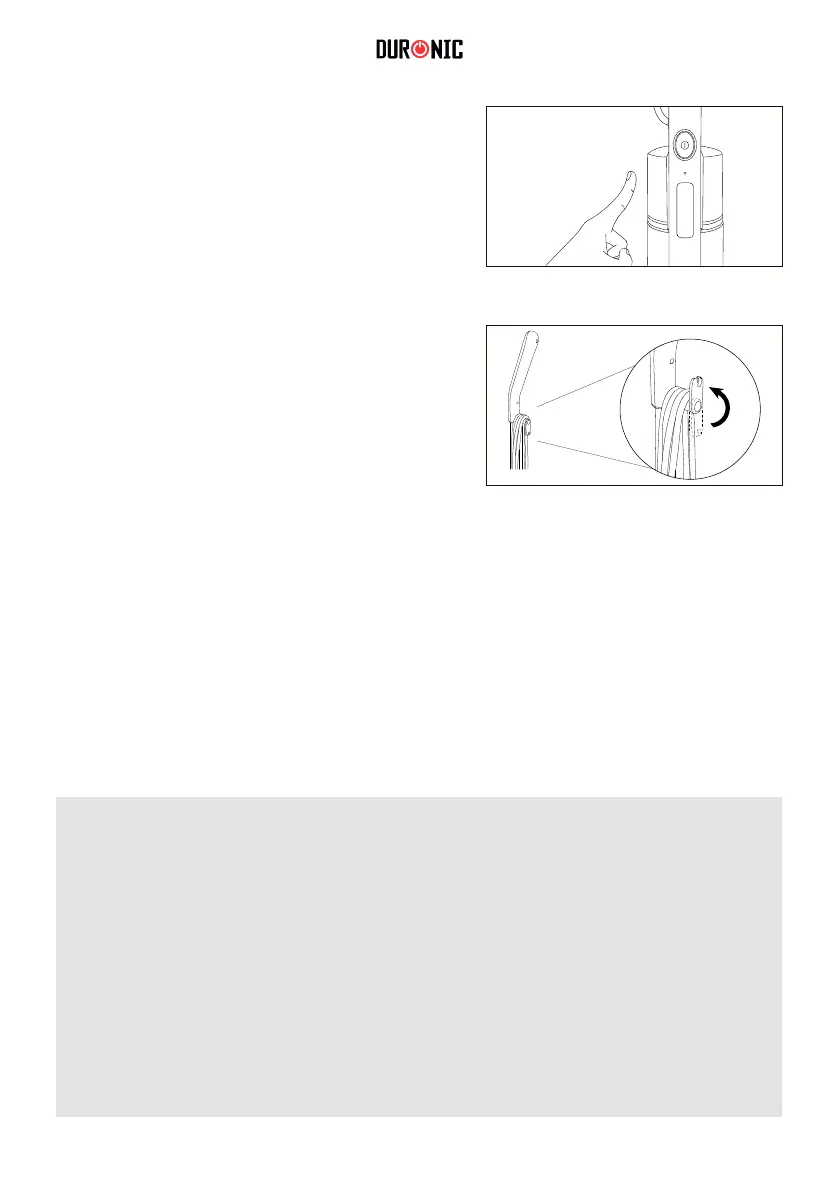
$IWHU\RXKDYH¿QLVKHGPRSSLQJSUHVV
the power button to switch the mop off.
11. Unplug the power cable from the mains
outlet socket and wind it around the
cable management hooks to secure
in place.
Before cleaning, turn off the steam mop and allow it to cool down completely.
To clean the main unit, use a dry cloth to remove any dust or dirt. If there are
stubborn areas of dirt, use a damp well-wrung cloth to wipe over the body.
Leave to air dry or use a dry cloth afterwards to dry it.
Cleaning and Maintenance
Important:
• Do not immerse the power cable, plug or the mop itself into water or
DQ\OLTXLG
• 'RQRWSRXUZDWHURUDQ\OLTXLGRYHUWKHPRS
• Do not use detergents, abrasive cleaning products or any kind of
cleaning solutions in the water tank as this may damage the mop.
• Do not use alcohol or solvent-based cleaners on the plastic
components, as this will cause the cracking and ageing of these parts.



 To Next Page