10
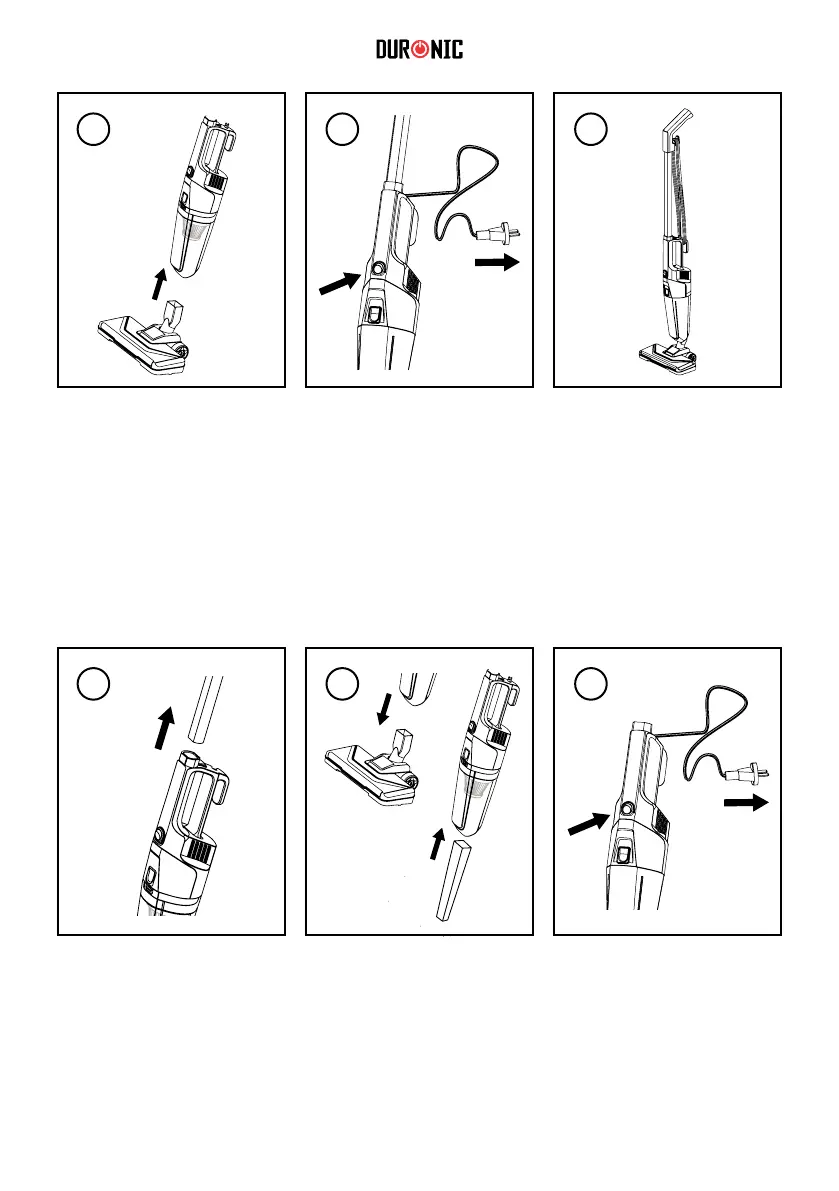
Attach the Floor Brush(11)
onto the bottom of the Main
Body.
Remove the handle
assembly to the Main Body
of the vacuum by pressing
the Main Body Release
Button(4).
Plug the cable in to the
mains plug socket.
You can now use the
vacuum simply by pressing
the Power Switch(8)
Gently pull off the oor
brush. Attach the Crevice
Tool(13) to the Main Body
instead.
When you have nished
vacuuming, stand the
vacuum upright and wind
the power cable around the
cable management hooks.
Plug the cable in to the
mains plug socket.
You can now use the
vacuum simply by pressing
the Power Switch(8)
2
1
3
2
4
3
To use as an handheld vacuum:


 To Next Page