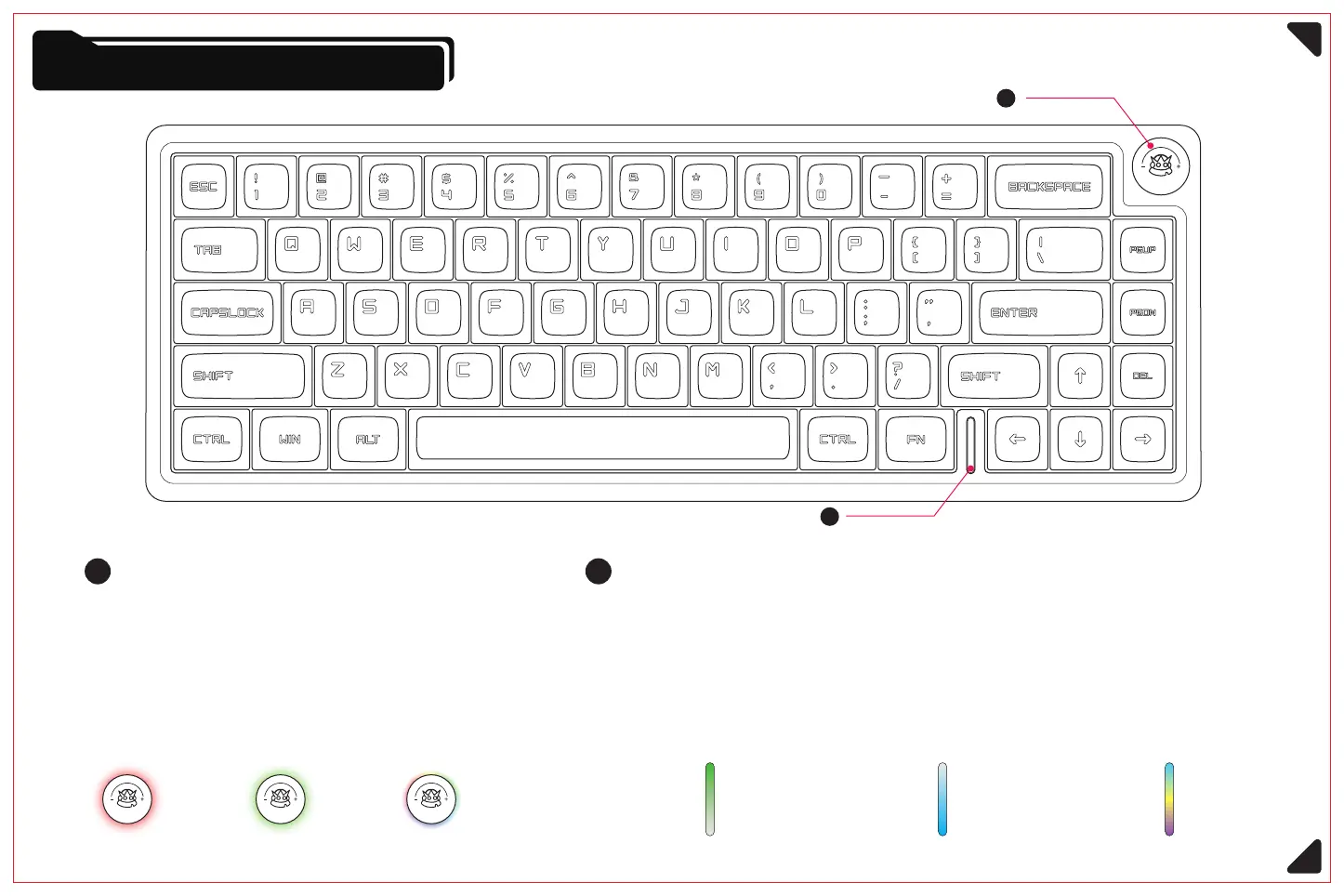
Knobs and Indicator Lights
1
1
①
2
2
Knobs Lock function indicator light
Factory default is the volume adjustment function
When Capslock is switched to uppercase, the upper part of the
indicator bar changes to green
②
①
Press (FN + WIN) to lock the WIN key, the lower half of the indicator
light becomes blue, repeat the operation can be unlocked
②
Short press for mute; Long press for 3 seconds to
switch between volume adjustment and main backlight
brightness adjustment function.
②
The default backlight when turned on is a solid color,
and the lighting effects can be switched through a
combination of keys or the control program.
Low battery - red light CapsLock Win key lock Normal lighting effect (dynamic spectrum cycle)Charging - green light Normal power - RGB light
7



 To Next Page