Power Check
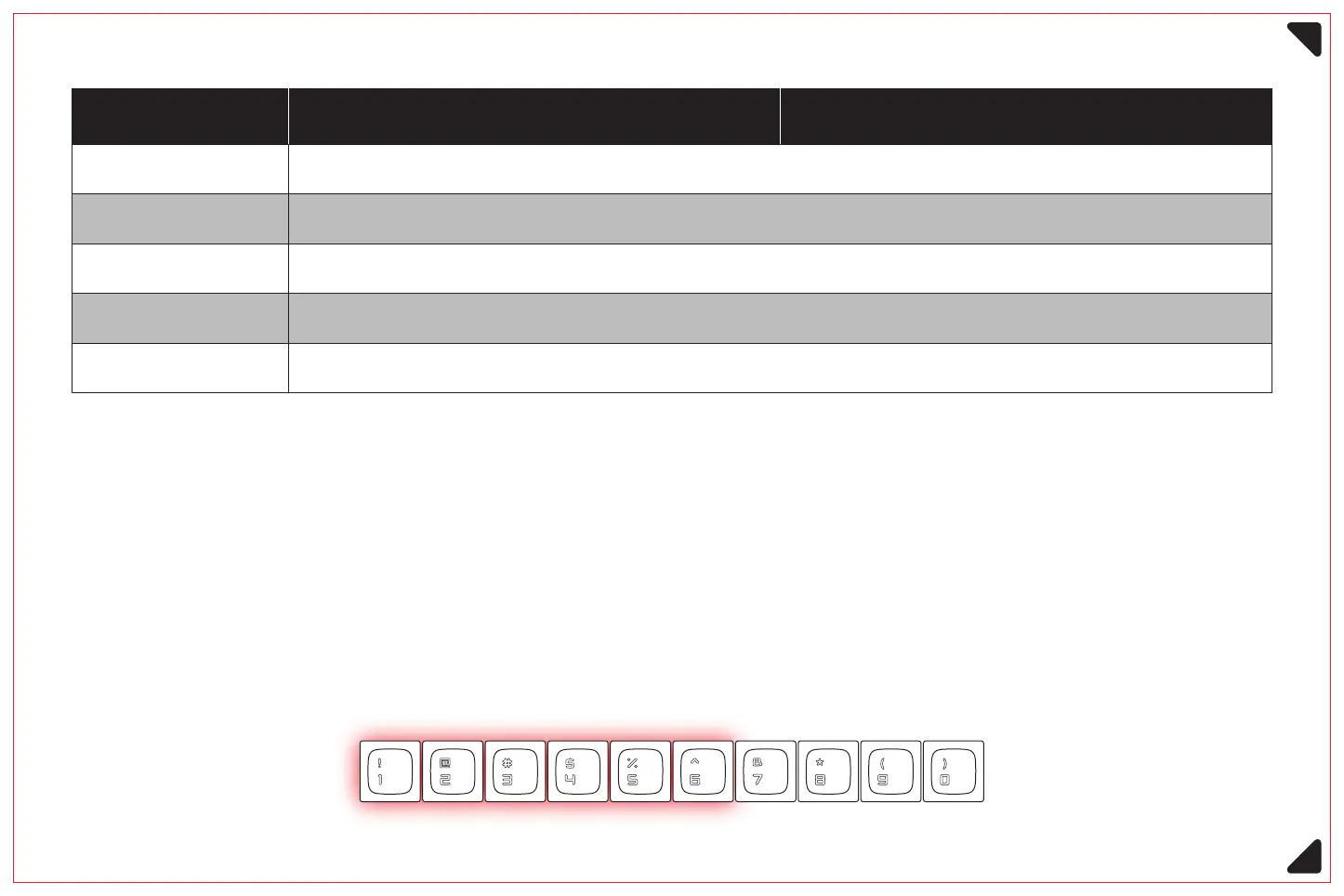
Use the key combination Fn+Backspace to check the current remaining power
(only applicable to wireless connection mode)
①
When checking the battery level, the backlight of the keyboard will be off, and the backlight
of the number keys '1' to '0' will be on, each number key represents 10% of the battery level.
As shown in the figure below, the current battery remaining 60%
②
10
Windows Mac OS
Fn+3
Fn+4
Fn+5
Fn+2
Fn+1
Short press to switch to 2.4G channel; long press for 3 seconds to enter pairing mode for 2.4G channel
Switch to wired mode
Short press to switch to Bluetooth channel 1; long press for 3 seconds to enter pairing mode for Bluetooth channel 1
Short press to switch to Bluetooth channel 2; long press for 3 seconds to enter pairing mode for Bluetooth channel 2
Short press to switch to Bluetooth channel 3; long press for 3 seconds to enter pairing mode for Bluetooth channel 3



 To Next Page