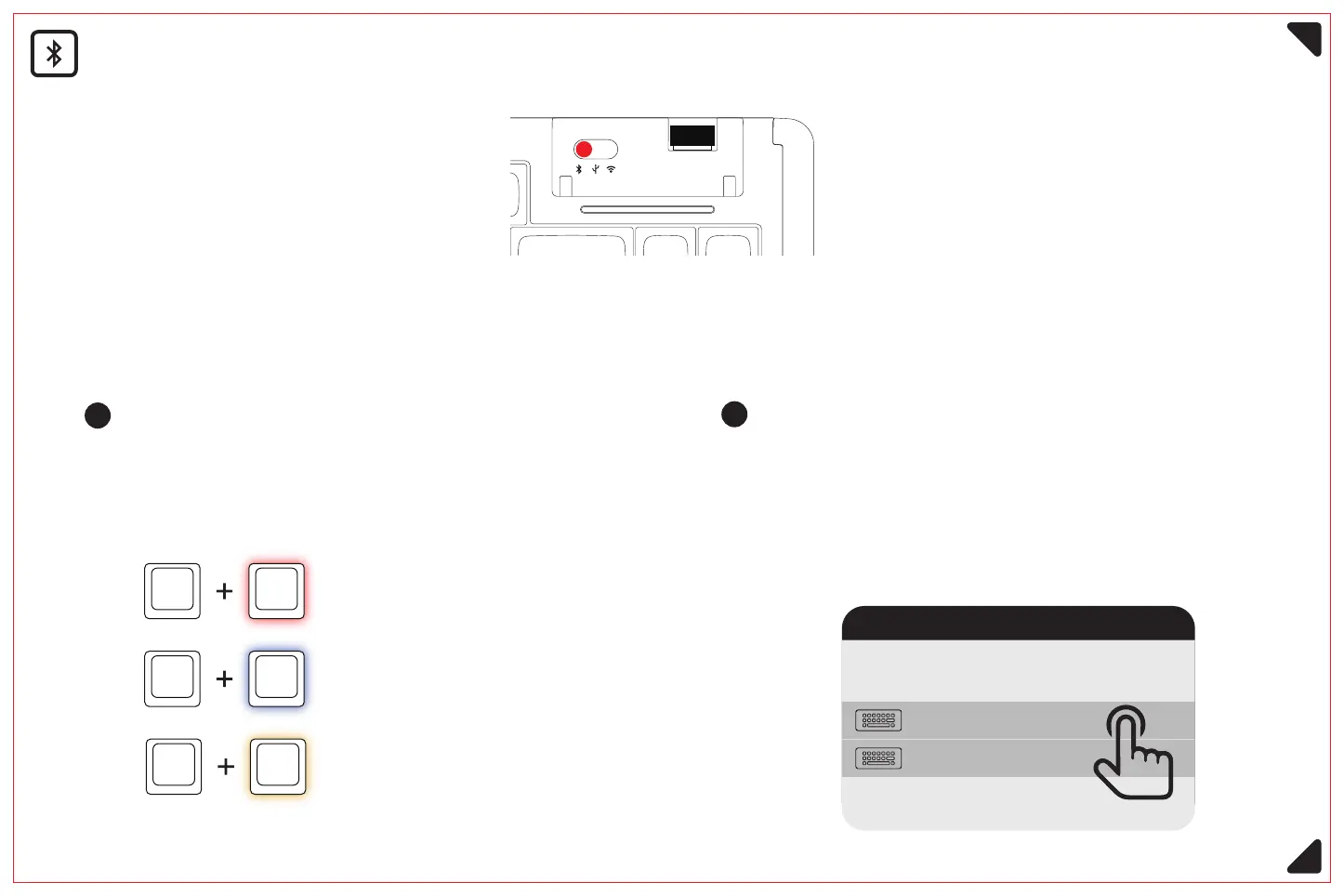
Long press the key combination
Fn +1 /2/ 3 (3 seconds), the corresponding
Q / W / E backlight into the flashing state,
activate the Bluetooth signal band.
Activate Bluetooth device 1, red light flashing
Activate Bluetooth device 2, blue light flashing
Activate Bluetooth device 3, yellow light flashing
Fn 1
1
Bluetooth device name: Bluetooth 5.0:D84 KB 5.0 / Bluetooth 3.0:D84 KB 3.0
Bluetooth Mode <Please switch the on/off button to the corresponding mode before connecting>
Fn 2
Fn 3
Open the Bluetooth connection interface
of the device and click Connect D84 KB 5.0
or D84 KB 3.0, the backlight will return to
normal after successful connection.
2
Adding device
Make sure your device is turned on and
discoverable, then select the device you
want to connect
D84 KB 5.0
D84 KB 3.0
5



 To Next Page