INSTALLATION MANUAL
855-680-9595
NEED HELP?
STEP 7
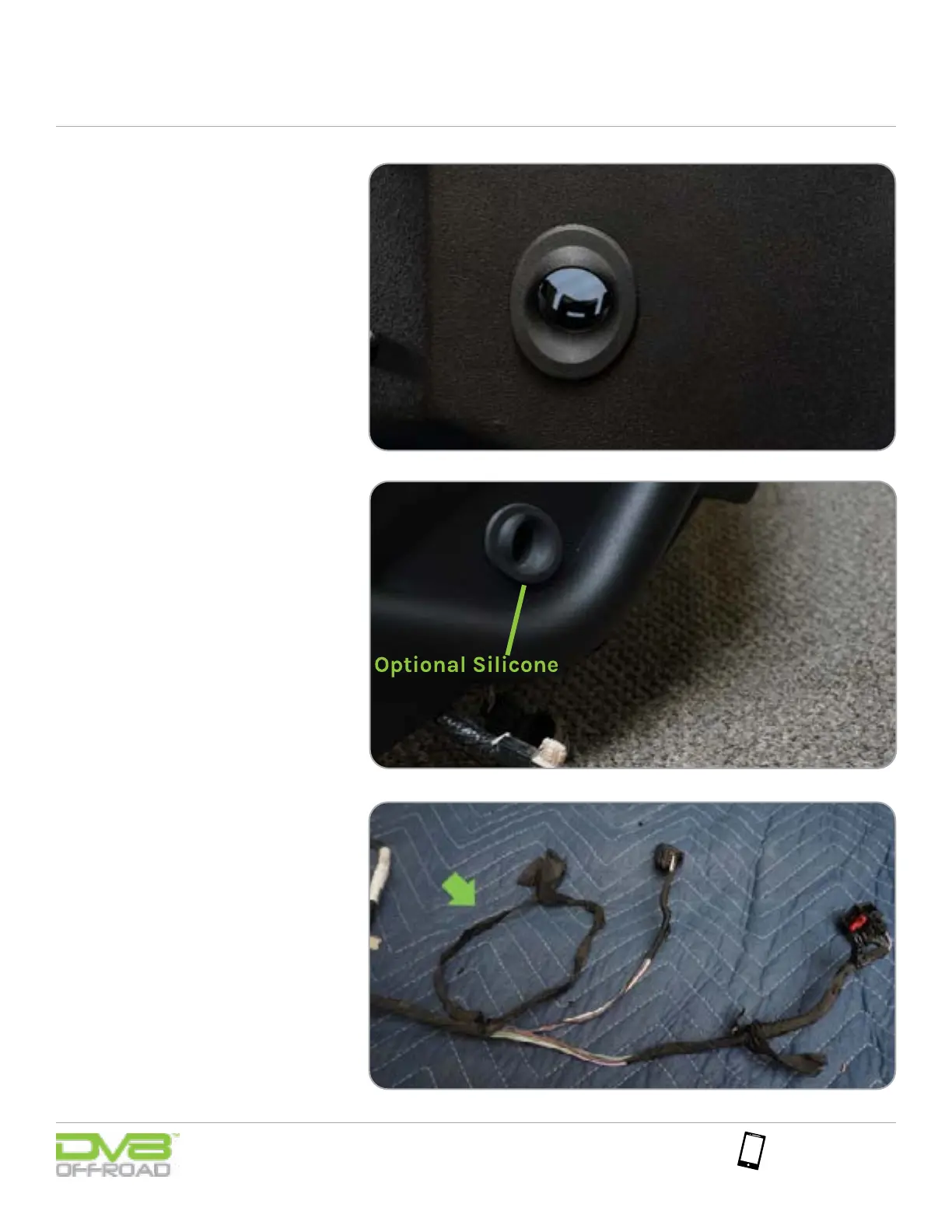
The thickness of our bumpers will
not allow you to reuse the outer bezel
cages, so after you install the sensor
into the bezel, using a zip tie, tighten
around the sensor and bezel while
pushing zip tie up against bumper.
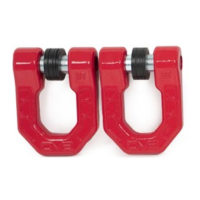
You can also utilize a small dab of
silicone between the backside of
the bezel and the front face of the
bumper.
Note: On the DV8 bumper, these should be
oriented down.
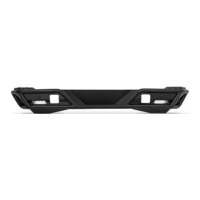
For the two center sensors, you will
need to cut back or unpeel the wiring
loom of the bumper wiring harness.
Once the wiring is exposed gently
pull the two center sensors away
from each other. This will create extra
length in the harness needed for all
sensors to reach their install location.
Cover wiring with electrical tape or
sleeve.
STEP 8


 To Next Page