EasyManua.ls Logo

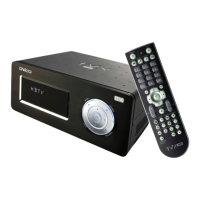
Dvico TViX HD M-6500A - Remote Control Operation; Remote Control Button Guide

Dvico TViX HD M-6500A
121 pages
Print Icon
To Next Page IconTo Next Page
To Previous Page IconTo Previous Page
Loading...
12
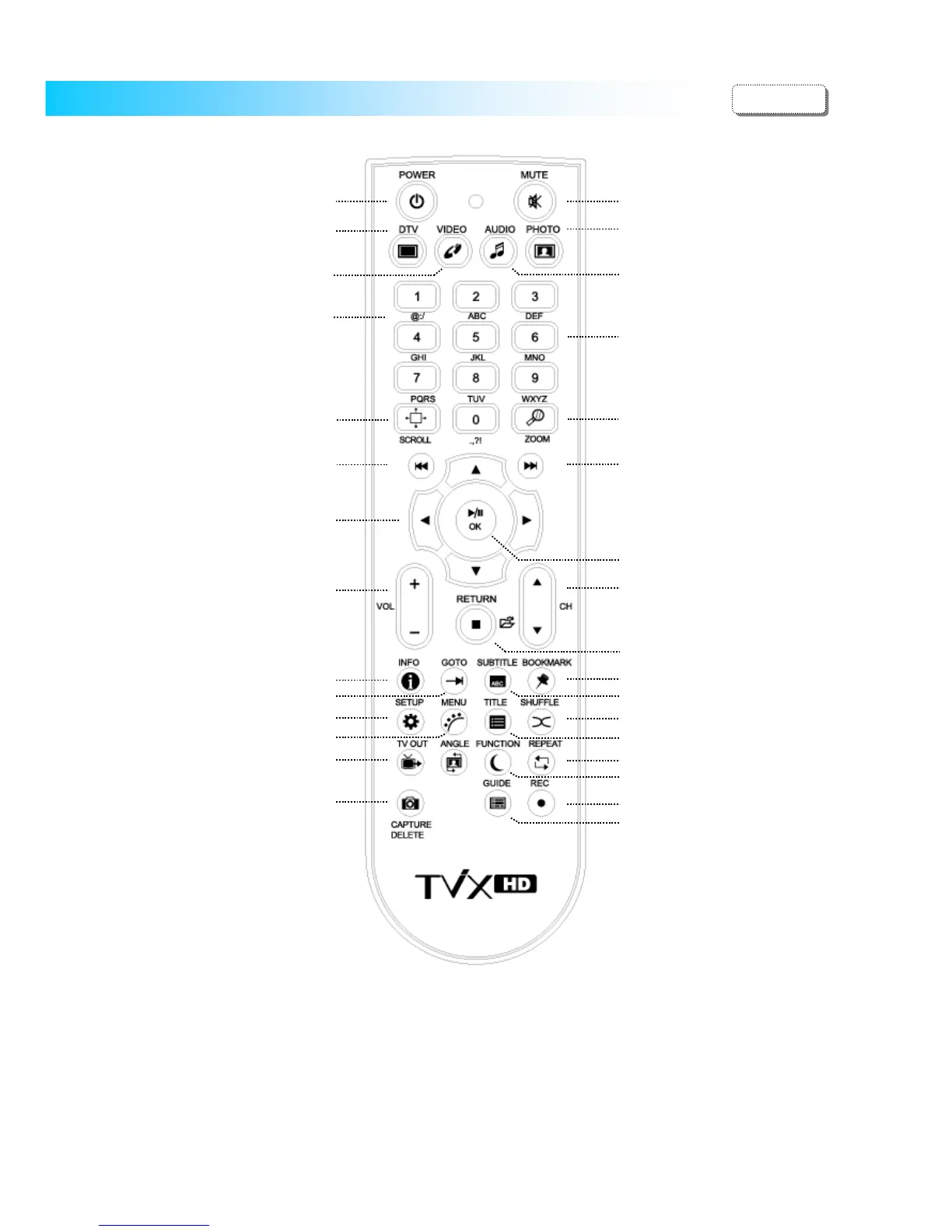
5 Using the remote control
This indicates Remote Buttons. Some buttons is not available without DTV Tuner.
When the File list menu, 1/2/3/4 : used to change the partition (partition 1/ partition 2/ partition 3/ partition 4)
6/7/8/9 : used to change the Drive (Local/Network/Usb1/Usb2)
< Changing Batteries>
- Use new batteries (2 AAA size batteries are included in the package).
@ : / _ -
TV OUT button
DVD Menu button
DVD Title button
Scroll button
Subtitle button
Shuffle button
Change Volume

Mute button
Number / Character button
File mode :
1/2/3/4 : Change Partition
6/7/8/9 : Change Drive
Local/Network/USB1/USB
Information button
Zoom button
GOTO button
Change TV channels
A
d
j
ust Subtitle S
y
nc
STOP/Return
Go to File mode
TV Record button
Go to Audio Folder
Go to Photo Folder
Go to Video Folder
Boot as Pla
y
er
Go to DTV
Boot as DTV
SETUP button
TV Guide button
Jump/Repeat button
Next File button
Previous File button
Delete file or folder
Navigation Arrow Button
REW / FF
OK/Selection button
POWER On/Off button
Sleep Function, Eject ODD
File Co
py
/Move
Bookmark button
ENGLISH

Related product manuals