6
Embossing the Label
Avoid turning the embossing wheel at the same time you are
squeezing the embossing handle. This can damage the character
blades.
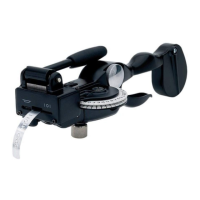
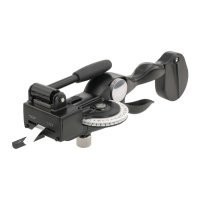
To emboss a label
1. Turn the character selection wheel (G) until the desired letter is
centered in the window (H).
2. Squeeze the embossing handle (F) firmly.
3. Release the embossing handle fully before selecting the next
character.
To add space between words
Squeeze embossing handle (F) half-way (one click) or turn the
tape advance knob clockwise (one click per space).
G
H
F









 To Next Page