1. 2.4: This equipment uses a frequency of 2.4 GHz.
2. FH: This equipment uses FH-SS modulation.
3. 1: The interference range of this equipment is less than 10m.
4. : This equipment uses a frequency bandwidth from 2,400 MHz
to 2,483.5 MHz. It is impossible to avoid the band of mobile object
identification systems.
4. About the JEITA
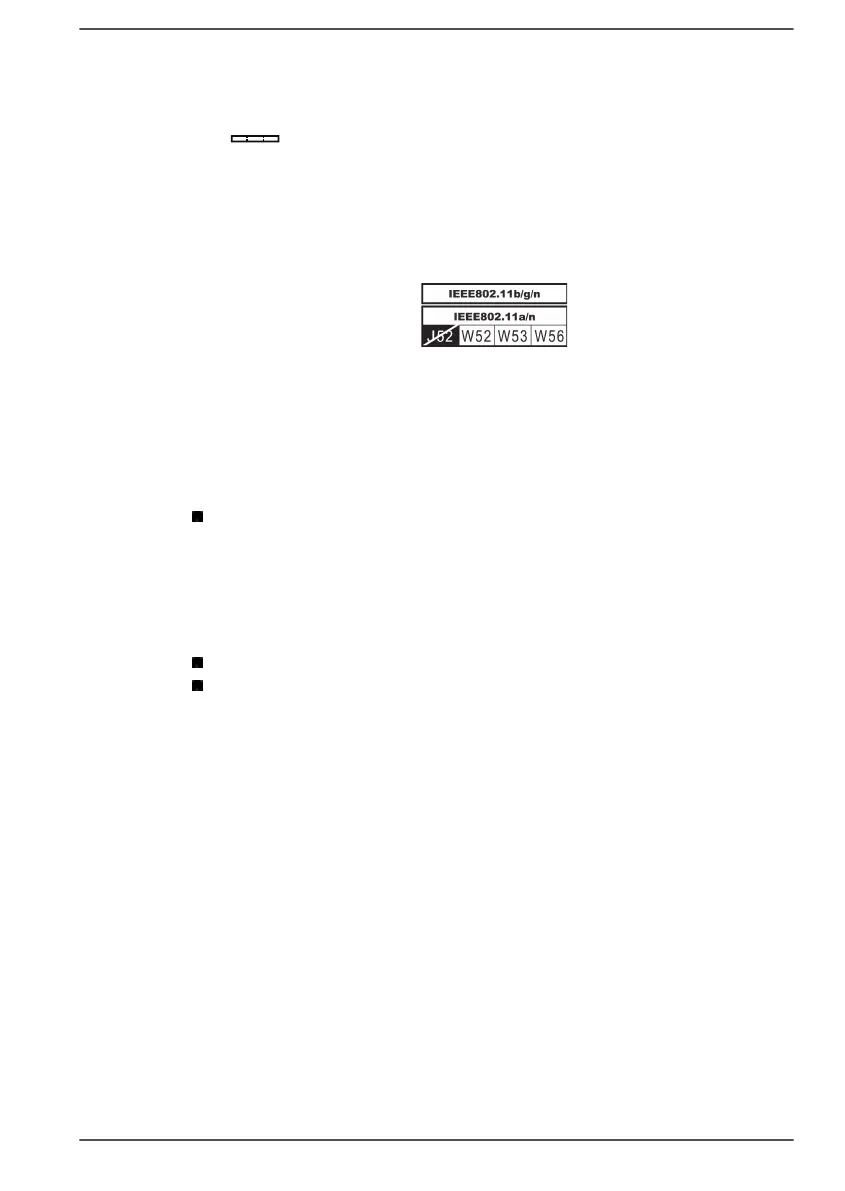
5GHz Wireless LAN supports W52/W53/W56 Channel.
Device Authorization
This device obtains the Technical Regulation Conformity Certification and it
belongs to the device class of radio equipment of low-power data
communication system radio station stipulated in the Telecommunications
Business Law of Japan.
Intel
®
Dual band Wireless-AC 8265
The Name of the radio equipment: 8265NGW
DSP Research, Inc.
Approval Number: D160055003
The following restrictions apply:
Do not disassemble or modify the device.
Do not install the embedded wireless module into other device.
Information about Intel
®
AMT
Your computer may support Intel
®
Active Management Technology (AMT)
depending on the model you purchased.
Using built-in platform capabilities and popular third-party management and
security applications, Intel
®
AMT allows IT to better discover, repair, and
protect their networked computing assets.
Consult with your system administrator about configurations of the AMT
function before connecting to a network.
Disable the AMT function
Intel
®
AMT function is enabled by default, and in a situation where no
system administrator is available, it is strongly recommended that you turn
off the AMT function before connecting to a network.
If the AMT function is NOT turned off, there is a danger that the
management of AMT function will be abused by other parties which
User's Manual 7-15


 To Next Page
 Loading...