3URJUDPPLQJ
51
30++33URJUDPPLQJ
Warnings : Do not plug the HHP Programmer in while the vehicle is in motion.
Plug in the HHP Programmer while the DX System is turned on.
If the DX System is turned off during programming, new setting
may not be saved and the DX System will retain all previous
settings. Refer to the Saving Changes section.
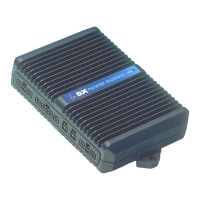
Plugging the DX Hand Held Programmer (HHP) into a turned on DX System gives
immediate access to a set of main menu options. The length of the main menu
depends on how many DX Modules are connected to the DXBUS. Refer to the DX
HHP Manual for full details.
The two PM parameters that can be adjusted by the HHP are the Veer
Compensation and the Load Compensation parameters.
,QLWLDO2SHUDWLRQ
1. Plug the HHP into the Programmer Socket on the DX Remote and turn the DX
System on. The initial screen appears for two seconds.
DX HHP V1.x
If a fault exists, the fault screen appears.
SYSTEM FAULT
5
L park brake
EXIT
The number and message displayed represents the Flash Code being indicated
by the DX Remote System Status LED. See the relevant DX Remote Installation
Manual for a list of flash codes.
Note: Some DX Power Module flash codes differ from the DX Remote flash codes.
Press EXIT to return to the main menu.


 To Next Page
 Loading...