PMC-2 Setup
The PMC-2 Studio Monitor Volume Controller is typically connected to the output of your mixing console,
digital audio interface or laptop computer represented as a reel-to-reel machine in the diagram. The outputs of
the PMC-2 connect two pairs of stereo monitors (or to a power amplifier driving passive speakers).
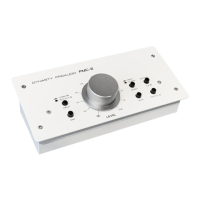
The PMC-2 top panel is configured with a series of recessed trim controls. These set & forget trim controls are
used to ne tune the output level going to each component so that when you switch from one set of monitors to
the other, they play back at relatively similar levels. Although most active monitors are equipped with level
controls, getting to them while listening is difficult. For using the PMC-2, now you no need to reach around the
back of studio monitor to make the adjustments, just stay on the engineer’s seat to let you compare how your
mix will translate on different monitors which in turn will help deliver more convincing mixes to the audience.
Before making any connections always ensure levels are turned down or equipment is turned off. This will
help avoid turn-on transients that could harm sensitive components like tweeters. It is also a good practice to
test signal ow at a low volume before turning things up. There is no power switch on the PMC-2, as soon as
you plug in the power supply it will turn on.
www.dynastyproaudio.com


 To Previous Page
 Loading...