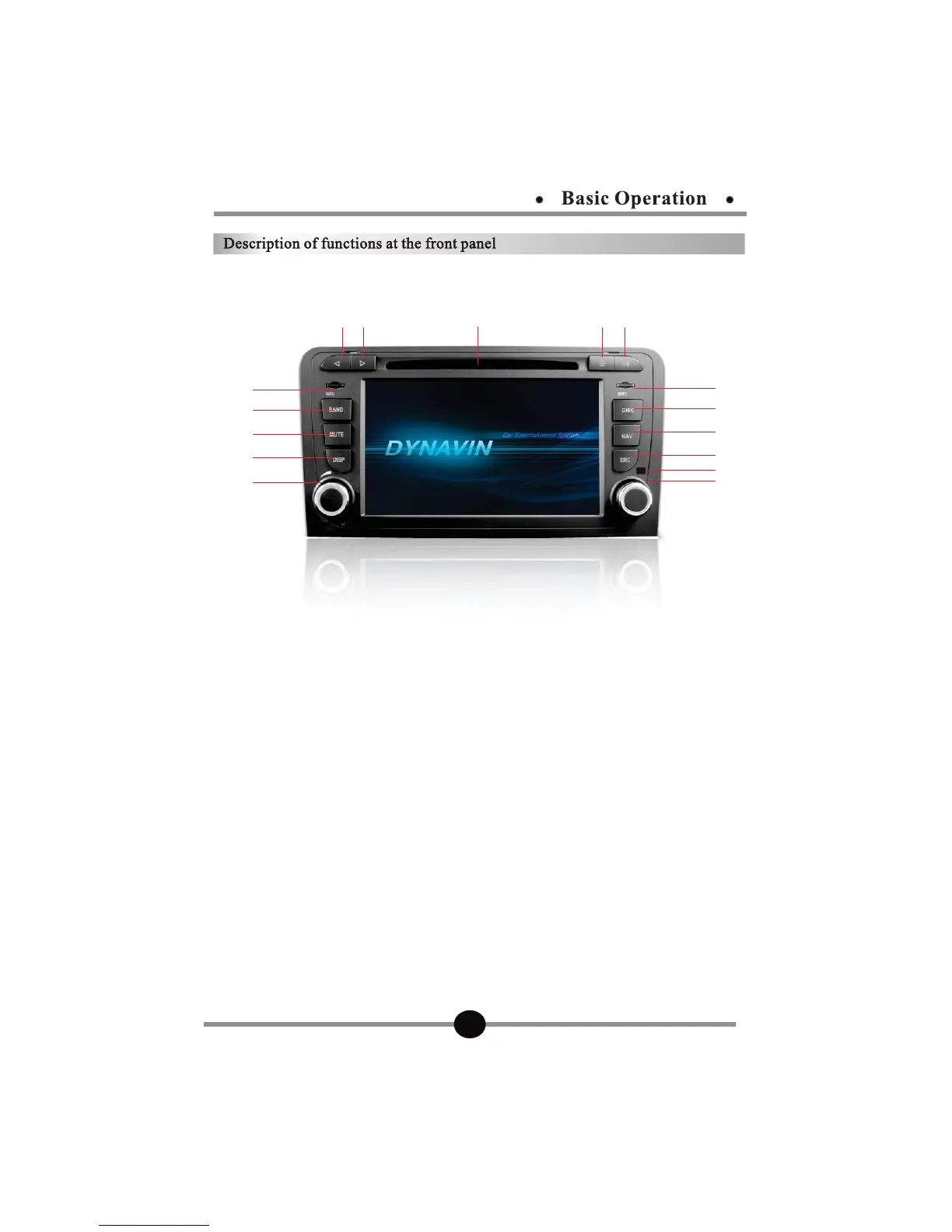
DVN-A3
1, DISC Input.
2,
Previous.
3,
Next.
4,
Disc access key.
5,
Play/pause.
6,
NAV:SD card slot for GPS.
7,
BAND:radio-band conversion.
8, MUTE:Mute button----Long press to dimm the screen.
9,
DISP:Press to dimm the screen.
10, Power switch/Volume: Press it by 3s to power off. Press it one time for switching
from BASS,TREBLE,Subwoofer adjustment. Rotating for volume increasing/
decreasing. Press it one time for power on.
11,
MMC:SD card slot for multimedia.
12, DISC: DVD mode.
13,
NAV----Long press to mute background audio while listening android/wince music.
14, SRC: Return to main menu.
15,
IR:Remote window.
16, Pick up:Rotating in media mode for previous/next.
/ Bluetooth receive/Manual
tuning,When the radio frequency tuning.
.



 To Next Page