1.Contents may be periodically updated or revised due to product development. The information
in this guide is subject to change without notice. In no case shall this guide substitute for the user
manual or related notes on the device.
2.Make sure to read over, fully understand and strictly follow the detailed instructions of the user
manual and other related regulations before installing the equipment. The user manual can be
downloaded by visiting the website at www.dyness-tech.com, or it can be obtained by scanning
the QR code on the side of the equipment or the back cover of this guide.
3.All operations can be performed only by qualified personnel that must be trained for the
installation and commissioning of electrical system, as well as dealing with hazards have and
knowing the manual and local regulations and directives.
4.Before installation, check that the package contents are intact and complete compared to the
packing list. Contact DYNESS or the distributor in case of any damaged or missing components.
5.The cable used must be intact and well-insulated. Operation personnel must wear proper
personal protective equipment (PPE) all the time.
6.Any violation could result in personal death or injury or device damage and will void the
warranty.
Safety
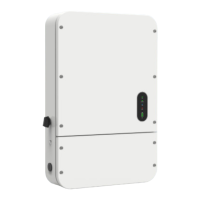
The inverter has been designed and tested strictly according to international safety regulations.
Read all safety instructions carefully before any work and observe them at all times when
working on or with the inverter.
Incorrect operation or work may cause:
Injury or death to the operator or a third party, as well as damage to the inverter and other
properties, may occur.
Warning
Any installation or operations on the inverter must be performed by qualied electricians
in compliance with standards, wiring rules and the requirements of local grid authorities or
companies
Never insert or remove the AC or DC connections when the inverter is running.
Before making any wiring connections or performing electrical operations on the inverter, all DC
and AC power must be disconnected for at least 5 minutes to ensure that the inverter is totally
isolated to avoid electric shock.
The temperature of the inverter surface can exceed 140
o
F during operation. Ensure it has cooled
down before touching it and the inverter is out of reach of children.
Do not open the inverter cover or change any components without the manufacturer's
authorization. Otherwise, the warranty for the inverter will be invalid.
The usage and operation of the inverter must follow the instructions in this User Manual.
Otherwise, the protection design might be impaired, and the warranty for the inverter will be
invalid.
Appropriate methods must be adopted to protect the inverter from static electricity damage.
The manufacturer does not provide warranty for any damage caused by static electricity.
PV negative (PV-) and battery negative (BAT-) on the inverter side are not grounded as the
default design. Connecting either PV- or BAT- to EARTH is strictly forbidden.
The inverter, with a built-in RCMU, will prevent the possibility of DC residual currents up to 6mA.
Thus, in the system, an external RCD (type A) can be used (≥30mA).
1


 To Next Page
 Loading...