Installing the adapter
7
Installing the adapter driver
Note: For Mac OS X 10.4 or higher users, your adapter is Plug
& Play capable in Mac OS X 10.4 or higher, so no driver
installation is needed. For Windows 7, Windows Vista,
Windows XP, and WIndows 2000 users: Follow the steps below
to install the driver.
To install the adapter driver:
1 If the Found New Hardware Wizard opens when you start
your computer, click Cancel.
Note: This may not appear on Windows 7 or Windows Vista.
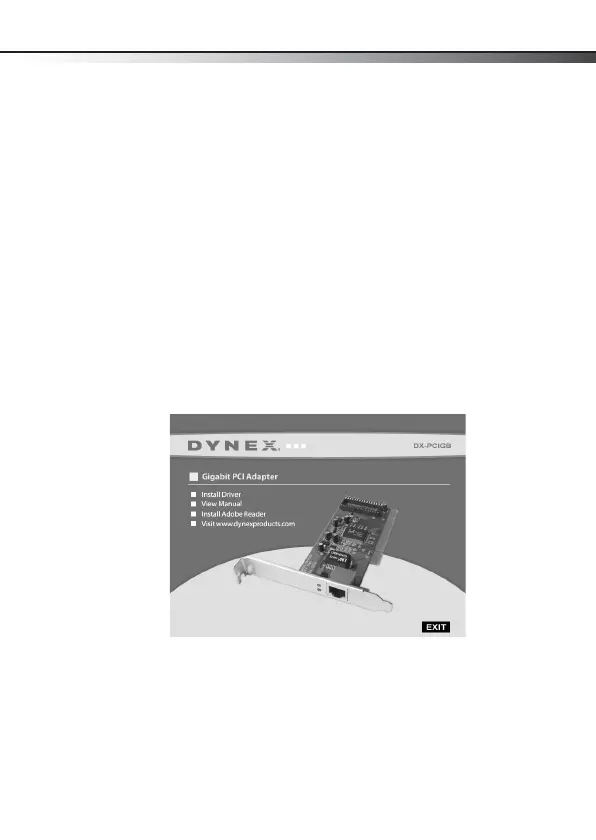
2 Insert the DX-PCIGB CD into your CD or DVD drive. The
Dynex Gigabit PCI Adapter window opens automatically.
3 Click Install Driver to start the installation wizard.
4 Click Next, then click Finish when the wizard is complete.
5 Click EXIT to close the Dynex Gigabit PCI Adapter window.
DX-PCIGB English.fm Page 7 Thursday, September 24, 2009 9:07 AM



 To Next Page