!
!
b. Enter!an! equal,!but! opposite!value!to!the!ob served!error!as!the!Calibration!L ow! Offset!to!correct!t he!erro r!at!the !low!
point.!
4. Go!to!the!second !two!point!inp ut!calibration! screen. !
a. Enter!the!desired !hig h!point!as!the!Calibration!Hi gh!PV!value.!
b. Enter!an! equal,!but! opposite!value!to!the!ob served!error!as!the!Calibration!High !Offset!to!correct!the!error!at!the!high!
point.!
!
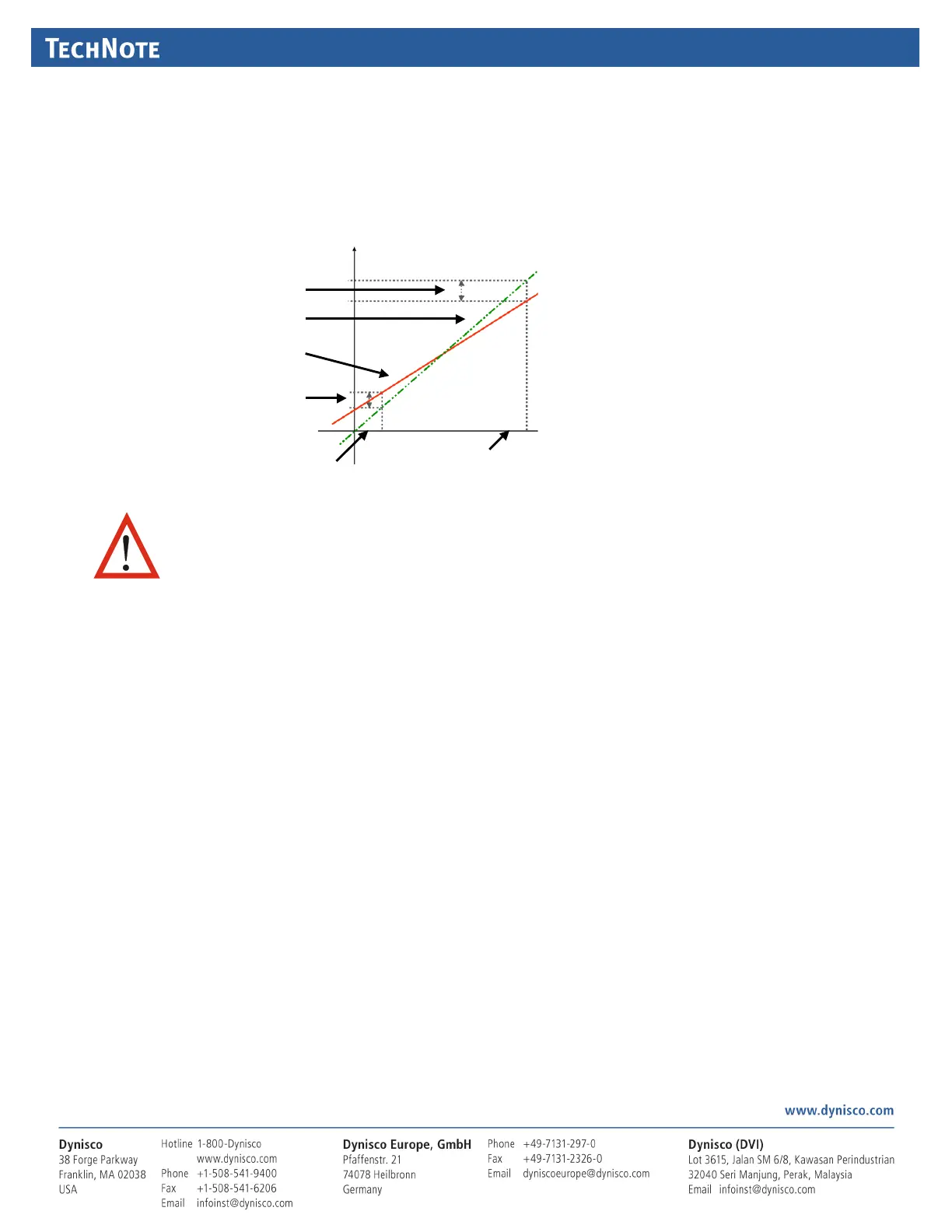
This!example!shows! a!positive!Low!Offset!
and!a!negative!High!Offset.!For!example:!
If!the!process!displays!+0.5!at!the!low!end,!
an! offset!of!‐0.5!would!change!the!value!to!
0.0 !
A!high!end!value! of!98.3!wit h!a! +1.7!offset !
wo uld!read!100.0.!
There!is!a! linear!relation ship!between!
these!two!calibra tion!points.!
!
^683$G<'$#3(A&78$#; !
!
If!a n!input!is!connected!to!a!linear! input!signal!(mA,!mV!or!VDC),!multi‐point!scaling !can!be !enabled!for!that!input!to!allow!
linearization!of!a!non‐linear!sig nal.!–!s ee!Input!Configuration!Sub‐Menu.!
The!Scale!Input!Upper!&!Lower!Limits! define!the!values!sho wn! when!the!i nput!is!at!i ts!minimum!and!max imum!values.!Up!to!
15!breakpoints!can!scale!the!input!vs.! displayed!value!between !these!l imits.!It!is!advisable!to!concentrate!the !break!points!in!
the!area!of!the!ra nge !with!the!most!non‐linea rity,!or! an!area!of!particu lar!importance!to!the !applicatio n.!
!
To! use,!set!the!scale!limi ts,!and!the n!enter !the!1st!scaling!point!(this!is!a!%!of! the!scaled! input!span,!and!the!desired!display !
value!to!be!shown!at!that!input!value.!Next!set!the!2nd!point!a nd!display!value,!followed!by!the!3rd!etc.!Con tinue!u nit!all!
breakpoin ts!are!used!or!you!have!reached!100%!of!the!inpu t!sp an.!A!breakpoint!set!at!100%!ends!t he!sequence!
!
178$U473$'#(+9>$#594!
!
A!calib ration!reminder!can!be!set!if!Da ta!Recorder!option!is!fitted!( which!means!instrument!has!battery‐b acked!Real!Time!
Clock).!The!addition!of!a!clock!means!that!the!instru ment!can!be!aware!of!the!date!and!time!(even!when!powered!down).!
This!in formation! can!be! used!to!remind!the!user!to!c alibrate!the!inputs!at!a!specified!future!date.!The!date!is !set!in!the!Input!
Configuration!menu.!If!enabled!and!the!date!set!is!exceeded,!a!calibration!due!screen!is!shown!every!24h rs!(and!at!ever y!
power‐up)!until!it!is!change d!to!a!future!date!(or!disabled).!


 To Next Page
 Loading...
