!
!
!
178$U473$'#(+9>$#594!
!
A!calib ration!reminder!can!be!set!if!Da ta!Recorder!option!is!fitted!( which!means!instrument!has!battery‐b acked!Real!Time!
Clock).!The!addition!of!a!clock!means!that!the!instru ment!can!be!a war e!of!the!date!and! time!(even!wh en!powered!down).!
This!in formation! can!be! used!to!remind!the!user!to!c alibrate!the!inputs!at!a!specified!future!date.!The!date!is !set!in!the!Input!
Configuration!menu.!If!enabled!and!the!date!set!is!exceeded,!a!calibration!due!screen!is!shown!every!24h rs!(and!at!ever y!
power‐up)!until!it!is!change d!to!a!future!date!(or!disabled).!
!
V$#97 4(7#5(09><947364 9(178$U473$'#(.(A&78$#;(
)*+,--(.(/01, , -!
V$#974(M#'#G%347$#(;76;9R(7#5(09><9473649(178$U473$'#(
(
The!instru ment!o ffers!single!point!calibration ,!with!z ero!offset!adjustment!only,!or!two!point!calibration,! with!both!zero!&!
span!adjustments.!
!
A$#;89(*'$#3(178$U473$'#(
!
A!‘zero!off set’!applied!to!the!process!varia ble! across!the! entire!span.!Positive!values!are!add ed!to!the!reading, !negative!
values!are!subtracted.!Can!be!used !if!the!error!is!con stant!across!the!range,!or!the!user!is!only!interested!i n!a! single!critical!
value.!
To! use,!select!Single!Point!C alib ration!from!th e!input !calibration!menu,!and!enter!a!value!equal,!but!oppo site !to!the!obs erved!
error!to!correct!the!reading. !
!
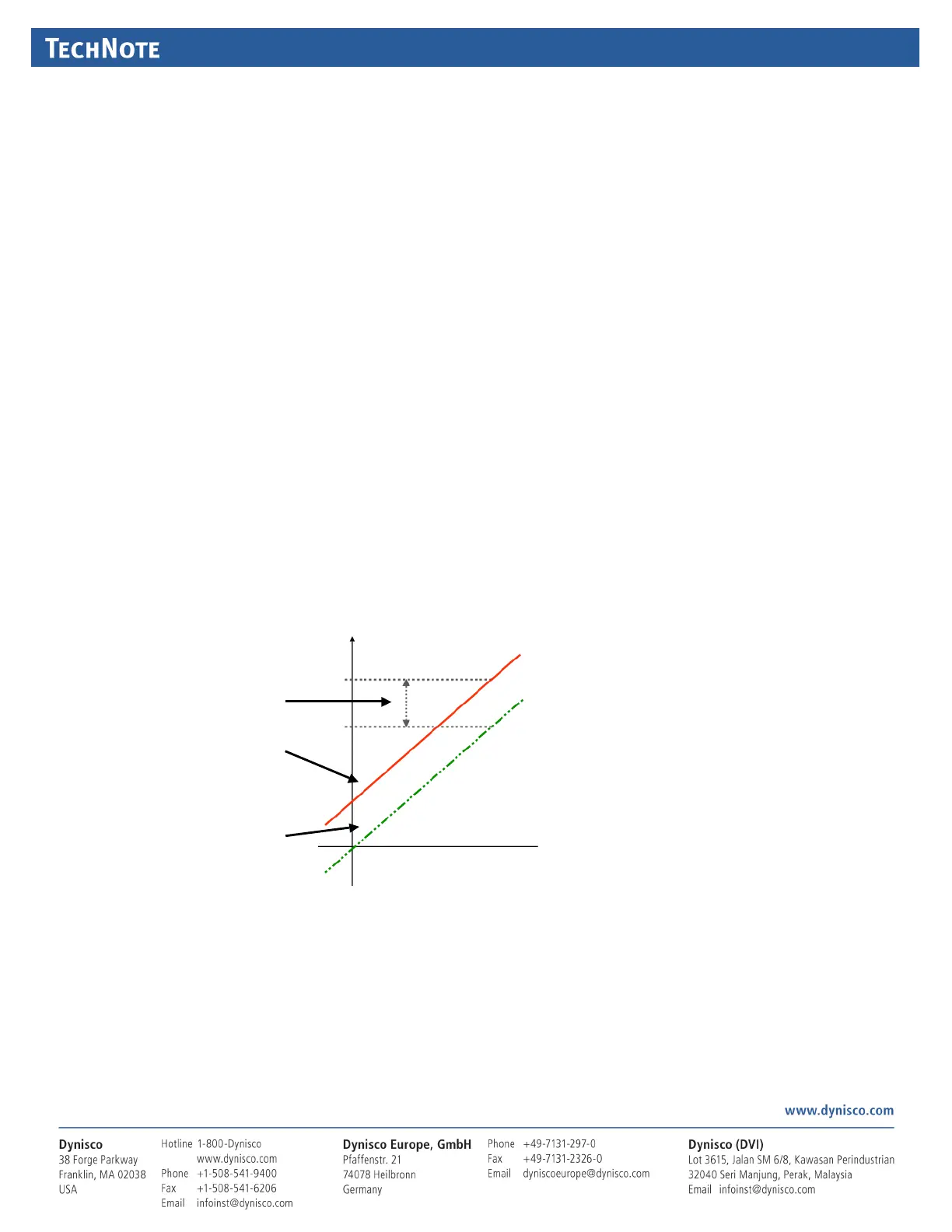
This!example!shows! a!positive!offset!value.!
For!example:!
If!the!process!displays!27.8!when!it!should!
rea d!30,!The!error!is!‐2.2 !so!an!applied!
offset!of!+2.2!would!change!the!displayed!
value!to!30.!
The!same!offset!is!applied!to!al l!values,!so!
at!100.0!the!new!displayed!value!would!be!
102.2.!
!
(
0\ '(*'$#3(178$U473$'#(
!
This!m ethod!i s!used!where!an!error!is!not!constant!across!the!rang e.!
Separate!offsets!are!app lied!at!two!points !in!the!range!to!eliminate!both!“zero”!and!“span”!err ors.!To!use:!
1. Measure!and! record!the!error!at!a!l ow! point!in!th e!process.!
2. Measure!and! record!the!error!at!a!high!po int!in!the!proc ess.!
3. Go!to!the!first!two!point!input!calibration !screen.!
a. Enter!the!desired !low!point!value!as!the!Calibrati on!Low!PV!value.!


 To Next Page
 Loading...
