E-Guard IC502w
3.14. Upgrade
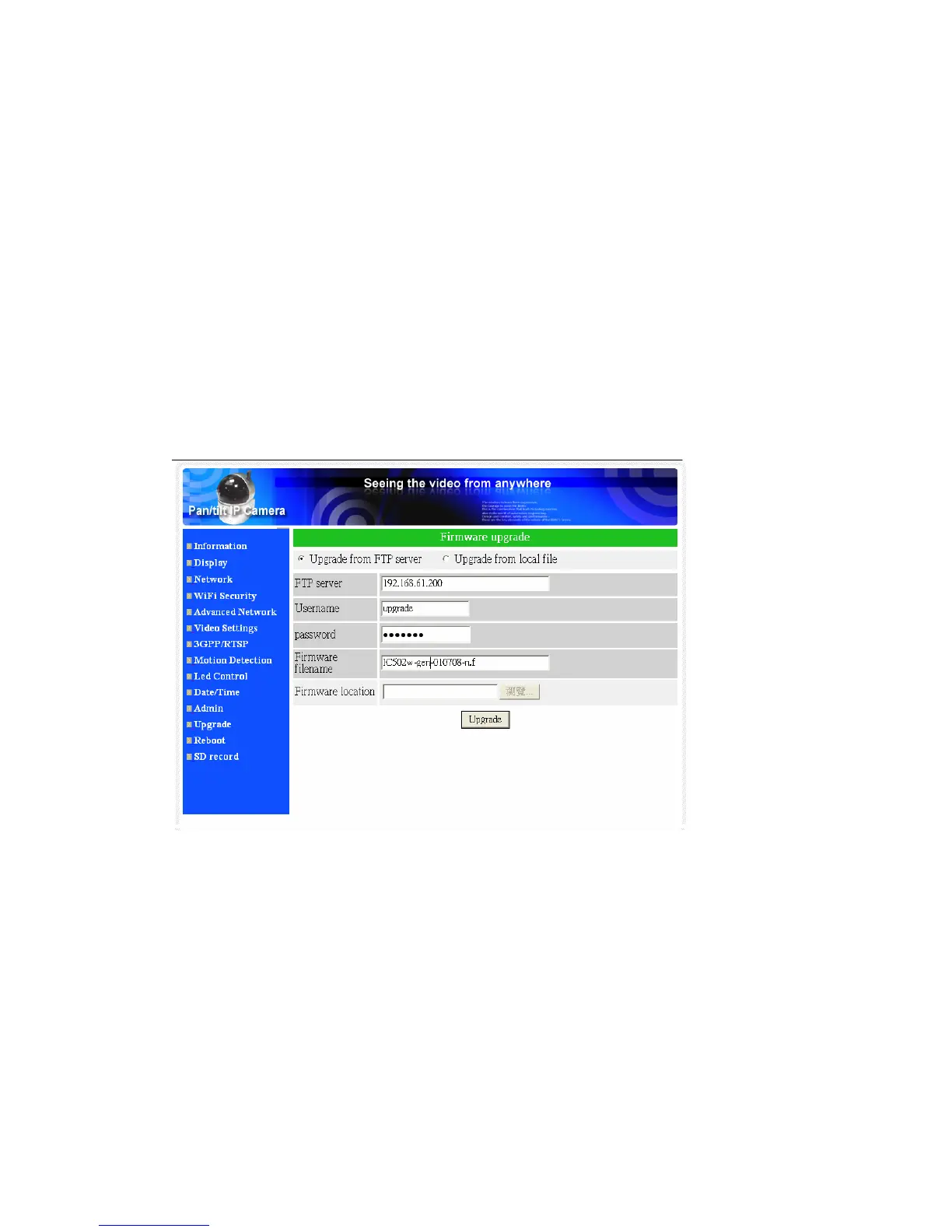
If there is some new firmware available from the supplier of this IP CAM, you can
upgrade the firmware on this page. Please ask for the correct information about FTP
server, username/password account and firmware filename from your supplier, and
then do this upgrade. A status message about the percentage done in the upgrade
procedure is displayed. Please be noticed that during the upgrade procedure, do not
power off the IP CAM, otherwise, the IP CAM could probably enter into the safe
mode(section 3.14). After the upgrade procedure is finished, the system will restart
automatically.
You can upgrade from the ftp server or from the local file in your computer.
During this upgrade procedure, do not try to modify other settings or view the
video.
Figure 3-19: Firmware upgrade settings page
35


 To Next Page