8
POWER ASSISTED BICYCLES
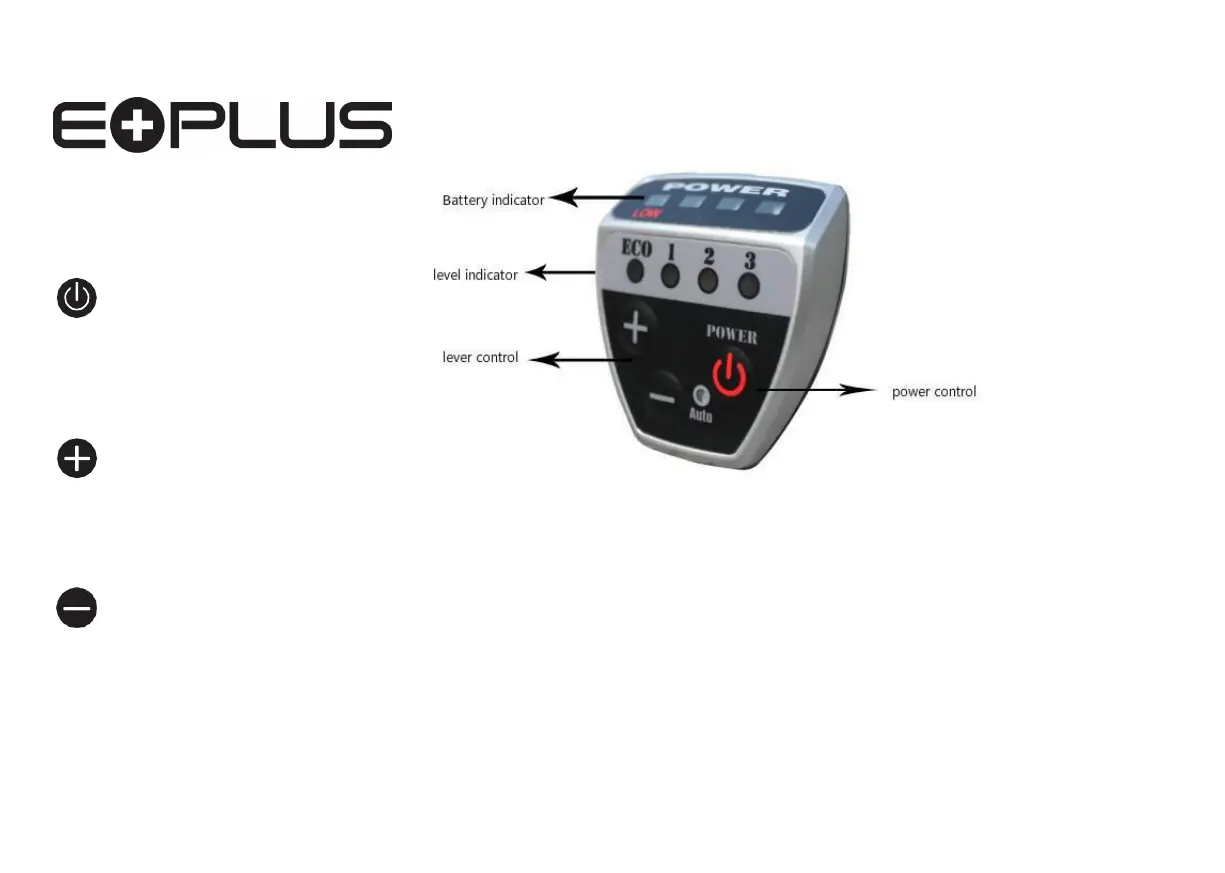
1. ON/OFF button - Switch on after you have switched battery switch to ‘ON’
2. Lever buttons - 1, 2
and 3, easy selection levels of assistance
3. Battery
Indicator lights -
These are red and go down as you use the power.
4. As you ride up a hill the power indicator drops down showing increased
resistance levels, but once back to level ground the indicator lights will
return to a more accurate position of available power levels.
5. This bike has a 6km walking mode function, which allows you to push
your bike effortlessly over steep ridges or hills. You can activate this
function by holding down the minus button for 3 seconds.
Understanding your controller
Fig.16
Your Controller is tted to the left side of the Handlebar.
Press to switch ON/OFF
Press to increase assist
level 1-3.
Press to reduce assist
level 3-1.



 To Next Page