10
MENU for SPEED LIMIT
a. To set up speed limit:
- Turn off the display
- Press and hold thumb brake
- Power the display
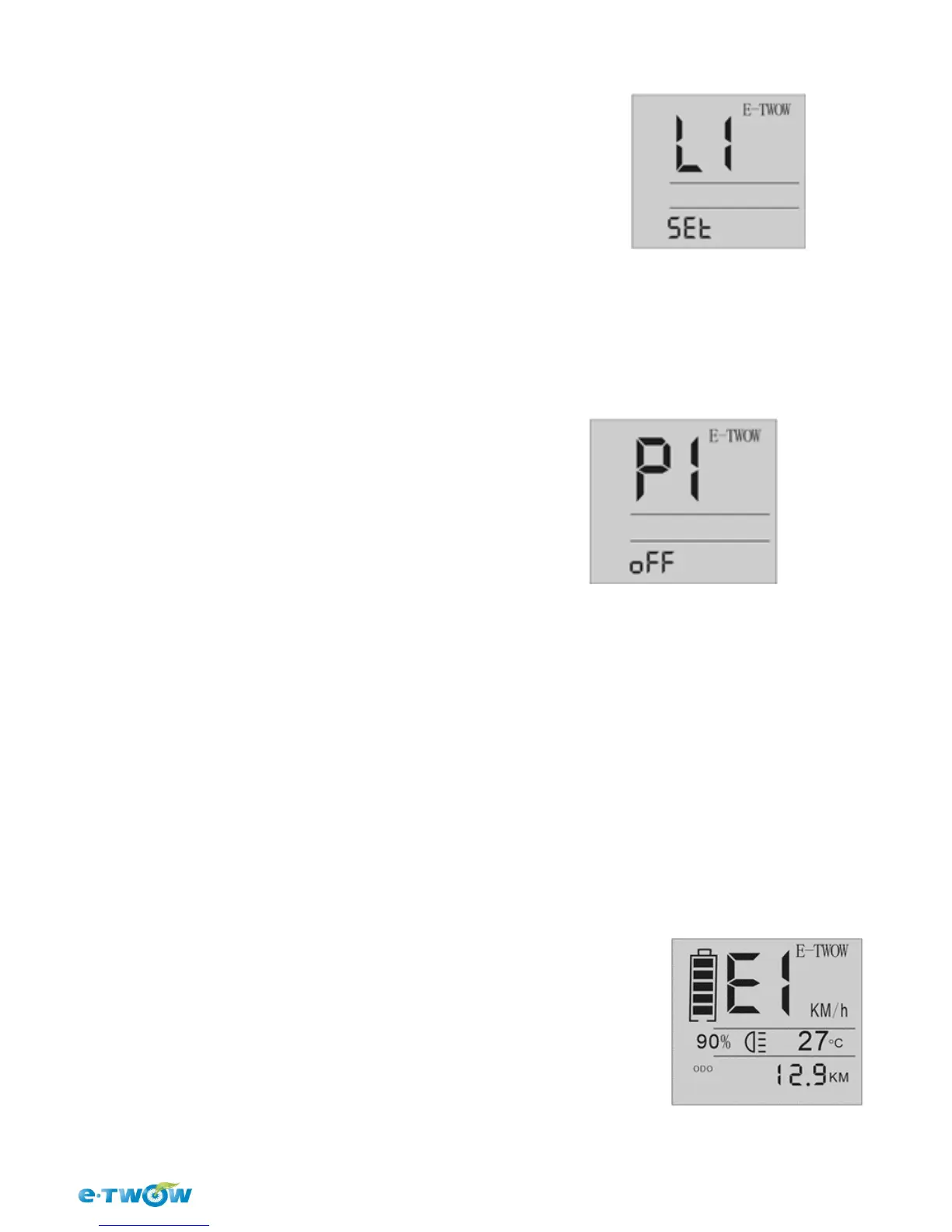
The display will show " L1"
b. Move to menu with button [ LIGHT] L1-L2-L3-L4-L5
- To set up and save the speed limit, press button[SET]
- To finish the settings, release thumb brake.
MENU for SETTING
a. To set up one of this program:
- Turn on display
- Press and hold thumb brake
- press the button [ POWER]
The display will show: P1
b. Move to menu with button [ LIGHT] P1- P2- P3
To set up and save the setting, press key [ SET]
TO finish the settings, release thumb brake.
*P3 – Turns off the acceleration so that both handles become regenerative brake
handles
ERROR CODE
E1 - Overcurrent protection ( Motor does not move more than 4 seconds) -
this error clears after release the acceleration throttle.
E2 - Communication error ( No communication for more than 400ms) - this
error clears when starting the communication.
E3 – Overvoltage error ( Battery voltage higher) – this error clears if you put
back the original battery.
L1 = Limit the speed to 6 km/h
L2 = Limit the speed to 12 km/h
L3 = Limit the speed to 20 km/h
L4 = Limit the speed to 25 km/h
L5 = Limit the speed to 30 km/h
P1 = Zero Start [ ON/OFF]
P2 = Cruise Control [ ON/OFF]
P3* = Acceleration [ON/OFF ]


 To Next Page