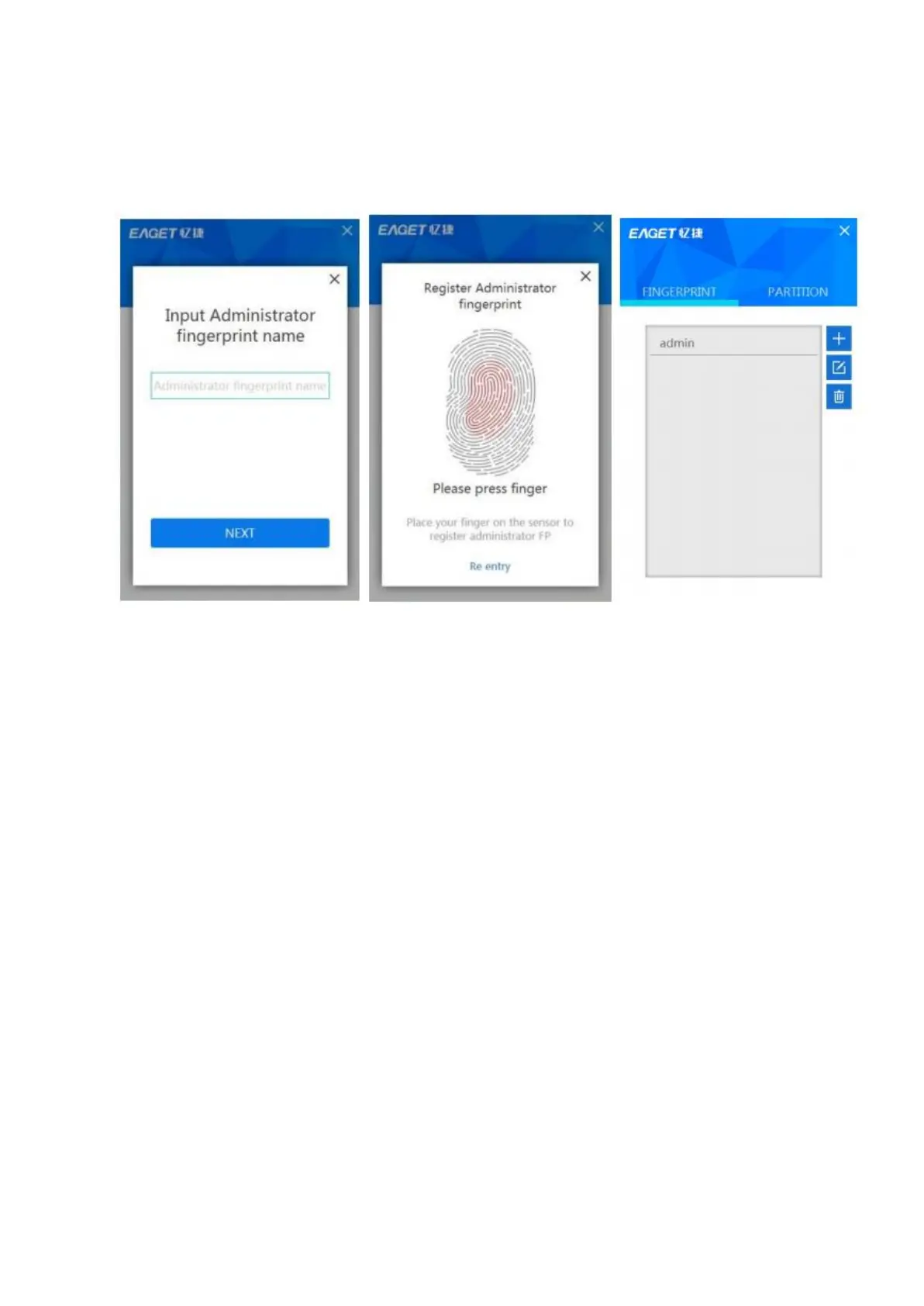
2) To enroll fingerprint for administrator tap Next, and enroll your fingerprint
according to the direction. You can enroll again if you want by tapping the
Re-entry at the bottom.
Note: We suggest you slightly change the angle of your finger for every
attempt, allowing the system to store fingerprints of the pad, both sides, and the tip
of your finger. Repeat step for 6 times until the scan of your fingerprint is completed
Usage of the Fingerprint Flash Drive
Attach FU60 to an available USB port on your computer and the device
should be recognized automatically. Place your finger (the one that had been
enrolled) on the fingerprint sensor with light and even pressure. You will see the blue
light flashes. When the fingerprint is authenticated, you can see the secure partition
and access the data stored in this partition.



 To Next Page