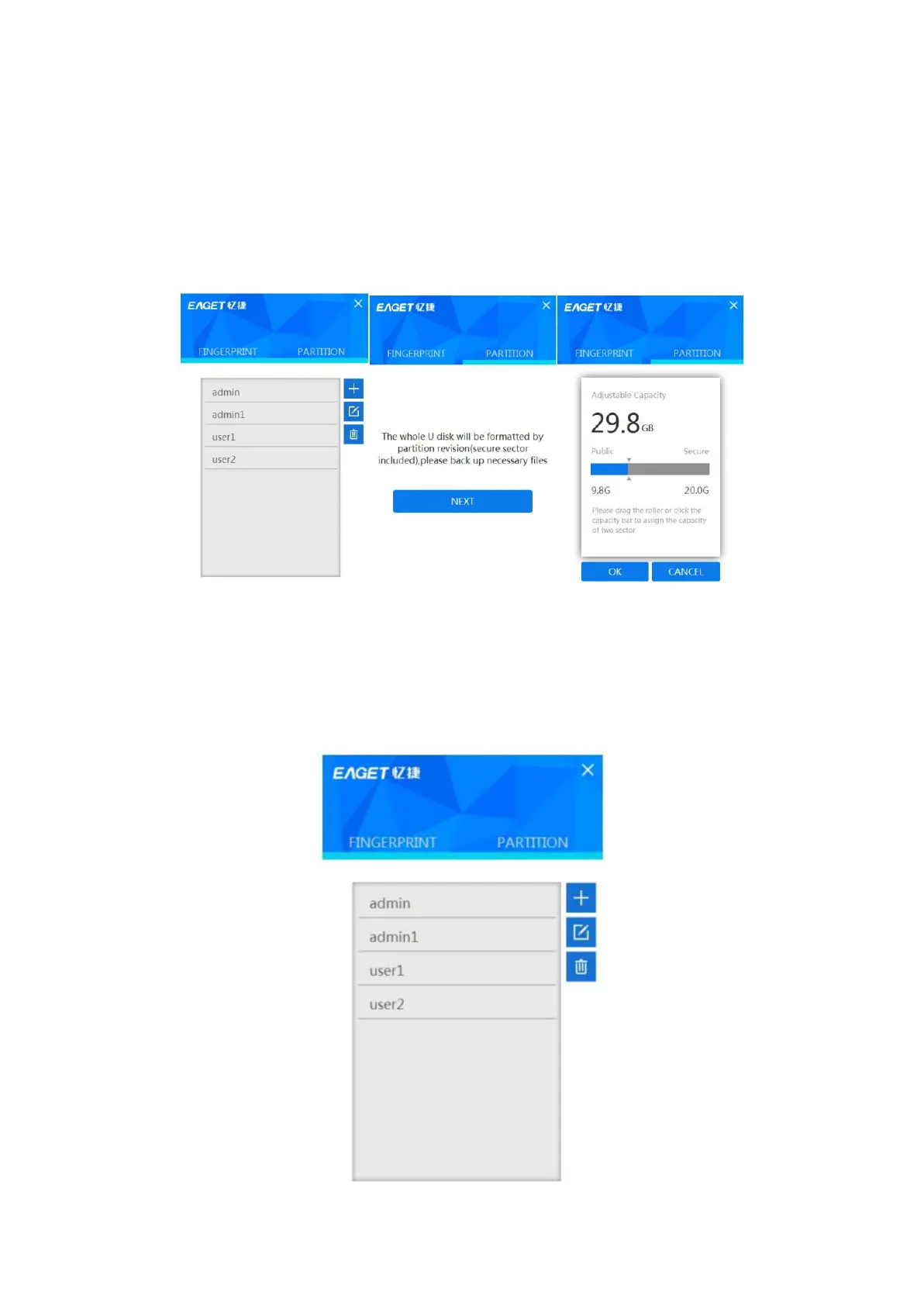
Partition of the Flash Drive
a) Run the application “Fingertool_EAGET”, and apply the Administrator’s
fingerprint to pass the authentication
b) Click “PARTITION”
c) Scroll the mouse to adjust the capacity of the public partition and the secure
partition, and click “YES” to confirm the adjustment.
d) Please re-attach the flash drive after finish the partition.
Managing administrators and users’ accounts and passwords
Tap + to add the fingerprint. If you want to change the password and the
fingerprint after selecting the target account, tap the Edit button. To delete the
account, tap the basket icon. Bear in mind that you should keep at least one
fingerprint as the administrator.



 To Next Page