30
Operation
KEYBOARD BASICS
The unit sounds a tone when you press any key. This tells you the unit
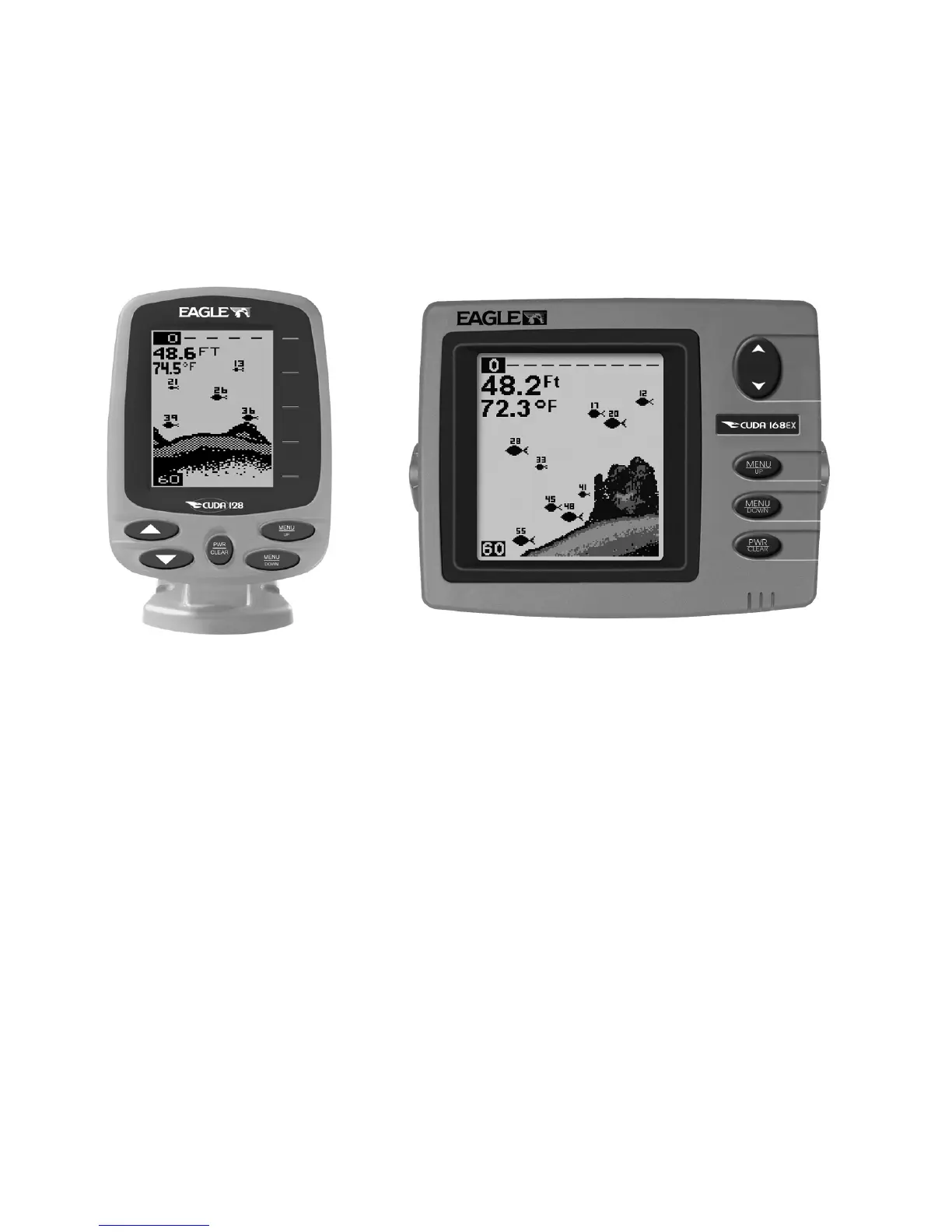
has accepted a command. Numbers in the following photos correspond
to key explanations in the following pages.:
Cuda 128 and Cuda 168EX Sonars, front view, each
showing screen and keyboard.
1. PWR/CLEAR (power and clear)
This key appears in the manual text simply as PWR
. Press this key to
turn the unit on and off. It also clears menu selections and the menus
from the screen. To clear a menu from the screen, press
PWR
one time.
NOTE:
You must hold the
PWR
key down for a countdown of five in order to
turn the unit off.
2. MENU UP (menu up)
3. MENU DOWN (menu down)
These keys appear in the manual text as
MENU UP or MENU DOWN
. Most
of the time, the instructions require you to press either menu key, so
4
2
3
1
1
2
3
4













 To Next Page