39
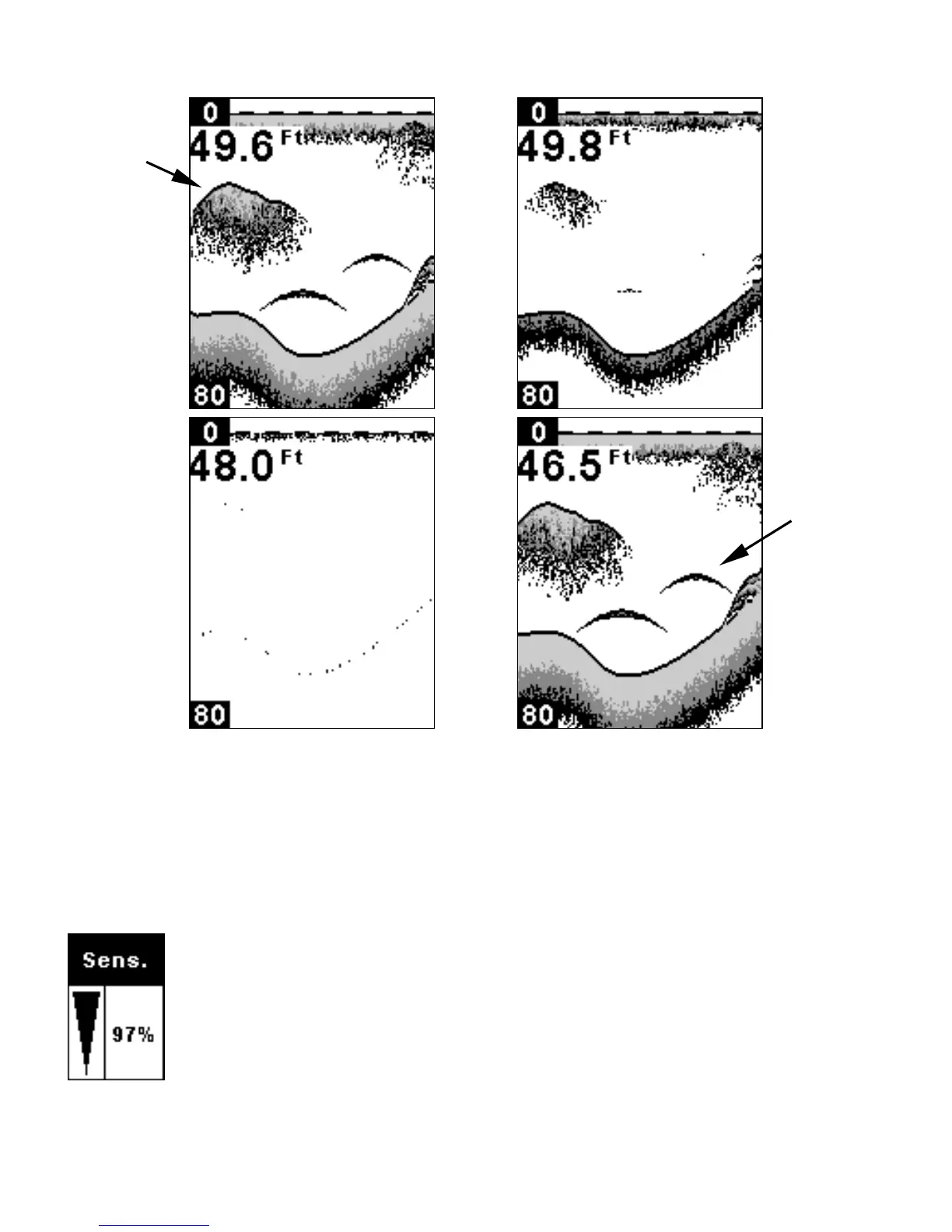
These figures show results of different sensitivity levels on the same
location. Fig. 1: Sensitivity at 98 percent, determined by Auto
Sensitivity. Typical of full auto mode. Fig. 2: Sensitivity set at 71
percent. Fig. 3: Sensitivity set at 47 percent. Fig. 4: Sensitivity set at
100 percent.
To adjust sensitivity:
Press
MENU
until the
S
ENSITIVITY
A
DJUSTMENT
menu appears. Press
UP ARROW
to increase the sensitivity,
DOWN ARROW
to decrease
it. When it's set at the desired level, press
PWR
to clear the
menu.
Fig. 3 Fig. 4
Bait
school
Fish
arches
Fig. 1
Fig. 2













 To Next Page