6
PROVIDER OF LIFE STYLE & INDUSTRIAL SCALES
Survey No. 28/1, Damodar Nagar, Kharadi, Pune - 411014. Tel : + 91 - 20 30418100 / 110,
Fax : + 91 - 20 - 30418126. Email : sales@egkantawalla.com
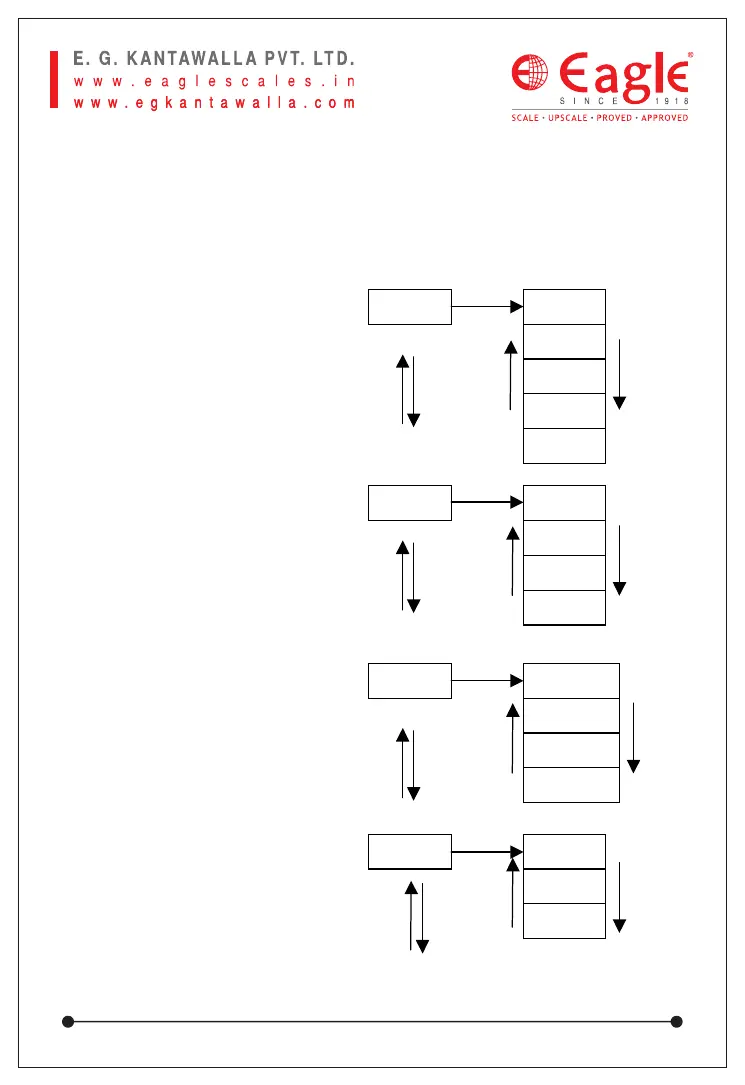
1.
Display Speed Selection
2.
Data format on RS-232
3.
Baud Rate Selection
4.
RS-232 output data
d-SPd
SPd-1
SPd-2
SPd-3
SPd-4
SPd-5
tr-232
tr-01
tr-02
:
tr-13
b-rAt
b-1200
b-2400
b-4800
b-9600
OUt-Nd-OUt
OUt-G
OUt-t
TARE
ZERO
TARE
ZERO
TARE
ZERO
TARE
ZERO
TARE
ZERO
TARE
ZERO
TARE
ZERO
TARE
ZERO
M
M
M
M
Chapter 8. User Parameter Setting Mode
In weighing mode, keep [FUNC] key pressed for 5 sec, it will enter
operator setting mode, press [M] to choose the mode, press [TARE] to
move forward and press [ZERO] to move reverse the parameter.
Pressing the [FUNC] key will make you escape to previous menu or
stage. The description of parameters are as follows:



 To Next Page