7
Go to Table of Contents
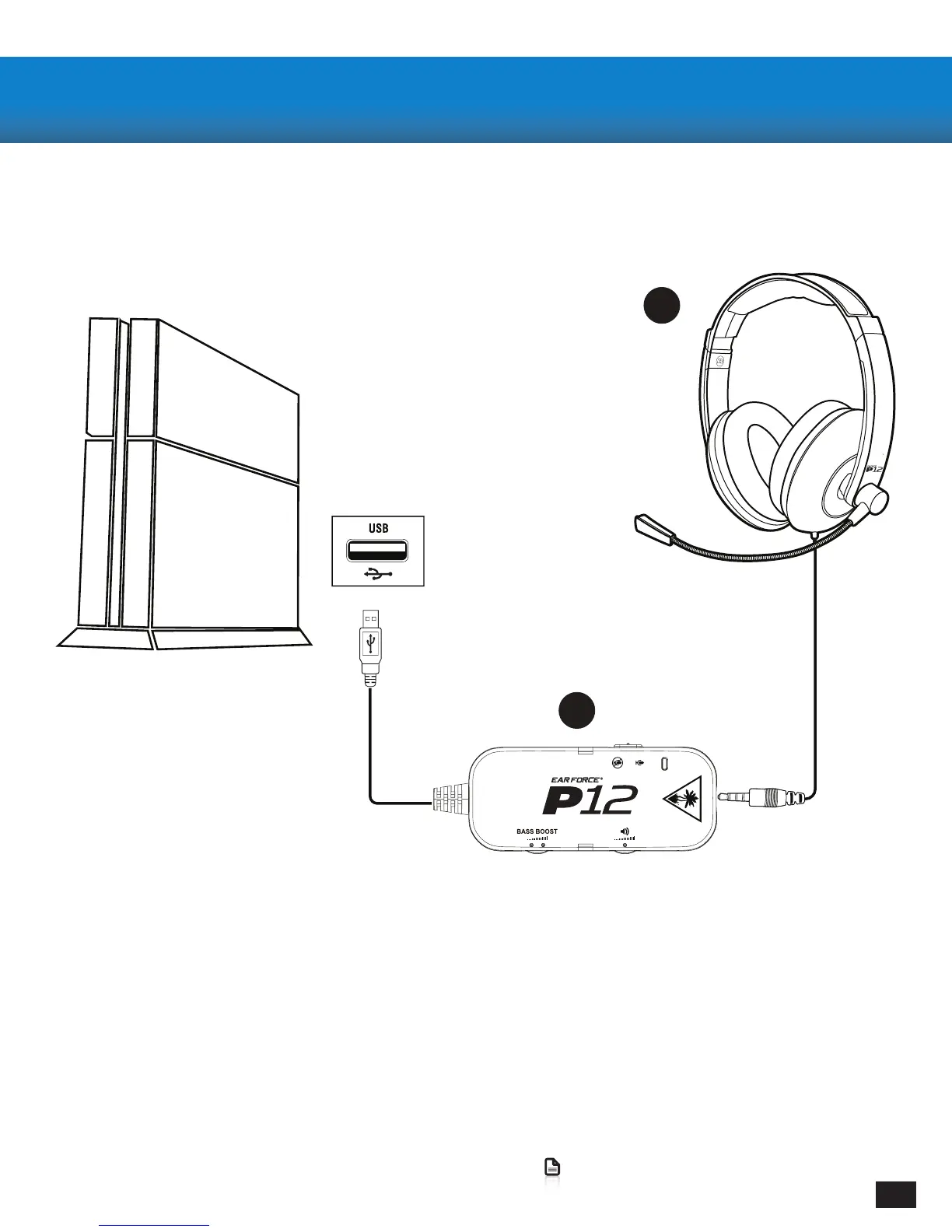
Connecting to your PlayStation 4
1. Connect the 3.5mm Headset Plug into the P12 In-Line Amplier
2. Connect the USB Plug on the P12 In-Line Amplier to a USB Port on the front of the PS4
Conectare la PlayStation 4
1. Conectați șa 3.5mm la ieșirea P12 In-Line Amplier
2. Conectați Fișa USB a Amplicatorului P12 In-Line la Portul USB pe panelul front al consolei PS4
Setup and Connections: PlayStation 4/ Conexiuni și Congu-
rare: PlayStation 4
A
B


 To Next Page