8
Go to Table of Contents
Setup and Connections: PlayStation 4/ Conexiuni și Congu-
rare: PlayStation 4
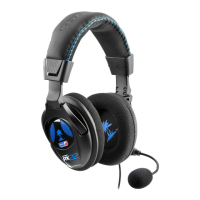
3. Go to Settings >> Devices >> Audio Devices >>
Headsets and Headphones >> Volume Control
(Headphones)
4. Turn up the volume level to maximum
3. Accesează Setări >> Dispozitive >> Dispozitive Audio
>>
Căști>> Volum Control
(Căști)
4. Setează volumul până la nivelul maxim
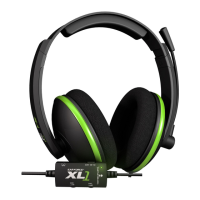
5. Go to Settings >> Devices >> Audio Devices >>
Headsets and Headphones >> Microphone Level
6. Follow the on-screen instructions to calibrate
your microphone
5. Accesează Setări >> Dispozitive >> Dispozitive
Audio >>
Căști>> Volum Control >> Nivel Microfon
6. Urmați instrucțiunile de pe ecran pentru a calibra
microfonul
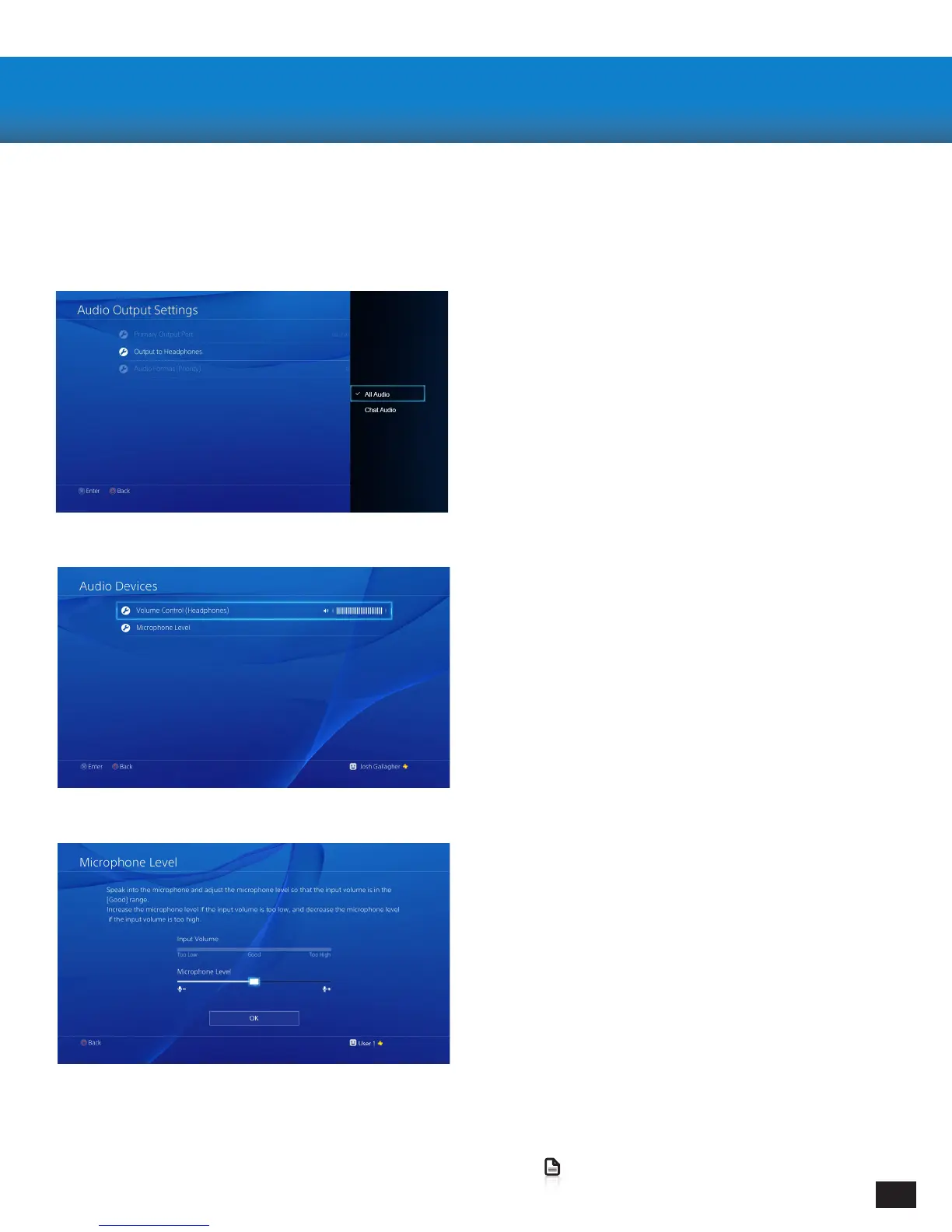
1. Go to Settings >> Sound and Screen >>
Audio Output Settings >> Output to Headphones
2. Select “All Audio”
1. Accesează Setări >> Sunet și Așare >>
Setări Audio Ieșire >> Ieșire Căști
2. Selectați “All Audio”
Conguring your PlayStation 4/ Congurare
PlayStation 4


 To Next Page