9
Go to Table of Contents
Setup and Connections: Mobile Sources/ Congurare și Con-
exiuni: Dispozitive Mobile
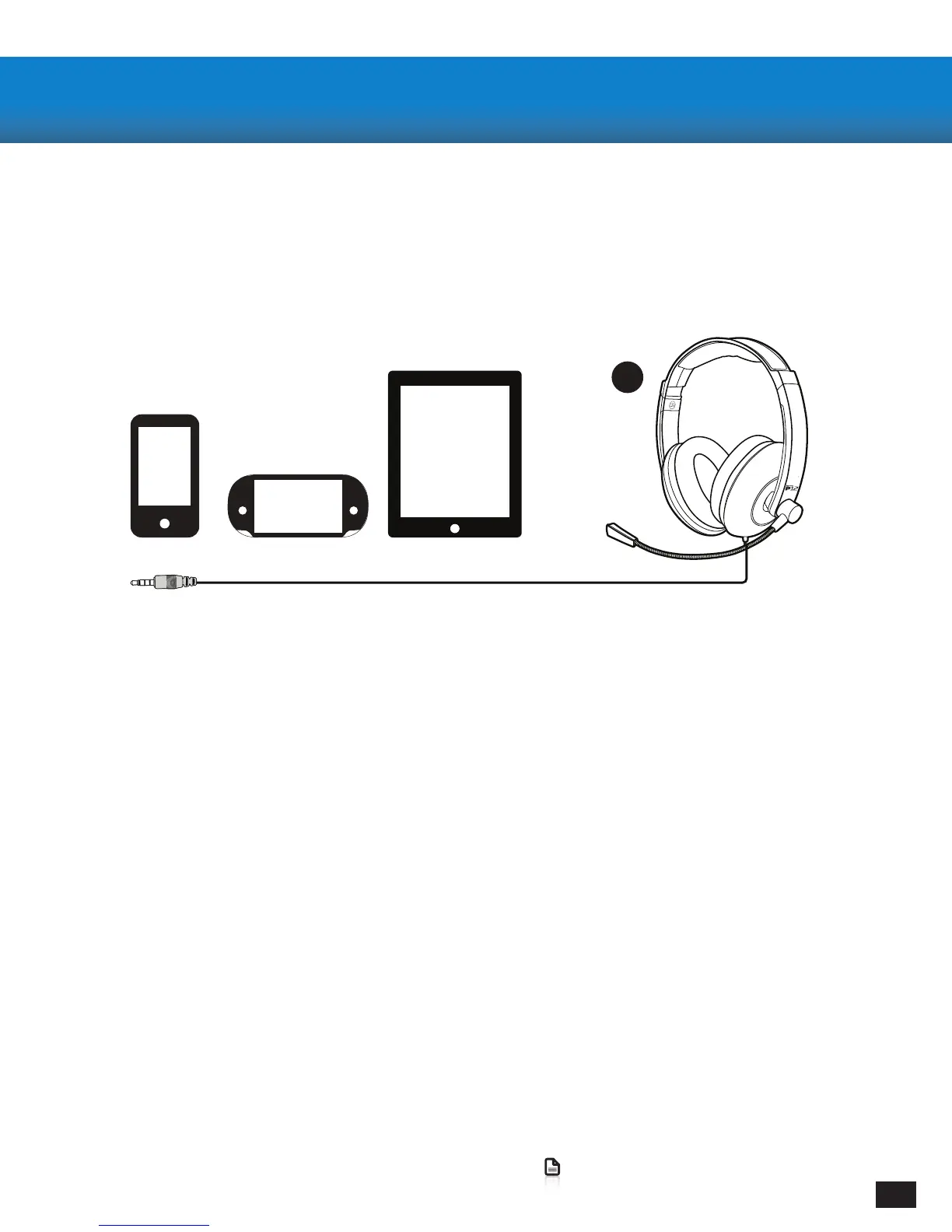
Connecting to your Mobile Devices
· Connect the Headset Plug from your Headset to the Headset Jack on your preferred mobile device
Note: For reliable sound, conrm that all connections are rmly inserted.
Conguring your Mobile Device
· Your P12 should be automatically detected and will be used as the Primary Headphones/Microphone
for all Calls, Video, and Music.
Conectarea Dispozitivelor Mobile
Conectați Căștile de dispozitiv mobil ales de Dvs. folosind șa Jack.
Nota: Pentru cea mai buna calitate de sunet asigurați-vă că toate cablurile sunt conectate corect.
Congurarea Dispozitivului Mobil
Căștile P12 vor detectate în mod automat și folosite ca Difuzor/Microfon Principal
pentru toate Apelurile, Fișierele Video și Audio.
A


 To Next Page